Table of Content
- What Does AI Integration Actually Mean?
- What Does AI Integration Actually Mean?
- When Should You Integrate AI? Signs Your Software Is Ready
- Step 1 - Conduct an AI Readiness Audit
- Step 2 - Define Clear AI Use Cases and Business Goals
- What does success look like in 90 days and in 12 months?
- Step 3 - Choose the Right AI Approach
- Common AI Integration Mistakes to Avoid
- How Much Does AI Integration Cost in 2026?
- Realistic Timeline for AI Integration
- Frequently Asked Questions
- How long does it take to integrate AI into existing software?
- Can I integrate AI without rewriting my entire software?
- Do I need a data science team to integrate AI?
- How much does it cost to add AI to existing software?
- What are the most impactful AI features to add first?
- How do I ensure AI does not introduce bias into my software?
- Best Software AI Integration Parner in 2026?
- We Have Already Built the Foundations AI Needs
- End-to-End Delivery Under One Roof
- Real Projects Across the Industries That Matter to You
- Flexible Engagement Models That Fit Your Budget and Stage
- Conclusion
Digital Transform with Us
Please feel free to share your thoughts and we can discuss it over a cup of coffee.
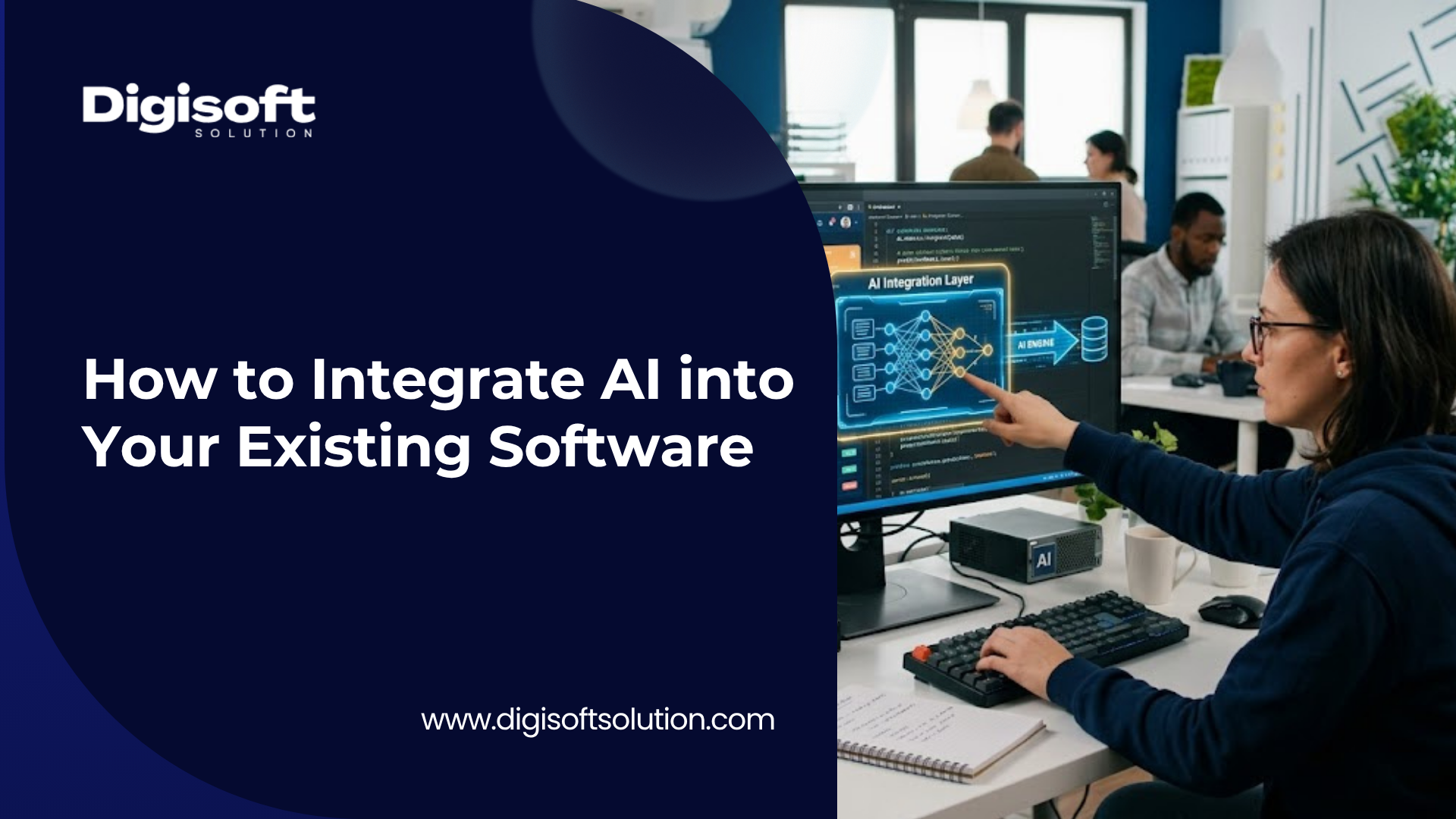
Artificial Intelligence is no longer a futuristic concept reserved for tech giants. In 2026, businesses of every size across healthcare, retail, finance, and logistics are integrating AI directly into their existing software to automate tasks, personalize experiences, and make smarter decisions at scale.
But here is the challenge most organizations face: you already have a working software system. You cannot simply throw it away and start over. The real question is how do you layer AI capabilities onto what you already have, without breaking what works?
This guide answers that question comprehensively. Whether you are a business owner, CTO, or product manager, you will walk away with a clear, actionable roadmap for adding AI to your existing software, step by step.
A few numbers that put the opportunity in perspective:
77% of businesses are either using or exploring AI in their operations (McKinsey, 2025) Businesses that integrate AI report up to 3.5x higher revenue growth compared to non-adopters AI is projected to contribute $15.7 trillion to the global economy by 2030 (PwC)
If your software is not AI-powered yet, the cost of waiting is growing every year.
What Does AI Integration Actually Mean?
AI integration is the process of embedding artificial intelligence capabilities such as machine learning models, natural language processing, computer vision, or predictive analytics into an existing software application, without requiring a complete rewrite of the underlying system.
Think of it like adding a smart engine to a car that already runs. The chassis (your existing software), the wheels (your databases), and the dashboard (your UI) all remain intact. You are upgrading the engine to be smarter, faster, and more capable of reacting to real-world conditions in real time.
A few numbers to provide a perspective:
77% of companies are currently employing or looking into AI within their business (McKinsey 2025). Businesses that use AI have reported as high as 3.5x greater revenue growth than those that do not. AI is expected to add $15.7 trillion to the world economy in 2030 (PwC)
If your program isn't AI-powered yet, the price of waiting increases each year.
What Does AI Integration Actually Mean?
AI integration is the process of embedding artificial intelligence capabilities such as machine learning models, natural language processing, computer vision, or predictive analytics into an existing software application, without requiring a complete rewrite of the underlying system.
Think of it like adding a smart engine to a car that already runs. The chassis (your existing software), the wheels (your databases), and the dashboard (your UI) all remain intact. You are upgrading the engine to be smarter, faster, and more capable of reacting to real-world conditions in real time.
AI integration is different from the following approaches:
Building AI from scratch, which involves creating an entirely new AI-native application from the ground up. Simply using AI tools, where your team uses products like ChatGPT but your software itself does not become AI-powered. Traditional automation, which is rule-based. AI integration introduces learning, prediction, and contextual reasoning that goes far beyond fixed rules
The goal of AI integration is to make your existing software measurably smarter and more valuable, without starting over.
If you are considering building AI-native software from scratch instead, explore our custom software development services to understand how we approach AI-first product engineering.
When Should You Integrate AI? Signs Your Software Is Ready
Not every piece of software needs AI right now, and rushing in without a clear purpose is one of the most common and costly mistakes businesses make. Before you begin, check whether your situation matches any of the following signals.
You have large volumes of data that humans can no longer process efficiently, such as customer records, transaction logs, or usage patterns. Repetitive manual tasks are consuming significant team time, including classification, data entry, and report generation. You are experiencing customer churn or conversion problems that better personalization could address. Quality issues in your software could be caught earlier with automated testing and anomaly detection. Your industry peers are already delivering AI-powered features and you are feeling competitive pressure. Users struggle to find what they need inside your platform, which points to a search and discovery problem that AI can solve.
Expert Insight: AI integration works best when it solves a specific, measurable problem rather than being added just to seem innovative. The most successful integrations we have seen start with a clear problem statement such as: "We lose 15% of customers at onboarding because support response times are too slow." That is a solvable AI problem. "We want to add AI" is not a problem statement.
SEO Note for Content Team: When you publish the article "AI in Software Testing and QA Automation," link back to this section using anchor text like "AI-powered quality assurance and testing."
Step 1 - Conduct an AI Readiness Audit
Before any code is written, your team must honestly assess whether your existing software and organization are prepared to support AI. This audit covers four dimensions.
Data Readiness
Do you have sufficient, clean, and structured data? AI models learn from data. If your data is scattered across spreadsheets, inconsistent, or too sparse, you must address this first before any model will perform reliably.
Infrastructure Readiness Can your servers, cloud setup, and APIs support AI workloads? Some AI features, especially real-time inference, require low-latency compute and may need cloud scaling to handle production loads.
Team Readiness Does your development team have the skills to build, integrate, and maintain AI features? If not, do you have access to AI specialists or an experienced development partner who can fill the gap?
Process Readiness Are your internal workflows designed to incorporate AI outputs? AI is only valuable if humans and systems actually act on what it tells them. Workflows must be redesigned around AI-assisted decision making from the start.
Document the results of this audit as a formal baseline. It will inform every subsequent decision in the integration process.
Data Audit Checklist
Data Volume: Do you have at least 1,000 or more labelled data records available for supervised learning? Data Quality: Is your data clean, consistent, and free from duplicates or null values? Data Storage: Is data stored in a structured format such as SQL or NoSQL, or is it siloed in spreadsheets? Data Pipelines: Can data be extracted, transformed, and loaded efficiently into a training environment? Compliance: Is your customer data GDPR or HIPAA compliant and legally permissible for AI training purposes?
If your data infrastructure needs work before you can begin, our cloud application development team can help you build scalable, AI-ready data pipelines and architectures.
Step 2 - Define Clear AI Use Cases and Business Goals
The biggest reason AI projects fail is not technical. It is a lack of clarity around what the AI is supposed to do and how success will be measured. Before picking any technology, answer the following questions.
What specific task should AI perform? For example: automatically classify incoming customer support tickets by category and urgency. What is the measurable outcome? For example: reduce manual ticket sorting time by 60%. Who uses this output? Is it support agents, marketing managers, or the end customer? What happens when the AI is wrong? For example: human review is triggered when confidence drops below a set threshold.
What does success look like in 90 days and in 12 months?
Popular AI Use Cases by Software Type
- E-Commerce Platform Primary AI use cases: Product recommendations, dynamic pricing, visual search Expected business outcome: 15 to 35 percent increase in conversion rate
- CRM and Sales Software Primary AI use cases: Lead scoring, churn prediction, next-best-action recommendations Expected business outcome: 20 to 40 percent improvement in sales team efficiency
- Healthcare Application Primary AI use cases: Clinical documentation, symptom analysis, appointment scheduling automation Expected business outcome: 30 to 50 percent reduction in administrative workload
- Logistics and Supply Chain Software Primary AI use cases: Demand forecasting, route optimization, anomaly detection Expected business outcome: 15 to 25 percent reduction in operational cost
- HR and Recruitment Software Primary AI use cases: Resume screening, interview scheduling, employee sentiment analysis Expected business outcome: 75% reduction in manual screening time
- Finance and Banking Application Primary AI use cases: Fraud detection, credit scoring, document processing Expected business outcome: 80 percent reduction in false positive fraud alerts
If you are building an e-commerce platform and want to add AI-powered product recommendations, read more about our e-commerce development services and how we design intelligent product experiences.
Step 3 - Choose the Right AI Approach
There is no single right way to integrate AI. The appropriate approach depends on your data maturity, timeline, budget, and the complexity of the problem you are solving. There are three main paths available.
Approach A - Pre-Built AI APIs (Fastest and Lowest Cost)
Pre-built AI APIs give you access to powerful, already-trained models through simple API calls. You send data in, and you get AI-powered results back. No model training is required on your side.
Popular options available in 2026 include:
OpenAI API for natural language generation, chat, summarization, and classification Google Vision AI for image recognition, OCR, and object detection AWS Rekognition for facial analysis, content moderation, and activity detection Azure Cognitive Services for speech-to-text, translation, and sentiment analysis Google Natural Language API for entity recognition, sentiment analysis, and syntax parsing
Best for: Businesses that want fast results, have limited AI engineering resources, and whose use case is well-served by general-purpose models.
Limitation: Less customized to your specific domain. Costs scale with API call volume. Data is processed by a third party, which may raise privacy concerns.
Approach B - Fine-Tuned or Custom ML Models (Moderate Timeline and Cost)
Here you take a pre-trained base model and fine-tune it on your own domain-specific data. The result is a model that understands your industry, your customers, and your specific business terminology.
Practical examples include:
Fine-tuning a language model on your product catalogue to power intelligent search Training a custom image classifier on your manufacturing quality control data Building a churn prediction model on your historical CRM records
Best for: Businesses with proprietary data who need higher accuracy than generic APIs can provide, and who have three to six months to invest in the project.
Approach C - Full Custom AI Development (Highest Investment and Maximum Control)
This path covers end-to-end custom AI development, including designing neural network architectures, building training pipelines, and deploying on your own infrastructure. It is used when off-the-shelf solutions fundamentally cannot solve your problem.
Best for: Companies in regulated industries such as healthcare or finance that handle sensitive data which cannot be sent to third-party APIs, or companies with highly unique use cases that no existing model covers.
Comparison: Which AI Approach Is Right for You?
Pre-Built API Time to deploy: 2 to 6 weeks Typical cost: $5,000 to $20,000 Data required: Minimal Domain accuracy: Moderate Data privacy control: Low Best suited for: Speed and early experimentation
Fine-Tuned Model Time to deploy: 2 to 5 months Typical cost: $20,000 to $80,000 Data required: Moderate (1,000 to 50,000 records) Domain accuracy: High Data privacy control: Medium Best suited for: Domain-specific accuracy requirements
Custom AI Build Time to deploy: 6 to 18 months Typical cost: $100,000 to $500,000+ Data required: Large (100,000+ records) Domain accuracy: Highest available Data privacy control: Full control Best suited for: Regulated industries and highly unique use cases
Step 4 - Prepare Your Data Infrastructure
Data preparation is the most underestimated phase of any AI integration project. Poor data quality will guarantee poor AI performance, regardless of how sophisticated the model is. Plan to spend 40 to 60 percent of your total project time on data work.
Key Data Preparation Tasks
Data Collection and Consolidation Pull data from all relevant sources including your database, CRM, logs, and third-party APIs into a unified data warehouse or data lake.
Data Cleaning Remove duplicates, handle missing values, standardize formats for dates, currencies, and categories, and flag outliers that could skew model training.
Data Labelling For supervised learning, human experts must label examples. For instance, marking each support email as urgent or non-urgent. Platforms like Scale AI or Labelbox can significantly accelerate this process.
Feature Engineering Transform raw data into the inputs your model actually needs. For example, converting timestamps into "day of week" and "hour of day" features for a demand forecasting model.
Building Automated Data Pipelines Construct ETL pipelines so your model is continuously fed fresh, updated data rather than a one-time historical snapshot.
Privacy and Compliance Review Ensure all training data is anonymized or properly consented to, especially under GDPR or HIPAA frameworks. This is a legal requirement, not an optional step.
Critical Warning: Never train an AI model on raw customer data that includes Personally Identifiable Information (PII) without proper anonymization and legal review. GDPR and HIPAA violations from AI misuse carry substantial fines. Always involve your legal team before building training datasets from user data.
Our cloud application development services include building secure, scalable data infrastructure designed to support AI workloads from day one.
Step 5 - Select Your AI Tools, Frameworks, and APIs
Choosing the right tools is critical. The wrong framework can lock you in, slow development, or create long-term maintenance problems. Here is the 2026 landscape organized by category.
Machine Learning Frameworks
TensorFlow by Google: Production-grade ML with excellent deployment at scale and strong mobile support via TensorFlow Lite. PyTorch by Meta: Research-friendly and widely adopted for NLP and computer vision tasks, with a large developer community. scikit-learn: Ideal for classical ML tasks such as regression, classification, and clustering on structured tabular business data. Hugging Face Transformers: The standard library for working with large language models and NLP tasks in 2026.
MLOps and Model Management Tools
MLflow: For tracking experiments, packaging models, and managing the full ML lifecycle from training through to deployment. Weights and Biases: Experiment tracking and visualization built specifically for deep learning projects. Kubeflow: ML pipelines on Kubernetes for production-scale orchestration of complex workflows. AWS SageMaker, Google Vertex AI, and Azure ML: Fully managed cloud platforms that handle training, hyperparameter tuning, and deployment end to end.
Popular AI APIs for Direct Integration in 2026
OpenAI API: GPT-4o for language tasks, DALL-E for image generation, Whisper for audio transcription Google Cloud AI APIs: Vision, Natural Language, Translation, and AutoML AWS AI Services: Rekognition, Comprehend, Textract, Lex, and Polly Cohere: An enterprise-focused LLM API with strong retrieval-augmented generation capabilities Pinecone, Weaviate, and Qdrant: Vector databases for semantic search and knowledge-grounded AI features
SEO Note for Content Team: Create a dedicated article titled "Top 10 AI Tools Every Software Development Company Should Be Using in 2026" and cross-link it with this section. These topical clusters reinforce your authority on AI and software development together.
Step 6 - Design the Integration Architecture
This is the engineering heart of the integration. The goal is to connect your AI capabilities to your existing software in a way that is modular, maintainable, and does not create a single point of failure.
Architecture Pattern 1 - Microservices (Recommended for Most Projects)
The AI model runs as an independent microservice. Your existing software communicates with it via REST APIs or gRPC. This is the recommended standard for AI integration in 2026 because it delivers three key benefits.Your core software and AI feature can be developed, deployed, and scaled completely independently of each other. If the AI service becomes slow or fails, it can be isolated so the main application continues
running without interruption. You can replace one AI model with a better one at any time without touching your core codebase.
Architecture Pattern 2 - Embedded SDK or Library
A lightweight AI model is packaged directly into your application as a library. This is used when latency is critical and a network round-trip to an external service is not acceptable. On-device AI for mobile applications is the most common example.
Architecture Pattern 3 - Event-Driven AI Pipeline
AI runs asynchronously in the background, triggered by specific events such as a new order being placed or a document being uploaded. Results are written back to the database and surfaced to users at the appropriate time. This pattern works best for batch processing tasks such as overnight sentiment analysis of all customer support tickets.
Key Architecture Principles to Follow
- Fallback logic: Always define what happens when the AI model is unavailable or returns a low-confidence result. Route to human review or a rule-based fallback system.
- Logging and observability: Every AI inference request and response must be logged for debugging, auditing, and future model retraining.
- Versioned model deployments: Deploy AI models with version control so you can instantly roll back if a newer model performs worse in production.
- Rate limiting and cost controls: If you are using third-party APIs, implement rate limiting and spending caps to prevent unexpected billing spikes.
Our web application development team is experienced in microservices architecture and API design and can help you build an AI integration architecture that scales without disrupting your existing codebase.
Step 7 - Build, Test, and Validate Your AI Feature
Resist building everything at once. A phased approach reduces risk and lets you learn from real usage before committing to the full scope.
Phase 1 - Proof of Concept (2 to 4 Weeks)
Build the smallest possible version of the AI feature. Use sample or synthetic data if your real dataset is not ready. The goal is purely to prove technical feasibility: can you get the AI to produce useful outputs at all?
A proof of concept is not production code. It is designed to answer one yes-or-no question: is this AI approach viable for our specific problem?
Phase 2 - Pilot Deployment (4 to 8 Weeks)
Deploy the feature to a small subset of real users, typically 5 to 10 percent of your traffic via an A/B test. Measure actual business outcomes, not just model accuracy scores. Collect user feedback actively throughout this phase.
Phase 3 - Full Production Rollout (4 to 12 Weeks)
Progressively expand the rollout to all users. Harden the infrastructure, add monitoring dashboards, implement automated alerting, and prepare your team for ongoing model maintenance.
AI-Specific Testing Requirements
Standard software testing including unit, integration, and end-to-end tests is necessary but not sufficient for AI. You also need the following.
- Model accuracy evaluation: Measure precision, recall, F1 score, or RMSE depending on your task type. Set a minimum acceptable threshold before any production deployment is approved.
- Adversarial testing: Deliberately send edge-case, unusual, or malformed inputs and verify the model fails gracefully without crashing or producing harmful outputs.
- Bias testing: Ensure the model performs equitably across demographic groups. This is especially critical for hiring, lending, and healthcare applications.
- Latency testing: Measure 95th and 99th percentile response times under production-level load, not just average response time figures.
- Shadow deployment: Run the new AI model in parallel with your existing logic, compare outputs side by side without affecting real users, and validate results before committing to the full switch.
- Expert Insight: The most common testing mistake in AI projects is evaluating only on the training dataset. Always hold out 20 to 30 percent of your data as a blind test set the model never sees during training. A model scoring 97 percent on training data but only 64 percent on unseen data is overfitted and is not production-ready.
Our software testing and QA services include AI model validation, automated test pipeline setup, and production quality assurance for AI-integrated applications.
Step 8 - Deploy, Monitor, and Continuously Improve
AI deployment is not the finish line. It is the starting line.
Unlike traditional software that behaves consistently once deployed, AI models degrade over time as the real world changes. This is called model drift. A churn prediction model trained in 2023 may perform poorly in 2026 because customer behavior has changed significantly. Ongoing monitoring and retraining are non-negotiable parts of any production AI system.
Production Monitoring Checklist
- Performance dashboards: Track model accuracy, prediction distribution, latency, and error rates in real time using a dedicated monitoring tool.
- Drift alerts: Set automated alerts that fire when model accuracy drops below a defined threshold, so problems are caught before they impact users significantly.
- Feedback loops: Capture instances where users correct or override AI outputs. These corrections become valuable training data for your next model version.
- Retraining schedule: Establish a regular cadence, either monthly or quarterly, for retraining the model on fresh and current data.
- Continuous A/B testing: Test new model versions against the current production model before any full rollout, every single time.
- Cost monitoring: If you are using cloud AI APIs, review spending weekly to catch unexpected usage spikes before they compound into large invoices.
Our software development and maintenance services include post-deployment AI management, covering drift monitoring, model retraining pipelines, and ongoing system optimization.
Common AI Integration Mistakes to Avoid
After working with clients across industries on software modernization projects, here are the most frequent and costly mistakes we see businesses make when attempting AI integration.
Mistake 1 - Skipping the Use Case Definition "We want AI in our product" is not a use case. Without a specific problem, a measurable KPI, and a defined owner, AI projects drift into expensive experiments that produce no measurable return on investment.
Mistake 2 - Underestimating Data Requirements Teams often start building and only discover mid-project that they do not have enough labelled data, or that their data is too dirty to use. Data preparation consistently consumes 40 to 60 percent of total AI project time, and ignoring this upfront creates serious delays.
Mistake 3 - Building a Monolithic AI System Embedding AI logic directly into your core codebase instead of isolating it as a separate service creates a tightly-coupled system that is nearly impossible to update independently. Always treat AI as a service with a clear and documented API contract.
Mistake 4 - Ignoring Model Monitoring After Launch Deploying an AI model and treating it like static software is the fastest path to silent degradation. Setting up monitoring from day one, even a simple weekly accuracy review, can prevent catastrophic model drift from going unnoticed for months.
Mistake 5 - Choosing the Wrong AI Approach for Your Stage Using a fully custom ML model when a pre-built API would solve the problem is like building a car when you need a taxi. Equally, relying on generic APIs when your use case requires domain-specific precision leads to consistently poor outputs. Match the approach to your actual needs and current maturity level.
Mistake 6 - No Fallback Plan Never deploy an AI feature without a fallback mechanism. If the model fails, returns a low-confidence result, or encounters an unexpected input type, your system must handle it gracefully rather than crashing or surfacing a confusing error to end users.
How Much Does AI Integration Cost in 2026?
Cost varies significantly based on the complexity of the AI feature, the state of your existing infrastructure, and whether you use pre-built APIs, fine-tuned models, or fully custom development.
- Simple API Integration Typical cost: $5,000 to $20,000 Timeline: 2 to 6 weeks Example project: Adding GPT-powered intelligent search to an existing web application
- Mid-Complexity Custom Feature Typical cost: $20,000 to $80,000 Timeline: 2 to 5 months Example project: Custom recommendation engine for an e-commerce platform
- Enterprise AI Integration Typical cost: $80,000 to $300,000 Timeline: 5 to 12 months Example project: Predictive analytics combined with a chatbot and anomaly detection for a SaaS platform
- Full Custom AI System Typical cost: $300,000 to $1,000,000+ Timeline: 12 to 24 months Example project: Proprietary ML platform built for a regulated financial institution
- Factors that increase cost: Regulated industries such as healthcare or finance, on-premise deployment requirements, real-time inference needs, large proprietary datasets, and multi-language NLP requirements.
- Factors that reduce cost: Using existing cloud infrastructure, leveraging pre-trained APIs, starting with a single focused use case, and having clean structured data ready before development begins.
To get a precise estimate for your specific project, contact our software development consultants for a free scope assessment with honest cost and timeline figures.
Realistic Timeline for AI Integration
Here is a realistic timeline for a mid-complexity AI integration project. This example is based on adding an intelligent customer support chatbot to an existing web application.
- Weeks 1 to 2 - Discovery and Audit Stakeholder interviews, existing system audit, data availability assessment, use case finalization, and KPI definition. Legal and compliance review begins in parallel.
- Weeks 3 to 4 - Data Preparation Data collection, cleaning, labelling, and pipeline setup. Legal review of data usage for AI training is completed and signed off.
- Weeks 5 to 6 - Proof of Concept Rapid PoC development. AI approach is selected and technically validated. Demo is delivered to stakeholders for approval before proceeding.
- Weeks 7 to 12 - Development and Integration Production-grade development, API integration, architecture build, unit testing, and integration testing. QA runs in parallel with development sprints.
- Weeks 13 to 14 - Pilot Launch Feature is deployed to 5 to 10 percent of real users. Performance is monitored closely. User feedback is collected and reviewed against defined KPIs.
- Weeks 15 to 16 - Full Rollout and Monitoring Setup Full production launch to all users. Monitoring dashboards are live. Team training on AI outputs is completed. Retraining cadence is formally established and documented.
Frequently Asked Questions
How long does it take to integrate AI into existing software?
A basic AI integration using pre-built APIs such as OpenAI or Google Vision can take 2 to 6 weeks. Mid-complexity projects with custom ML models typically require 3 to 6 months. Full enterprise AI integration can take 6 to 18 months depending on data infrastructure, compliance requirements, and the number of AI features being added simultaneously.
Can I integrate AI without rewriting my entire software?
Yes. In the vast majority of cases, you do not need to rewrite your software. AI features are added as modular microservices or API integrations that connect to your existing codebase through well-defined interfaces. Your core system remains intact. This is exactly why a proper integration architecture, covered in Step 6 of this guide, is so critical to get right from the start.
Do I need a data science team to integrate AI?
For API-based integrations using pre-built models, you primarily need experienced software developers who know how to work with APIs and handle data securely. For custom model development, you do need data scientists or ML engineers, either in-house or through an experienced development partner like Digisoft Solution.
How much does it cost to add AI to existing software?
Costs range from $5,000 for a simple API-based feature to $300,000 or more for a full enterprise AI integration. The most important cost drivers are the amount of custom model development required, the current state of your data infrastructure, whether you operate in a regulated industry, and the overall scale of your system.
What are the most impactful AI features to add first?
The highest-impact AI features for most business software are an intelligent chatbot for customer support, predictive analytics and reporting dashboards, personalized content and product recommendations, automated document processing and data extraction, and smart semantic search powered by vector search technology. These deliver measurable ROI quickly and do not require massive datasets to get started.
How do I ensure AI does not introduce bias into my software?
Bias in AI comes from biased training data and flawed evaluation practices. To address it: ensure your training data represents diverse demographic groups, conduct fairness audits as part of your standard testing process, monitor production outputs for disparate impact across user segments, and build human review checkpoints for high-stakes automated decisions in areas such as hiring, lending, or medical diagnosis.
Best Software AI Integration Parner in 2026?
Adding AI to existing software is not just a technical challenge. It requires a development partner who understands your business deeply, works transparently, and has the proven experience to deliver results without blowing your budget or timeline.
Digisoft Solution is a full-service software development company headquartered in Punjab, India, with offices in Gilbert, Arizona, USA. Over the past 12 years, we have delivered 700+ projects for 500+ clients across North America, Europe, Australia, and the Middle East. Our team of 100+ technology professionals works across web, mobile, cloud, e-commerce, and software development, serving industries including healthcare, retail and e-commerce, banking and finance, real estate, logistics, education, and media.
Here is what makes us the right partner for your AI integration project.
We Have Already Built the Foundations AI Needs
AI integration does not happen in a vacuum. It requires solid software architecture, clean data pipelines, reliable cloud infrastructure, and robust APIs underneath it. Since we cover all of these disciplines in-house, we do not need to bring in separate vendors or bridge gaps between teams. Our custom software development team, cloud application development specialists , and web application developers work together on your project from day one, which means the infrastructure supporting your AI features is built to last.
End-to-End Delivery Under One Roof
Many development companies handle one piece of the puzzle. Digisoft Solution handles everything from strategy and design through to development, testing, and deployment. This matters in AI integration because each phase depends on the previous one. If the team designing your data architecture is different from the team building your AI feature, and different again from the team doing quality assurance, gaps and delays appear fast.
Our integrated approach means your AI integration project moves through a single coordinated workflow. Our UI/UX design team [https://www.digisoftsolution.com/ui-ux-design] ensures AI-powered features are presented intuitively to end users. Our software testing and QA specialists [https://www.digisoftsolution.com/software-testing] validate both the technical accuracy and real-world performance of your AI outputs. And our e-commerce development team [https://www.digisoftsolution.com/ecommerce-website-development] has direct experience integrating AI features such as recommendation engines and dynamic pricing into live retail platforms.
Real Projects Across the Industries That Matter to You
Our portfolio reflects real-world delivery across the industries most actively adopting AI right now.
- HealthShield Credentialing: A subscription-based platform for healthcare professionals to manage documents, credentials, and resumes with Mailchimp integration. This project demonstrated our ability to handle sensitive healthcare data with the compliance standards required for AI-adjacent applications.
- Vision Care Direct: A mobile-centric solution that provides secure access to insurance plan information, clinic locations, and digital ID cards. This project required integrating complex backend data systems into a seamless mobile experience, the exact type of infrastructure work that supports AI feature layers.
- Entrusted Mail: A secure and flexible email management system with advanced features built for compliant enterprise operations. Projects like this gave us deep experience in building systems where data integrity and audit trails are non-negotiable, both critical when deploying AI in regulated environments.
- Applica: A CMS platform designed to build customer loyalty through personalized content and engagement. This project sits at the intersection of content management and personalization, an area where AI integration delivers direct business value.
These are not hypothetical examples. They are shipped products used by real businesses, and they reflect the same technical disciplines required for successful AI integration.
Flexible Engagement Models That Fit Your Budget and Stage
Not every business is ready for a full AI transformation on day one. We offer flexible engagement models that let you start where you are and scale as your confidence and requirements grow.
If you want to begin with a focused proof of concept, we can scope and deliver that quickly without locking you into a long contract. If you need to augment your existing development team with AI specialists for a specific phase, our IT staff augmentation services let you bring in exactly the expertise you need. If you want a fully dedicated team managing the entire integration from audit to deployment, we offer dedicated development team models built around your project.
Our pricing is transparent. Project costs are scoped based on actual requirements, not padded estimates. For reference, our custom development projects typically start from $5,000 for API-based integrations and scale based on scope, which is significantly more cost-effective than comparable agencies in the US, UK, or Western Europe.
Global Reach, Offshore Efficiency
Digisoft Solution serves businesses in the USA, Canada, UK, Germany, France, Italy, Netherlands, Denmark, Norway, Sweden, Switzerland, Australia, New Zealand, India, UAE, Saudi Arabia, and across the broader Middle East. Our offshore development model gives international clients access to a senior-level team at a fraction of the cost of local hiring, without sacrificing communication quality, delivery standards, or project visibility.
We operate across time zones, maintain regular communication cadences with all clients, and assign a dedicated point of contact to every project. English is our working language across all client-facing communication.
Conclusion
Integrating AI into your existing software is one of the most impactful investments you can make in your product's long-term competitiveness. But it requires discipline: a clear use case, solid data foundations, the right architectural approach, and an ongoing commitment to monitoring and improvement.
The businesses that win with AI in 2026 are not the ones that deploy the most sophisticated models. They are the ones that solve real, specific problems with well-executed integrations, and then iterate consistently based on what they learn in production.
At Digisoft Solution, we have 12+ years of experience helping businesses across healthcare, e-commerce, finance, logistics, and more build and modernize software that performs. Our team brings both the engineering depth and the strategic experience to guide you through every phase of AI integration, from the initial audit through to full-scale production deployment.
If you are ready to explore what AI can do for your existing software, get a free consultation from our team. We will assess your readiness, identify your highest-impact use cases, and give you an honest roadmap with no jargon and no overselling.
Digital Transform with Us
Please feel free to share your thoughts and we can discuss it over a cup of coffee.