Table of Content
- The Five Core Layers of a BI System
- Business Intelligence
- Business Analytics
- Data Science
- Layer 1: Data Ingestion
- Layer 2: Data Transformation (ETL vs ELT)
- Layer 3: Data Storage
- Layer 4: Semantic Layer
- Layer 5: Visualization and Reporting
- Operational Dashboards
- Tactical Dashboards
- Strategic Reports
- Ad Hoc Reports
- Embedded Analytics
- Microsoft Power BI
- Tableau (by Salesforce)
- Google Looker
- Amazon QuickSight
- Metabase (Open Source Option)
- Per-User Licensing Overview
- What 100 Users Actually Costs Annually
- Is Tableau's Price Actually Worth It?
- Is Looker Worth the Minimum $66,600 Per Year?
- The Hidden Costs Nobody Talks About
- Retail and E-Commerce
- Healthcare
- Finance and Banking
- Manufacturing and Logistics
- SaaS and Technology Companies
- 1. Skipping the Data Governance Step
- 2. Over-Engineering the Stack Too Early
- 3. Choosing a Tool Based on Marketing, Not Data Volume
- 4. Building Too Many Dashboards
- 5. Expecting Self-Service Without Training
- 6. Ignoring Data Freshness Requirements
- 7. Buying an Enterprise Platform Before Your Data is Ready
- Case Study 1: Urban Intelligence Platform for Veridian Urban Systems
- Case Study 2: Peace Intelligence Platform for PeaceMappers
- Case Study 3: ABA Therapy Practice Management for S Cubed
- Stage 1: Audit and Inventory
- Stage 2: Define Business Questions First
- Stage 3: Choose the Right Stack for Your Scale
- Stage 4: Build Governed Data Models
- Stage 5: Train and Iterate
- What We Build
- Custom BI Dashboards and Reporting Systems
- Data Pipeline and ETL Architecture
- Embedded Analytics for SaaS Products
- AI-Augmented BI Features
- UI/UX Design for Data Products
- How We Engage
- Why Businesses Choose Digisoft Solution for BI
- What is the difference between business intelligence and artificial intelligence?
- How long does it take to implement a business intelligence system?
- Do I need a data warehouse to do business intelligence?
- What skills does my team need to use BI tools effectively?
- What ROI should I expect from business intelligence?
- What if I already have a BI tool but it isn't working?
Digital Transform with Us
Please feel free to share your thoughts and we can discuss it over a cup of coffee.
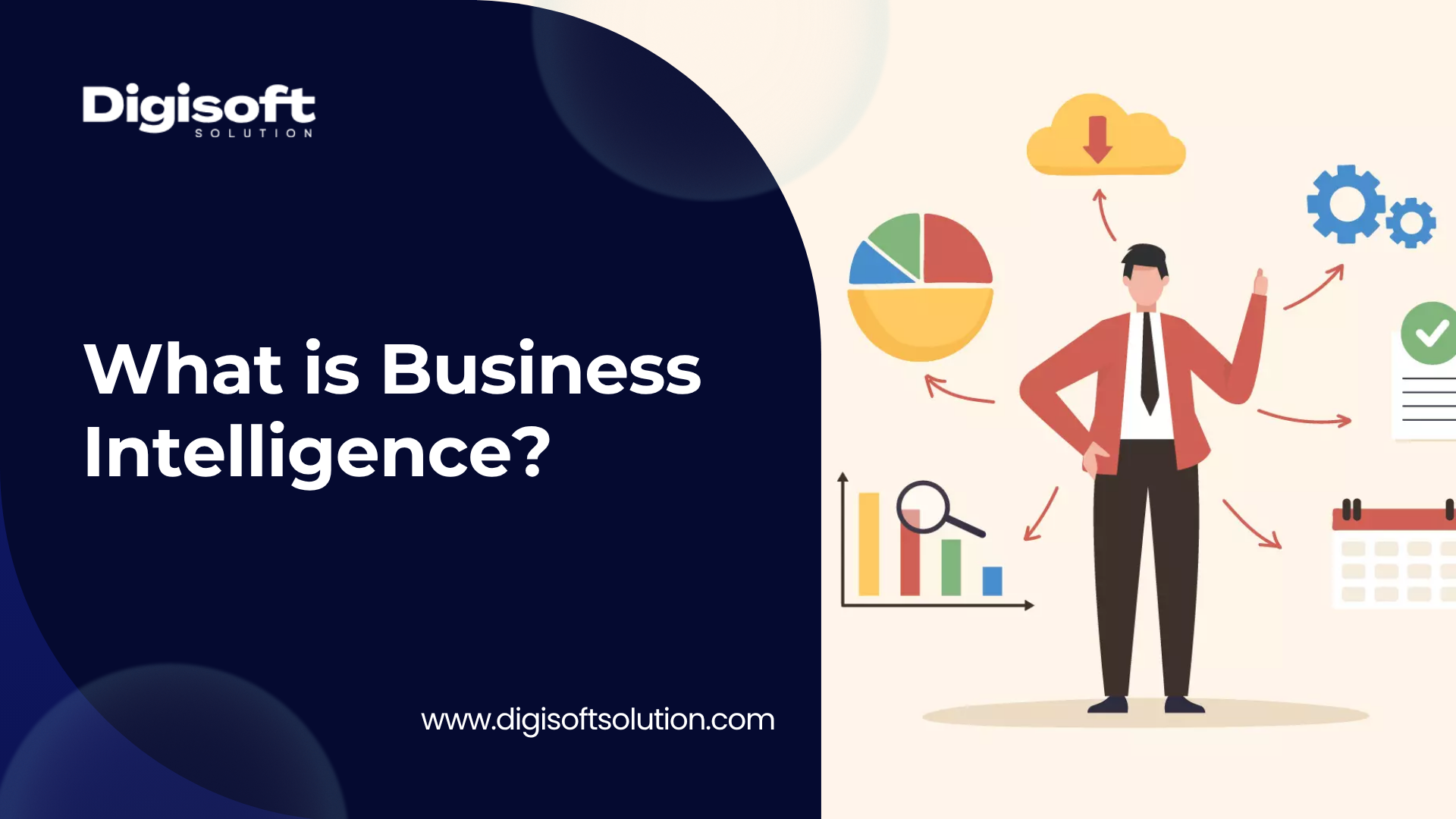
Most businesses are drowning in data. Sales figures in one spreadsheet, customer data in another, operational reports somewhere else entirely. And at the end of the month, someone senior still asks the same question: so, how are we actually doing?
That is the exact problem business intelligence was built to solve.
Business intelligence, or BI, is not just a buzzword or a fancy dashboard. It is a technically structured system that collects raw data from multiple sources, transforms it into something clean and consistent, and then presents it in a way that helps people make faster, smarter decisions. Whether you are a startup tracking 500 monthly transactions or an enterprise processing millions of data points a day, BI is what separates companies that react to problems from companies that see problems coming.
In this guide we break down what business intelligence actually is from a technical standpoint, explain how it works layer by layer, compare the real costs of popular BI tools with an honest assessment of whether those costs are justifiable, walk through real case studies, and show you why building the right BI infrastructure early can be one of the best technology decisions your company makes.
What is Business Intelligence? A Technical Definition
Business intelligence is the combination of technologies, processes, and practices that an organization uses to collect, integrate, analyze, and visualize data so that it can make evidence-based decisions.
The key word here is system. Business intelligence is not a single tool or a single dashboard. It is an end-to-end data pipeline that typically spans five interconnected layers.
The Five Core Layers of a BI System
- Data Sources: your CRM, ERP, databases, APIs, spreadsheets, cloud platforms
- ETL or ELT Pipelines: processes that move, clean, and transform raw data
- Data Warehouse or Data Lake: a centralized storage layer such as Snowflake, BigQuery, or AWS Redshift
- Semantic or Business Logic Layer: where metrics like Monthly Recurring Revenue or Customer Churn Rate are formally defined
- Visualization Layer: where end users see dashboards, charts, and reports
When all five layers work correctly together, a business analyst can open a dashboard on Monday morning and within 60 seconds understand how the business performed over the weekend, where bottlenecks exist, which marketing campaign drove the most conversions, and what is likely to happen next quarter based on historical trends.
That is the actual promise of business intelligence. And when built properly, it absolutely delivers.
Business Intelligence vs. Business Analytics vs. Data Science
These three terms get used interchangeably by a lot of people, but they are meaningfully different and its worth understanding why.
Business Intelligence
Business intelligence is primarily descriptive and diagnostic. It answers the questions 'What happened?' and 'Why did it happen?' BI tools pull historical data, aggregate it, and present it in reports and dashboards. A sales dashboard showing last month's revenue by region is a classic BI output.
Business Analytics
Business analytics goes one step further into predictive territory. It uses statistical models to answer 'What is likely to happen?' Think customer lifetime value predictions or inventory demand forecasting. Analytics builds on the clean data that a solid BI system produces.
Data Science
Data science operates at the highest level of complexity, using machine learning, AI models, and advanced statistical methods to discover patterns that humans would never find manually. Data science needs a solid BI foundation to be useful in production, because you cannot train a reliable model on dirty data.
Think of it like building a house. Business intelligence is the foundation and the walls. Business analytics is the roof. Data science is the smart home automation that sits on top of everything else.
How Business Intelligence Actually Works: Technical Architecture
Understanding the technical architecture of a BI system helps you make better decisions when building or buying one. Here is how the layers typically connect.
Layer 1: Data Ingestion
Data ingestion is the process of pulling data from various source systems. These sources can include relational databases such as PostgreSQL, MySQL, and SQL Server; SaaS applications via APIs like Salesforce, HubSpot, and Stripe; flat files including CSVs and Excel exports; event streams from applications using tools like Kafka; and IoT or sensor data.
The ingestion layer can be real-time (streaming) or batch-based (scheduled intervals). For most small and medium businesses, batch ingestion running every few hours is perfectly sufficient. Real-time ingestion becomes necessary for use cases like fraud detection or live operational monitoring.
Layer 2: Data Transformation (ETL vs ELT)
Once data is pulled in, it needs to be transformed. Raw data from production systems is almost never clean enough to analyze directly. Transformation handles:
- Standardizing formats such as dates, currency, and phone number
- Deduplicating records across systems
- Joining tables from different source platforms
- Calculating derived fields and business metrics
- Handling null values and statistical outliers
Traditional ETL transforms data before loading it into the warehouse. Modern ELT loads raw data into a cloud warehouse first and then transforms it there, taking advantage of the warehouse's compute power. Tools like dbt (data build tool) have made ELT the more common pattern in 2026 for most organizations.
Layer 3: Data Storage
The processed data lives in a centralized storage layer. There are two main categories.
Data Warehouses such as Snowflake, Google BigQuery, Amazon Redshift, and Azure Synapse are optimized for analytical queries across large structured datasets. These are best for well-defined reporting and dashboarding use cases.
Data Lakes using services like AWS S3 with Athena or Azure Data Lake can store raw data in any format. They are more flexible but require more engineering discipline to manage effectively.
Many organizations in 2026 use a Lakehouse architecture that combines the raw storage flexibility of a data lake with the querying performance of a data warehouse. Databricks and Delta Lake are popular in this space.
Layer 4: Semantic Layer
The semantic layer is a business logic translation layer that sits between data storage and the visualization tool. This is where technical database column names like 'txn_rev_usd_net' get mapped to human-readable names like 'Net Revenue.'
More importantly, this is where metrics are formally defined and governed. When your CEO asks for customer acquisition cost, the semantic layer ensures every dashboard in the company uses the same formula rather than five different spreadsheet versions. Tools like LookML in Looker, dbt metrics, and AtScale manage this layer.
Layer 5: Visualization and Reporting
This is the layer most people think of when they hear business intelligence. Dashboards, charts, tables, and reports that end users actually interact with. The visualization layer connects to either the semantic layer or directly to the data warehouse and renders the data quickly and clearly.
This is where Power BI, Tableau, Looker, Metabase, and similar tools operate.
Types of Business Intelligence Dashboards and Reports
Operational Dashboards
Real-time or near-real-time views of day-to-day operations. A live customer support ticket queue, an e-commerce order fulfillment tracker, or a factory production monitoring screen. These refresh frequently and are used by frontline staff.
Tactical Dashboards
Weekly or monthly performance dashboards used by managers to track progress against targets. A sales manager reviewing pipeline coverage, conversion rates, and rep performance would rely on a tactical dashboard.
Strategic Reports
Quarterly or annual reports used by executives and board members. These aggregate high-level KPIs and are often exported as PDFs for distribution. Accuracy and consistency matter more than real-time refresh here.
Ad Hoc Reports
Self-service reporting where an analyst can build a custom query on demand without waiting for an engineer to write code. Good self-service BI tools make this accessible to non-technical users.
Embedded Analytics
BI functionality embedded directly into a product or application. A SaaS platform that shows each customer their own usage statistics is using embedded analytics. This requires more engineering effort but dramatically improves the product experience for end users.
Business Intelligence Tools in 2026: An Honest Comparison
This is where most articles online fail. They list features and leave out the real cost picture. Let us go through the major platforms honestly.
Microsoft Power BI
Power BI is the most widely deployed BI platform in the world and has held the top position in Gartner's Magic Quadrant for Analytics and Business Intelligence for 16 consecutive years as of 2026.
Key Strengths
- Deep integration with the Microsoft 365 ecosystem: Excel, Azure, Teams, SharePoint
- AI Copilot features for natural language querying
- Over 500 native data connectors
- Most affordable enterprise pricing in the market
Technical Capabilities
- DAX (Data Analysis Expressions) for calculated measures and business logic
- Power Query with M language for data transformation
- DirectQuery and Import modes for different data freshness requirements
- Integration with Microsoft Fabric for unified analytics across the enterprise
Tableau (by Salesforce)
Tableau is widely considered the best BI tool for advanced data visualization and interactive exploration. It is favored by data analysts who need to build complex, pixel-perfect dashboards.
Key Strengths
- Unmatched drag-and-drop visualization flexibility and aesthetic quality
- Excellent for geospatial and multi-dimensional data analysis
- Works on both Mac and Windows (Power BI Desktop is Windows-only)
- Strong community and marketplace for pre-built connectors
Technical Capabilities
- VizQL proprietary query language for visual data retriev
- Level-of-Detail (LOD) expressions for complex aggregation
- Tableau Prep for visual data transformation pipeline
- Tableau Server and Tableau Cloud for enterprise deployment and governance
Google Looker
Looker takes a fundamentally different approach. Instead of connecting a visualization tool directly to a database, it builds a semantic layer using LookML (Looker Modeling Language) that defines business metrics centrally.
Key Strengths
- Single source of truth for all metric definitions across the organization
- Excellent for data governance and cross-team consistency
- Strong embedding capabilities for building analytics into products
- Native integration with Google Cloud Platform and BigQuery
Looker is best suited for data engineering teams and companies already on Google Cloud who need governed, consistent analytics across large organizations with strong in-house technical capability.
Amazon QuickSight
QuickSight is Amazon's native BI service, deeply integrated with the AWS ecosystem. Its per-session pricing model can be very cost-effective for organizations where only some users access dashboards occasionally, rather than daily.
Metabase (Open Source Option)
Metabase is a popular open-source BI tool that is surprisingly capable for smaller organizations. It is free to self-host and has a clean interface that non-technical users find approachable. For startups and small businesses that do not need enterprise governance features, Metabase covers 80 to 90 percent of typical BI needs at essentially zero licensing cost.
The Real Cost of Business Intelligence Tools in 2026
This is the section most other articles gloss over. The pricing below reflects publicly available information as of May 2026. License costs alone do not tell the full story. Implementation, training, and ongoing administration typically add 1.5x to 3x on top of the base license cost.
Per-User Licensing Overview
|
Tool |
Entry Tier |
Mid Tier |
Key Notes |
|
Microsoft Power BI |
$10/user/month (Pro) |
$20/user/month (Premium Per User) |
Free Desktop for personal use. Microsoft Fabric is the enterprise path. |
|
Tableau |
$15/user/month (Viewer) |
$42/user/month (Explorer) |
Creator tier is $75/user/month. Annual billing only. Minimum user counts may apply. |
|
Google Looker |
~$5,550/month (Standard) |
Custom enterprise pricing |
Annual commitment required. Not cost-effective for small teams. |
|
Amazon QuickSight |
$18/user/month (Authors) |
$0.30 per reader session |
Excellent value for read-heavy usage patterns. |
|
Metabase |
Free (self-hosted) |
$575/month (Pro cloud) |
Enterprise plan starts at $20,000+ per year. |
|
Qlik Sense |
~$30/user/month (Business) |
Custom (Enterprise) |
Powerful associative engine. Steeper learning curve. |
|
Domo |
Custom (high entry point) |
~$8,300/month for 100 users |
Best suited for large enterprises with broad data integration needs. |
What 100 Users Actually Costs Annually
The table below compares annual license costs alongside a Total Cost of Ownership (TCO) estimate that includes typical implementation, training, and administration expenses.
|
Platform |
Annual License (100 Users) |
TCO Estimate* |
|
Power BI Pro |
~$12,000 |
~$18,000 to $36,000 |
|
Tableau Creator |
~$90,000 |
~$135,000 to $270,000 |
|
Looker Standard |
~$66,600 |
~$100,000 to $200,000 |
|
Domo |
~$99,600 |
~$150,000 to $300,000 |
|
Metabase Pro (Cloud) |
~$6,900 |
~$10,000 to $25,000 (hosting and admin) |
*TCO includes estimated implementation, training, and ongoing administration costs.
Is Tableau's Price Actually Worth It?
Honestly, for most companies, the answer is no, unless your team's primary job is building complex analytical visualizations. At $75 per Creator per month billed annually, a team of 20 analysts costs $18,000 per year in licenses alone before any implementation work. Power BI achieves 80 to 90 percent of Tableau's functionality at roughly one-sixth of the cost.
Where Tableau does justify its price: investment banks, healthcare analytics teams, and research organizations where visual exploration of complex, multi-dimensional datasets is a core part of daily workflow.
Is Looker Worth the Minimum $66,600 Per Year?
Looker makes sense when you have a large organization with serious data governance challenges, multiple teams pulling metrics in different directions, and strong in-house data engineering capability to maintain LookML models. For a company under 200 employees, the cost is very difficult to justify. Power BI or a well-configured Metabase setup achieves most of what Looker does at a fraction of the price.
The Hidden Costs Nobody Talks About
A clean BI implementation covering data modeling, ETL pipeline setup, semantic layer definition, dashboard development, and user training typically costs between $15,000 and $80,000 depending on complexity. Choosing a cheaper tool but underinvesting in implementation still produces poor BI outcomes. The tool is not the bottleneck. The data architecture and business logic are.
Key Business Intelligence Use Cases by Industry
Retail and E-Commerce
- Sales performance tracking by SKU, category, and channel
- Customer segmentation and cohort analysis for targeted campaigns
- Inventory turnover analysis and stockout prediction
- Marketing attribution across paid, organic, and social channels
Healthcare
- Patient outcome tracking and population health management
- Operational efficiency metrics such as bed utilization and staff allocation
- Compliance and regulatory reporting automation
- Revenue cycle analytics and payer performance tracking
Finance and Banking
- Real-time transaction monitoring and anomaly detection
- Risk exposure dashboards for portfolio management
- Regulatory and audit reporting automation
- Profitability analysis by product line, segment, and geography
Manufacturing and Logistics
- Production throughput and equipment downtime analysis
- Supply chain visibility and vendor performance tracking
- Quality control defect rate monitoring across production lines
- Predictive maintenance using IoT sensor data
SaaS and Technology Companies
- Product usage analytics and feature adoption tracking
- Customer health scoring and churn risk prediction
- Revenue metrics: MRR, ARR, churn rate, and expansion revenue
- Sales funnel conversion analysis and pipeline velocity
The 7 Most Common Business Intelligence Mistakes
1. Skipping the Data Governance Step
Deploying beautiful dashboards on top of inconsistent, poorly defined data produces misleading reports. Before building any dashboard, define your key metrics formally. What exactly is a 'customer'? What counts as a 'conversion'? What defines a 'churned account'? Every stakeholder needs to agree on these definitions before any dashboard is built.
2. Over-Engineering the Stack Too Early
A startup with 50 employees does not need Kafka plus Snowflake plus dbt plus Looker plus Tableau. This kind of over-engineering wastes budget and delays time to insight. Start with the simplest stack that solves your current problems and add complexity as your data volume and organizational maturity grows.
3. Choosing a Tool Based on Marketing, Not Data Volume
Tableau and Power BI both advertise handling 'millions of rows.' What they do not always highlight is that performance degrades significantly without proper data model design. If your underlying queries are not optimized, any tool will feel slow.
4. Building Too Many Dashboards
200 dashboards that nobody uses is worse than 10 well-maintained ones. Dashboard sprawl is a real and expensive problem. Assign owners to every dashboard and review usage quarterly. Sunset unused reports consistently.
5. Expecting Self-Service Without Training
Self-service BI tools do not make business users into data analysts overnight. Plan two to four weeks of hands-on training for power users. Without that investment, a $10,000 tool produces the same results as a spreadsheet.
6. Ignoring Data Freshness Requirements
Not every dashboard needs real-time data. Real-time pipelines are significantly more expensive to build and maintain. Understand what data freshness each specific use case actually requires before designing your architecture.
7. Buying an Enterprise Platform Before Your Data is Ready
Companies regularly spend six figures on licenses while their underlying data remains in messy, undocumented spreadsheets. The licensing is the easy part. Clean, governed, well-modeled data is what actually makes BI work.
Real Case Studies: Business Intelligence in Practice
The following case studies come from Digisoft Solution's own delivery experience. They demonstrate what a properly engineered BI system actually looks like when applied to real business challenges.
Case Study 1: Urban Intelligence Platform for Veridian Urban Systems
Challenge: Veridian Urban Systems was managing vast amounts of city infrastructure data across transport, energy, water, and public safety departments. Data was siloed in department-level databases with no unified view for city leadership. Decision-making was largely reactive.
Solution: An AI-driven urban intelligence platform was built with integrated dashboards, custom KPI tracking, and automated reporting. The system ingested data from multiple city sources, normalized it through a centralized transformation layer, and surfaced unified insights through role-based dashboards for different departments.
Result: City leadership gained the ability to monitor cross-departmental KPIs in a single view. The platform delivered faster and more accurate urban insights, allowing the city to identify infrastructure issues and resource allocation opportunities significantly earlier than the previous manual process allowed.
Key BI Elements Applied
- Multi-source data integration across government systems
- Role-based dashboard access for different departments
- Custom KPI definition and formal metric governanc
- Automated reporting pipelines reducing manual reporting burden
Read the full case study: Veridian Urban Systems AI Smart City Case Study
Case Study 2: Peace Intelligence Platform for PeaceMappers
Challenge: PeaceMappers needed to track and analyze instability signals across governance, economic, and social dimensions in real time across multiple regions. The data came from dozens of different sources and manual analysis was taking too long for timely intervention.
Solution: An AI-driven intelligence platform was built connecting disparate data sources, defining a consistent data model for cross-regional comparison, and using machine learning to detect early warning patterns.
Result: The system detects instability 42 percent faster by connecting governance, economic, and social data into actionable insights. Analysts can identify developing situations in hours rather than days.
Key BI Elements Applied
- Multi-source data ingestion from heterogeneous external systems
- Real-time data processing for time-sensitive analysis
- Predictive analytics integration layered on top of BI foundation
- Cross-regional KPI consistency through a centralized semantic layer
Read the full case study: PeaceMappers AI Peace Intelligence Case Study
Case Study 3: ABA Therapy Practice Management for S Cubed
Challenge: S Cubed, an ABA therapy organization operating multiple clinics, was managing therapist scheduling, patient outcome tracking, and billing data across disconnected systems. Therapists and families had no unified visibility into care progress.
Solution: A HIPAA-compliant practice management platform was built with real-time care tracking dashboards, multi-clinic performance monitoring, and role-based reporting for administrators, therapists, and families.
Result: Real-time care tracking across multiple clinics with significantly improved collaboration between therapists and families. Management gained a unified view of clinic-level performance and compliance metrics.
Key BI Elements Applied
- HIPAA-compliant data architecture for regulated healthcare data
- Multi-tenant reporting across clinic locations
- Real-time operational dashboards for care delivery teams
- Custom KPI tracking for patient outcomes and operational efficiency
Read the full case study: S Cubed ABA Therapy Platform Case Study
How to Build a Business Intelligence Strategy That Actually Works
A good BI strategy has five stages. Skipping any one of them is how BI projects fail.
Stage 1: Audit and Inventory
Before selecting any tool, document every data source your organization has. CRM, ERP, marketing platforms, support systems, financial software, operational databases. Identify which have APIs, which require manual exports, and which already have integrations with common ETL tools.
Stage 2: Define Business Questions First
Start with the business questions that leadership and managers most frequently cannot answer quickly. Do not start with tools. Start with: what are the five decisions our business makes every week where better data would change the outcome? These questions define your initial dashboard requirements.
Stage 3: Choose the Right Stack for Your Scale
Match the sophistication of your technical stack to your organization's current data maturity and team capability. A startup generating under one million events per day does not need a Kafka streaming pipeline and a Databricks lakehouse. A simple cloud warehouse, a lightweight ETL tool, and Power BI or Metabase covers most businesses under 200 employees.
Stage 4: Build Governed Data Models
Define your business logic centrally before building dashboards. Use tools like dbt to document and version-control your data transformations. Create a data dictionary that formally defines every metric used in reporting. This step prevents the classic problem where marketing sees a different revenue number than finance.
Stage 5: Train and Iterate
Launch with a small set of high-value dashboards rather than trying to build everything at once. Train users. Collect feedback. Iterate monthly. The best BI environments are built incrementally over 12 to 18 months, not in a single six-month sprint.
How Digisoft Solution Helps Businesses with Business Intelligence
Building a business intelligence system is not simply a matter of buying a tool and connecting your database to it. It requires careful data architecture design, engineering expertise, business logic governance, and ongoing maintenance. That is where Digisoft Solution comes in.
We have spent over 12 years building custom software and data-driven systems for businesses across North America, Europe, the Middle East, and Asia Pacific. Our team of 100+ engineers, designers, and data specialists has delivered 700+ projects, and we have deep hands-on experience building BI platforms that actually answer the questions businesses are asking.
What We Build
Custom BI Dashboards and Reporting Systems
We do not just connect a tool to your database. We understand your business metrics, define your KPIs formally, model your data correctly, and build dashboards that give your team answers in seconds rather than hours. Our work spans everything from real-time operational dashboards for multi-clinic healthcare operations to city-level infrastructure intelligence platforms.
Our custom software development services include purpose-built data platform engineering tailored to your industry and scale.
Data Pipeline and ETL Architecture
We design and build the data pipelines that feed your BI system, whether that means integrating a dozen SaaS applications through APIs, migrating legacy on-premise data into a cloud warehouse, or building a custom event processing pipeline for high-frequency operational data.
Our cloud application development team handles full cloud data platform migrations and architecture design.
Embedded Analytics for SaaS Products
If you are building a product and want to give your customers analytics capabilities inside that product, we have built this before. We have delivered embedded reporting modules that give end users of SaaS platforms their own performance dashboards and usage analytics, all within the native product experience.
See how our web application development capabilities support embedded analytics as a product feature.
AI-Augmented BI Features
Modern BI is not just about dashboards. We build AI features on top of BI data including anomaly detection, predictive forecasting, natural language querying, and automated insight generation. These capabilities, built on top of a clean BI data layer, are where real competitive advantage lives.
Our enterprise software development capabilities cover the full AI and analytics stack from ingestion to insight delivery.
UI/UX Design for Data Products
A technically correct dashboard that nobody wants to use is a failed dashboard. Our design team works alongside our engineers to ensure that data products are not only accurate but genuinely usable. Clarity, hierarchy, and cognitive load all matter in dashboard design.
Explore our UI/UX design services to see how we approach data product design.
How We Engage
We start every BI engagement with a consultation, not a proposal. We spend time understanding your current data landscape, your team's technical maturity, and the business questions that matter most to your leadership. From that conversation we produce a technical roadmap and honest cost estimate before any commitment.
Many organizations we work with are surprised to discover that their BI challenges are not primarily a tooling problem. They have the right tools. What they are missing is clean data architecture and properly defined business logic. We fix that first.
Pricing for a custom BI implementation at Digisoft Solution typically ranges from $10,000 to $80,000+ depending on data source complexity, number of integrated systems, and the sophistication of the analytics required. We work with businesses from startup through enterprise scale.
Why Businesses Choose Digisoft Solution for BI
- We consult before we build. Every BI engagement starts with understanding your data and your decisions, not with recommending a tool
- We are honest about costs. We will tell you when you do not need an enterprise BI platform and when a simpler stack is the smarter investment
- We have delivered BI systems in regulated industries including HIPAA-compliant healthcare platforms and government-grade urban intelligence systems, meaning we understand data governance, security, and compliance requirements
- We support you beyond launch. A BI system evolves as your business grows. Our team is available for ongoing development, new dashboard builds, and data model updates
If you want to see the kind of results we deliver before committing to a conversation, browse our full case study library.
Frequently Asked Questions About Business Intelligence
What is the difference between business intelligence and artificial intelligence?
Business intelligence organizes and presents historical data to support human decision-making. Artificial intelligence uses machine learning models to identify patterns, make predictions, and in some cases take autonomous actions. They work best together. AI needs clean, well-structured data to produce reliable outputs, and a solid BI foundation is what provides that clean data layer.
How long does it take to implement a business intelligence system?
A basic BI implementation covering two to three data sources, cloud data warehouse setup, and five to ten dashboards can typically be completed in eight to twelve weeks. A more complex implementation involving ten or more source systems, a full semantic layer, self-service analytics, and organizational training can take six to twelve months. Rushing the implementation is one of the most common reasons BI projects fail.
Do I need a data warehouse to do business intelligence?
Not necessarily for small-scale deployments. Power BI and Tableau can connect directly to databases and spreadsheets. But for any organization managing data from more than three or four source systems, a centralized data warehouse dramatically improves query performance, data consistency, and governance. It also future-proofs your BI investment as data volume grows.
What skills does my team need to use BI tools effectively?
For end users who consume dashboards, no technical skills are required. Power users who build reports need basic data literacy and familiarity with the specific tool's interface. Analysts who define data models and build calculated fields need SQL skills and familiarity with the tool's modeling language such as DAX for Power BI or LookML for Looker. Engineers who build and maintain pipelines need proficiency in SQL, Python, and familiarity with ETL tools and cloud platforms.
What ROI should I expect from business intelligence?
ROI from BI typically comes from three sources: faster decisions that reduce the time from question to answer from days to minutes; better decisions that catch problems and opportunities manual analysis would miss; and operational efficiency gains from automating reporting that previously required manual work. Organizations with mature BI capabilities consistently outperform industry peers on both revenue growth and operational efficiency metrics.
What if I already have a BI tool but it isn't working?
This is actually one of the most common situations we encounter. Organizations have Power BI or Tableau deployed but the dashboards are rarely used, the data looks wrong, or nobody trusts the numbers. In almost every case the problem is not the tool. It is the underlying data model, the absence of a formal semantic layer, or the lack of defined metric governance. These are fixable problems and they do not require replacing your tooling.
Get a free technical assessment: schedule a consultation with our team.
Conclusion: Business Intelligence is Infrastructure, Not a Feature
Business intelligence is not a feature you add to your technology stack. It is infrastructure. It is the plumbing that makes every other technology investment in your organization more valuable, because it lets you see clearly whether those investments are working.
The question is not whether to invest in business intelligence. The question is how to invest in it correctly for your organization's current size, data maturity, and actual decision-making needs.
If you are still managing reporting through spreadsheets emailed back and forth, you already know the cost of the alternative. If you have invested in a BI tool but it is not delivering the insights you expected, the problem is almost certainly not the tool. It is the underlying data architecture.
Either way, the path forward starts with an honest assessment of where your data actually is today and what decisions you actually need it to support.
That is exactly the kind of conversation Digisoft Solution has been having with businesses for 12 years. It starts with a free consultation, a technical roadmap, and no obligation.
Digital Transform with Us
Please feel free to share your thoughts and we can discuss it over a cup of coffee.