Table of Content
- What Is a Dedicated Mobile App Developer
- How It Compares to Other Options
- When Should You Hire Dedicated Developers
- Technology Stacks Your Developer Should Know
- Native iOS
- Native Android
- Cross-Platform Development
- Backend and API Technologies
- AI Skills for 2026
- Step-by-Step Hiring Process
- Step 1. Write a Clear Requirements Brief
- Step 2. Choose Your Hiring Channel
- Step 3. Review Portfolios the Right Way
- Step 4. Interview for Systems Thinking, Not Syntax
- Step 5. Check References by Asking About Crises
- Step 6. Start With a Paid 2-Week Trial Sprint
- Step 7. Get the Contract Right
- Step 8. Set Up Collaboration Tools Before the First Sprint
- Cost Breakdown
- Developer Rates by Region
- Total Project Cost by App Complexity
- Hidden Costs Most Clients Miss
- What a Great Dedicated Developer Delivers
- Scalable Architecture
- Security at Every Layer
- Performance That Meets User Expectations
- Accessibility
- Automated Testing
- Red Flags to Watch Out For
- Topics Most Competitors Skip
- App Store Compliance and Review
- GDPR and Data Privacy
- App Store Optimization
- AI Feature Integration
- Why Digisoft Solution
- Frequently Asked Questions
- How long does it take to build a mobile app?
- Should I choose Flutter or React Native?
- How do I protect my intellectual property when hiring remotely?
- Should I hire one developer or a full agency?
- What is the difference between junior, mid-level, and senior developers?
- Do I need separate developers for iOS and Android?
Digital Transform with Us
Please feel free to share your thoughts and we can discuss it over a cup of coffee.
What Is a Dedicated Mobile App Developer
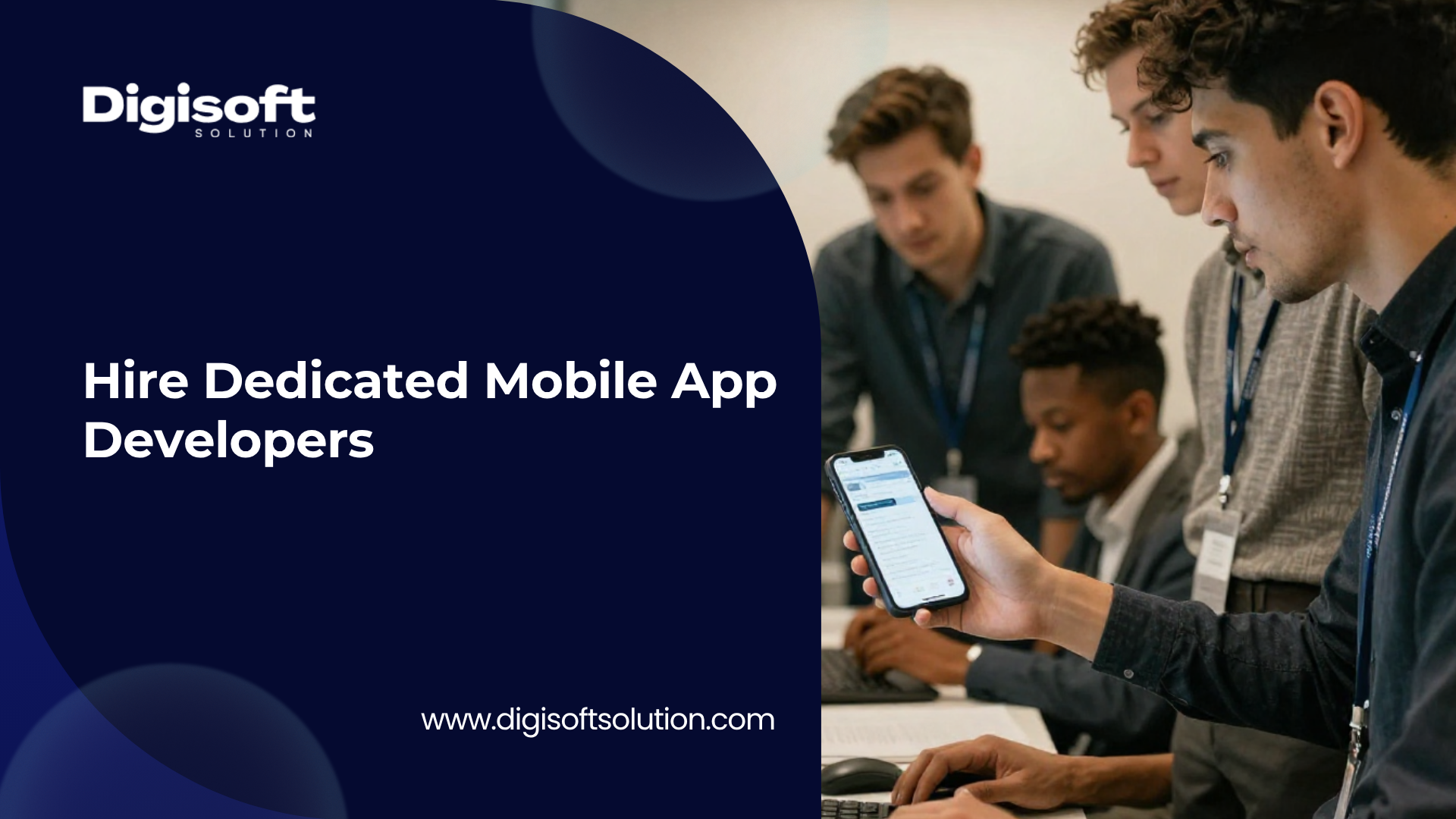
A dedicated mobile app developer is a professional who works full-time on your project only. They are not splitting their time across multiple clients as freelancers do. They are not a temporary project contractor. They are fully focused on your product, learn your codebase deeply, and stay with you through the entire lifecycle of the app.
This model sits between hiring in-house (which requires salaries, benefits, and office setup) and using a freelancer (which brings unreliability and divided attention). With a dedicated developer from an agency like Digisoft Solution, you get the focus of an in-house hire with the flexibility and managed infrastructure of an agency.
How It Compares to Other Options
- Freelancers are low-cost but usually work on multiple projects at once. They often disappear after delivery and are risky for complex or long-term apps.
- In-house hiring gives you full control but costs significantly more once you factor in salary, benefits, equipment, and recruitment time. It is also slow to scale.
- A dedicated team gives you a full-time, focused developer or team managed by the agency. You control the work priorities; the agency handles everything else.
- Project-based agencies deliver a fixed scope and then move on. There is no continuity, no knowledge retention, and post-launch changes become expensive.
When Should You Hire Dedicated Developers
Not every app needs a dedicated team. Here is how to decide.
Hire a Dedicated Developer If
- Your project will run for 3 months or longer with features that will change over time
- You need someone who deeply understands your codebase and can make smart decisions without being re-briefed each sprint
- You want to control sprint priorities without managing salaries, contracts, or equipment
- Your app involves payments, real-time data, user authentication, or AI features that require specialized knowledge
- You need a complete team, including QA and UI/UX design, not just a single coder
- You have previously worked with freelancers who disappeared mid-project or delivered poor-quality code
- You are preparing for investor funding and need a technically solid, scalable product
Freelancers or Short-Term Agencies Are Fine If
- You need a quick proof of concept in under 6 weeks
- Your scope is completely fixed with no expected changes
- You are testing a product idea before committing a larger budget
One important note: if your app will handle money, personal data, or real-time communication, do not hand this to a junior freelancer. Security mistakes made early in development are extremely expensive to fix later.
Technology Stacks Your Developer Should Know
Choosing the right technology is just as important as choosing the right developer. The wrong stack can limit your app's performance, cause integration problems, or force an expensive rewrite later.
Native iOS
Best for apps where performance is critical, for Apple Watch or Vision Pro integrations, and for products with a premium App Store-first strategy.
- Swift is the primary language for iOS and is fast, modern, and safe
- SwiftUI is used for building the user interface in a clean, declarative way
- CoreML enables on-device AI and machine learning without sending data to a server
- XCTest is used for writing unit and UI automation tests
- Xcode is the development environment for building, testing, and submitting apps to the App Store
Native Android
Best for reaching high-volume markets like India and Southeast Asia, for deep Google service integrations, and for Play Store-first distribution.
- Kotlin is the modern Android language and is the current industry standard
- Jetpack Compose replaces the older XML-based UI layouts with a cleaner approach
- TensorFlow Lite enables on-device machine learning for Android apps
- Hilt is used for dependency injection which makes the code more maintainable and testable
- Espresso and JUnit5 are used for automated UI and unit testing
Cross-Platform Development
Cross-platform frameworks let you ship to both iOS and Android from a single codebase. This can reduce costs by 60 to 80 percent compared to building two separate native apps.
- Flutter uses the Dart language and compiles to native ARM code. It delivers near-native performance and is the recommended choice for most startups and product teams in 2026
- React Native uses JavaScript and is a good fit if your team already has React or web development experience
- Kotlin Multiplatform allows sharing business logic between iOS and Android while keeping the UI native on each platform
Backend and API Technologies
A mobile app without a proper backend is just a visual prototype. Your developer should also understand the server side.
- REST APIs and GraphQL for connecting the app to data sources. GraphQL is particularly efficient on mobile because it reduces unnecessary data transfer
- Firebase or Supabase for rapid development needs like real-time databases, push notifications, and user authentication
- Node.js, Python with FastAPI, or Go for building custom backend APIs with complex business logic
- WebSockets or MQTT for real-time features like chat, live order tracking, or collaborative tools
- OAuth 2.0 and OpenID Connect for secure login including social logins like Google and Apple
AI Skills for 2026
This is something most hiring guides skip entirely. In 2026, strong mobile developers should also understand how to work with AI.
- Integrating Large Language Model APIs such as OpenAI GPT-4o, Google Gemini, or Anthropic Claude for conversational and generative features
- Running on-device machine learning models using CoreML on iOS or TensorFlow Lite on Android for privacy-sensitive use cases
- Building recommendation systems using embeddings and vector databases like Pinecone or Supabase pgvector
- Designing AI-powered search so users can search by meaning rather than just exact keywords
Step-by-Step Hiring Process
Follow these steps in order. Skipping any one of them often leads to costly mistakes that compound over time.
Step 1. Write a Clear Requirements Brief
Most failed projects start with a vague idea. Before hiring anyone, write down the following.
- Who your target users are and what specific problem the app solves for them
- A prioritized feature list organized into must-have, should-have, and nice-to-have
- Which platforms you need to support: iOS only, Android only, or both
- Any third-party services the app needs to connect with such as payment gateways, mapping, or analytics
- Any non-functional requirements like offline support, multiple languages, or accessibility standards
- Your hard launch deadline if there is one tied to a marketing campaign or funding milestone
Step 2. Choose Your Hiring Channel
Freelance platforms like Upwork or Toptal work for short, well-defined tasks but require you to do all the vetting yourself and carry significant risk for complex apps.
Dedicated agencies like Digisoft Solution provide pre-vetted developers, handle management and infrastructure, and offer end-to-end support. This is the recommended route for apps with real business stakes.
Direct in-house hiring gives you maximum control but is slow, expensive, and difficult to scale. It makes sense only for permanent senior roles where you have a long-term commitment.
Step 3. Review Portfolios the Right Way
Do not just look at screenshots. Download their published apps from the App Store or Google Play and actually test them.
- Check how fast the app opens on a mid-range device. It should launch in under 2 seconds
- Try to trigger an error by turning off the internet or entering bad data. See how gracefully the app handles it
- Read the one-star reviews on the App Store. They often reveal patterns like crashes, slow performance, or missing features
- Ask for GitHub repositories or code samples and look at the architecture, not just the visual design
Step 4. Interview for Systems Thinking, Not Syntax
The most common hiring mistake is asking developers to recite language syntax. That tests memorization, not real-world capability.
Instead, ask questions that require thinking through real problems. For example: how would you architect offline data sync if the user loses their connection mid-transaction? Or: how would you handle token refresh for a long-lived session with expired credentials? Or: walk me through how you would render a list of ten thousand items without causing any lag in the UI.
Strong developers think in systems. They ask clarifying questions before answering. They talk about trade-offs. They are comfortable saying they would need to look something up.
Step 5. Check References by Asking About Crises
Generic reference calls are largely useless. Instead, ask former clients specifically about difficult situations.
- Ask how the developer communicated when something went wrong
- Ask whether they ever pushed back on a bad product decision and what happened
- Ask whether the code was clean enough for another developer to pick up after the engagement ended
- Ask whether they consistently met their sprint commitments or how they handled it when they could not
Step 6. Start With a Paid 2-Week Trial Sprint
Before signing any long-term contract, run a short paid sprint on a real feature from your backlog. Evaluate the code quality, how clearly they communicate, how they handle unclear requirements, and whether they actually deliver what they committed to.
Step 7. Get the Contract Right
There are several clauses that are non-negotiable in any contract for a commercial app.
- An IP assignment clause stating that all code, designs, and assets belong to you from day one
- A non-disclosure agreement that covers your source code, business logic, user data, and technical architecture
- Access to the source code repository throughout the engagement, not just at the end
- A post-launch support agreement that defines response times for critical bugs
- A transition and handover protocol that defines what documentation and knowledge transfer happen when the engagement ends
Step 8. Set Up Collaboration Tools Before the First Sprint
- Use Jira, Linear, or Asana for sprint planning and progress tracking
- Use Slack or Microsoft Teams for daily communication with defined response time expectations
- Use GitHub or GitLab with branch protection rules and a clear pull request review process
- Set up Sentry or Firebase Crashlytics from the beginning for crash monitoring in production
- Use Figma for design handoffs with a shared component library so developers always have a clear visual reference
Cost Breakdown
Understanding what mobile app development actually costs helps you plan a realistic budget and avoid surprises.
Developer Rates by Region
Developers in the United States and Canada typically charge between $80 and $150 per hour, which translates to $12,000 to $20,000 per month for a dedicated developer. This tier is best for highly regulated industries like healthcare or finance.
Western Europe rates range from $60 to $120 per hour, which is suitable for products serving EU markets with strict GDPR requirements.
Eastern Europe offers strong technical quality at $35 to $65 per hour, making it a popular choice for startups that need high-quality work at a lower price point.
South Asia, including India, offers rates of $20 to $50 per hour. This is where Digisoft Solution operates and it provides excellent technical quality especially for startups, MVPs, and scale-up teams.
Southeast Asia and Latin America fall in the $25 to $60 per hour range and are often chosen for their timezone overlap with US clients.
Total Project Cost by App Complexity
A simple app like a restaurant menu or basic utility app typically costs between $8,000 and $25,000 and takes 4 to 8 weeks to build.
A medium complexity app with user authentication, payments, and API integrations generally costs between $30,000 and $80,000 and takes 3 to 5 months.
A complex app with real-time features, multi-role users, and advanced integrations typically ranges from $80,000 to $180,000 and takes 5 to 9 months.
An enterprise-level or AI-powered app can cost anywhere from $180,000 to $500,000 or more and may take 9 to 18 months depending on scope.
Hidden Costs Most Clients Miss
These are costs that rarely appear in the initial quote but are very real once the project is underway.
- Onboarding time: expect 1 to 2 weeks of slower progress as a new developer learns your codebase and processes
- Apple Developer Account: $99 per year, required to distribute apps on the App Store
- Google Play Developer Account: a one-time fee of $25 to register
- Crash monitoring tools: Sentry starts at around $26 per month; Firebase Crashlytics has a free tier
- App Store Optimization: creating proper screenshots, preview videos, and keyword metadata typically costs $1,000 to $3,000
- Post-launch maintenance: budget for roughly 10 to 20 percent of the original development cost annually for ongoing updates and bug fixes
- Third-party API fees: mapping APIs, payment processing fees, and analytics tools all add up over time
- Security audits: if your app handles sensitive personal data, a proper security audit costs $3,000 to $15,000
What a Great Dedicated Developer Delivers
Hiring is not only about writing code. A genuinely good dedicated developer delivers outcomes that go well beyond features.
Scalable Architecture
They design the app so that adding new features later does not require rewriting what is already built. This means using clean code patterns like MVVM or Clean Architecture, separating business logic from UI code, and building reusable components that the team can extend over time.
Security at Every Layer
Security should be built in from the start, not added later as a patch. A good developer will use token-based authentication with proper session expiry and refresh logic, store sensitive data in iOS Keychain or Android Keystore rather than in plain text, enforce HTTPS on all API calls, and implement biometric authentication with a secure fallback. They will also be familiar with the OWASP Mobile Top 10 list of common mobile security risks.
Performance That Meets User Expectations
Users abandon apps that feel slow. Your developer should target a cold start time of under 2 seconds, maintain smooth 60 frames per second scrolling and animations, keep the app download size below 50MB where possible, and maintain a crash-free session rate above 99.5 percent. Falling below these benchmarks will hurt your App Store ratings and user retention.
Accessibility
Accessibility is often skipped by development teams but it is increasingly required, especially for government contracts, healthcare apps, and App Store compliance in certain categories.
- Every interactive element must have a proper label for VoiceOver on iOS and TalkBack on Android
- Tap targets must be at least 44 by 44 points on iOS and 48 by 48 density-independent pixels on Android
- Text contrast must meet a minimum ratio of 4.5 to 1 for standard body text
- The app must respect the system font size setting so users who need larger text can use it
- Animations should respect the Reduce Motion system setting for users who experience motion sensitivity
Automated Testing
A production-ready app needs a proper testing strategy. This includes unit tests covering at least 70 percent of the business logic, integration tests that verify the API contracts and data flows work correctly end to end, and UI automation tests for critical user journeys like onboarding, login, and checkout. Apps with good test coverage ship faster and break less in production.
Post-Launch Maintenance
The real work begins after the app goes live. Your developer should plan for annual iOS and Android operating system updates, which can break existing functionality if not handled proactively. They should monitor for crashes and fix them quickly. They should respond to App Store policy changes, which Apple and Google update regularly. And they should iterate on features based on real usage data rather than assumptions.
Red Flags to Watch Out For
Red Flags in Portfolios
- The portfolio only shows mockups and design screenshots with no live downloadable apps
- All apps look similar in design, suggesting template reuse rather than custom development
- Case studies make no mention of performance testing, QA processes, or technical challenges
- Claims of building obviously complex features in unrealistically short timeframes
Red Flags in Interviews
- Cannot explain why they made specific architecture choices in past projects
- Has never written a unit test or describes testing as optional
- Cannot walk through how they would handle offline sync with conflict resolution
- Gives timeline estimates without asking any clarifying questions first
- Uncomfortable with the idea of code reviews or peer feedback
Red Flags in Contracts and Process
- No NDA offered before you start sharing your product details
- Not willing to do a short paid trial sprint before a long-term engagement
- No clear post-launch support terms or SLA
- You do not get access to the source code repository during development
- Fixed price contracts for projects with unclear or evolving scope, which almost always lead to disputes
Topics Most Competitors Skip
App Store Compliance and Review
About 25 percent of App Store submissions are rejected by Apple on the first attempt. Your developer needs to understand the App Store Review Guidelines, especially the rules around design quality, legal compliance, and privacy. They need to fill out App Store privacy labels accurately, implement App Tracking Transparency for iOS 14.5 and later, and ensure that any digital goods sold inside the app go through Apple's in-app purchase system.
GDPR and Data Privacy
If your app serves users in Europe, privacy must be built into the architecture from the beginning. Your developer should only collect the minimum data necessary, build in the ability to permanently delete a user's account and all associated data, implement proper consent management for analytics and marketing tracking, and allow users to export their data in a portable format on request.
App Store Optimization
Building a great app means nothing if no one finds it. Your developer or launch team should invest in proper keyword research for both the App Store and Google Play, create high-quality screenshots and a preview video since these are the biggest drivers of install conversion, localize the app listing for the markets you want to reach, and use in-app rating prompts at moments when users are most likely to be satisfied.
AI Feature Integration
In 2026, apps that do not use any intelligent features will increasingly feel outdated. Your developer should be comfortable connecting to LLM APIs from providers like OpenAI, Google, or Anthropic to add conversational or generative features. They should also understand how to run machine learning models directly on the device for use cases where privacy matters, and how to use vector search to build semantic search features inside the app.
Why Digisoft Solution
Digisoft Solution is a full-service mobile app development agency that provides dedicated developer teams for startups, small and medium businesses, and enterprise clients.
We offer complete mobile teams covering iOS, Android, Flutter, and React Native development, all managed from one place. You do not need to coordinate between multiple vendors.
We work in 2-week agile sprints with daily standups and transparent sprint boards so you always know exactly what is being worked on and what is coming next.
We handle everything from UX design through development, QA testing, App Store submission, and post-launch maintenance. You focus on your product and your users. We handle the execution.
Every engagement includes a full NDA and IP assignment agreement. You own 100% of the code, designs, and assets from day one.
We also offer a free technical consultation with no obligation. We will review your app idea, help you think through the right technology choices, and give you an honest estimate of timeline and cost. No sales pressure, no jargon.
Frequently Asked Questions
How long does it take to build a mobile app?
A simple app typically takes 4 to 8 weeks. A medium complexity app with user accounts, payments, and API integrations takes 3 to 5 months. Complex or AI-powered apps can take 6 to 12 months or longer. The single biggest factor in the timeline is how clearly the requirements are defined at the start. Unclear or frequently changing requirements are the most common cause of delays.
Should I choose Flutter or React Native?
Choose Flutter if you want a consistent, high-performance user interface on both iOS and Android. Flutter compiles to native ARM code so performance is very close to native. Choose React Native if your team already has JavaScript or TypeScript experience or if you are sharing logic with an existing web application. Both frameworks are mature and production-ready in 2026.
How do I protect my intellectual property when hiring remotely?
Always require a signed NDA before sharing any details about your product. Make sure the contract includes an IP assignment clause that explicitly transfers ownership of all code, designs, and assets to you. Insist on access to the source code repository throughout the project, not just at the end. For long-term engagements, a source code escrow arrangement adds an extra layer of protection.
Should I hire one developer or a full agency?
Hire a single dedicated developer if you have a technical lead in-house who can provide architectural direction and you just need additional execution help. Hire a full agency if you need design, development, and QA as a package, if this is your first app and you need guidance at each stage, or if you need to scale the team size up or down based on project phases.
What is the difference between junior, mid-level, and senior developers?
Junior developers write features under supervision and are best for straightforward tasks. Mid-level developers work independently on features and write unit tests. Senior developers own the architecture, mentor others, make technology decisions, and are accountable for the overall quality and long-term maintainability of the codebase. Most real-world apps benefit from having at least one senior developer leading the technical direction.
Do I need separate developers for iOS and Android?
Not necessarily. If you use Flutter or React Native, one cross-platform team covers both platforms. If your app requires deep integration with platform-specific hardware or system features, you may need dedicated iOS and Android specialists. Digisoft Solution can help you decide which approach makes sense for your specific requirements during the free consultation.
Digital Transform with Us
Please feel free to share your thoughts and we can discuss it over a cup of coffee.