Table of Content
- What Is Cloud App Development?
- Cloud-Native vs. Cloud-Ready vs. Cloud-Hosted: Know the Difference
- Types of Cloud Applications You Can Build
- Web Applications
- Mobile Applications with Cloud Backends
- SaaS Platforms
- Enterprise Cloud Applications
- Event-Driven and Real-Time Applications
- AI and ML-Powered Cloud Applications
- Cloud Service Models: IaaS, PaaS, SaaS, and FaaS Explained
- Infrastructure as a Service (IaaS)
- Platform as a Service (PaaS)
- Software as a Service (SaaS)
- Function as a Service / Serverless
- Cloud Deployment Models: Public, Private, Hybrid, and Multi-Cloud
- Public Cloud
- Private Cloud
- Hybrid Cloud
- Multi-Cloud
- How to Build a Cloud Application: Step-by-Step Process
- Step 1: Requirements Analysis and Cloud Strategy
- Step 2: Architecture Design
- Step 3: UI/UX Design and Prototyping
- Step 4: Development and Integration
- Step 5: Containerization and Orchestration
- Step 6: CI/CD Pipeline Setup
- Step 7: Security Implementation
- Step 8: Testing and Quality Assurance
- Step 9: Deployment and Launch
- Step 10: Monitoring, Optimization, and Iteration
- Cloud App Architecture: The Technical Foundation
- Microservices Architecture
- Event-Driven Architecture
- Serverless Architecture
- The Twelve-Factor App Principles
- Choosing the Right Tech Stack for Cloud Development
- Frontend
- Backend
- Cloud Platforms
- Databases
- DevOps and Infrastructure
- Security in Cloud App Development: What You Cannot Skip
- Zero Trust Architecture
- Identity and Access Management (IAM)
- Encryption
- Compliance Standards
- OWASP Top 10
- Cost Factors in Cloud App Development
- Scope and Feature Complexity
- Architecture Complexity
- Team Composition and Location
- Ongoing Infrastructure and Operational Costs
- Post-Launch Maintenance
- Common Mistakes Teams Make When Building Cloud Apps
- Cloud App Development Trends in 2026
- AI-Native Architecture
- FinOps and AIOps
- Serverless 2.0 and Stateful Functions
- Platform Engineering
- Green Software and Carbon-Aware Scheduling
- How Digisoft Solution Helps You Build and Scale Cloud Applications
- Cloud Consulting and Architecture
- Cloud-Native Application Development
- SaaS Development
- Legacy Application Modernization and Cloud Migration
- DevOps and CI/CD
- Cloud Security Services
- Case Studies
- Dedicated Cloud Development Teams
- Frequently Asked Questions
- What is the difference between a cloud app and a regular web app?
- How long does it take to build a cloud application?
- Which cloud provider should I choose: AWS, Azure, or GCP?
- Is serverless architecture suitable for all cloud applications?
- How do I control cloud infrastructure costs?
- What security certifications should my cloud app comply with?
- How do I start a cloud application development project with Digisoft Solution?
- Final Thoughts
Digital Transform with Us
Please feel free to share your thoughts and we can discuss it over a cup of coffee.
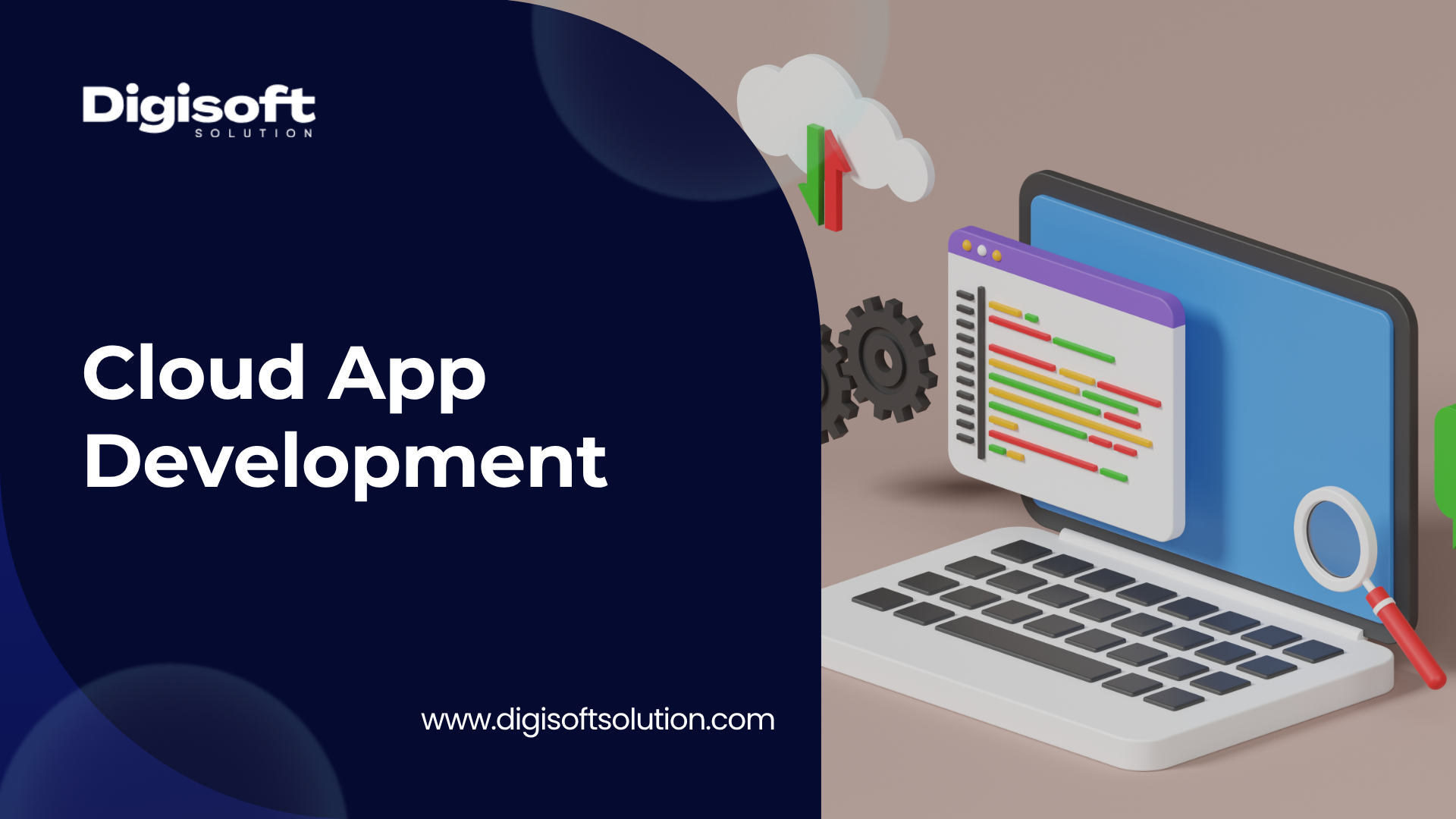
Cloud is not a buzzword anymore. It has not been one for several years now. And yet, a surprising number of businesses still do not fully understand what building a cloud application actually involves technically, where the complexity lives, what decisions genuinely matter, and which parts are just vendor marketing.
This guide is written to fix that. Whether you are a founder evaluating your first cloud product, a CTO reviewing your architecture choices, or a product team trying to understand why your current cloud app is expensive and brittle, this is the honest, technical breakdown you actually need.
We will cover everything from foundational concepts to the step-by-step build process, architecture patterns, security requirements, cost factors, and what is genuinely new in 2026. We will also explain specifically how Digisoft Solution's Cloud Application Development services fit into every stage of this journey.
What Is Cloud App Development?
Cloud app development is the process of designing, building, deploying, and maintaining software applications that run on cloud infrastructure rather than on-premise or local servers. The defining characteristic is not just where the application lives. It is how the application is built to use cloud capabilities: elastic scaling, distributed services, managed infrastructure, and pay-as-you-go resource consumption.
There is an important distinction that a lot of articles miss. Moving an existing application to a cloud server is not the same as building a cloud application. That is called "lift and shift," and it gives you a cloud bill without cloud benefits. Organizations that build for the cloud from the start, meaning they design every layer around the platform it runs on, report around 30% reduction in operational downtime compared to lift-and-shift migrations. The difference is structural, not cosmetic.
A properly built cloud application is designed to handle failures gracefully, scale horizontally when traffic increases, deploy continuously without downtime, integrate with managed services rather than maintaining infrastructure manually, and recover automatically from component failures.
Cloud-Native vs. Cloud-Ready vs. Cloud-Hosted: Know the Difference
These three terms get used interchangeably and they should not be.
- Cloud-hosted means an existing application has been moved to a virtual machine in the cloud. The application architecture has not changed. It still behaves like an on-premise application, just running on rented hardware. You get geographic flexibility. You do not get elasticity, resilience, or cost efficiency at scale.
- Cloud-ready means an application has been modified to work in cloud environments. It handles environment-based configuration, supports horizontal deployment, and plays reasonably well with cloud infrastructure. Better than cloud-hosted, but still not designed from the ground up for the cloud.
- Cloud-native means the application is designed specifically to run in and exploit cloud environments. It uses microservices architecture, containerization (typically Docker), orchestration (typically Kubernetes), automated CI/CD pipelines, and managed cloud services. Cloud-native applications are built for resilience, scalability, and continuous delivery from the very first architectural decision.
In 2026, with 15.6 million developers globally working with cloud-native technologies and 82% of container users running Kubernetes in production, cloud-native is no longer a premium option. It is the standard approach for any software that needs to perform reliably at scale.
Types of Cloud Applications You Can Build
Not every cloud application serves the same purpose. Understanding the category you are building in shapes almost every technical decision that follows.
Web Applications
Browser-based applications with cloud backends. These range from simple content platforms to complex enterprise tools. The cloud provides the infrastructure backbone: compute, databases, CDN, authentication services, and API layers.
Mobile Applications with Cloud Backends
Mobile apps for iOS and Android that rely on cloud APIs for data, authentication, real-time updates, push notifications, and media storage. The app itself runs on the device. The cloud handles the intelligence, data persistence, and scalability. See our Mobile App Development services for how we approach this architecture.
SaaS Platforms
Multi-tenant software products delivered over the internet to paying customers. SaaS is the dominant commercial model for B2B software in 2026. Building a SaaS product involves multi-tenancy architecture, subscription management, usage-based billing, white-labeling, and enterprise SSO integration.
Read our in-depth post: SaaS Product Development: Build, Launch and Scale Successfully.
Enterprise Cloud Applications
Custom software built for specific enterprise workflows, replacing on-premise systems. These require deep integration with existing systems (ERP, CRM, identity providers), compliance with industry regulations, role-based access control, and audit trails.
Event-Driven and Real-Time Applications
Applications that process data streams, trigger automated workflows, or deliver real-time updates to users. Chat platforms, live analytics dashboards, IoT data processors, and financial trading systems all fall into this category.
AI and ML-Powered Cloud Applications
Applications that integrate machine learning models, LLM APIs, recommendation engines, or intelligent automation. In 2026, this has become a standard feature expectation rather than a differentiator, especially in productivity tools, healthcare platforms, and customer-facing applications.
Related Read: Top Use Cases of Generative AI in Product Development.
Cloud Service Models: IaaS, PaaS, SaaS, and FaaS Explained
Understanding the service model your application relies on is not academic. It directly determines what your team is responsible for building and maintaining vs. what the cloud provider handles for you.
Infrastructure as a Service (IaaS)
The cloud provider supplies virtualized compute, storage, and networking. Your team manages everything above that: operating systems, middleware, runtime environments, application code, and data. IaaS gives you maximum control. It also requires maximum operational expertise. AWS EC2, Azure Virtual Machines, and Google Compute Engine are IaaS examples.
Platform as a Service (PaaS)
The cloud provider manages the infrastructure and runtime environment. Your team focuses on application code and data. PaaS accelerates development significantly by removing infrastructure management overhead. AWS Elastic Beanstalk, Azure App Service, and Google App Engine are PaaS examples. Most modern web applications use PaaS components for at least part of their stack.
Software as a Service (SaaS)
The cloud provider manages everything: infrastructure, runtime, application. You use the software. From a development perspective, this is relevant when you are integrating third-party SaaS tools (Stripe for payments, Twilio for messaging, Auth0 for authentication) into your own cloud application.
Function as a Service / Serverless
You write functions. The cloud provider handles everything else, including execution, scaling, and resource allocation. Functions execute in response to events and scale to zero when not in use. AWS Lambda, Azure Functions, and Google Cloud Functions are the primary platforms. Serverless 2.0 in 2026 now supports stateful execution, meaning cloud functions can maintain session context and handle longer-running tasks, which reduces cloud waste by roughly 60% compared to over-provisioned server setups.
Cloud Deployment Models: Public, Private, Hybrid, and Multi-Cloud
Where and how your application is deployed affects security posture, compliance requirements, performance, and cost.
Public Cloud
Resources shared across multiple tenants on infrastructure owned and operated by a cloud provider. AWS, Azure, and GCP are the three dominant platforms. Public cloud offers the fastest time to deploy, access to managed services, and near-infinite scale. It is the right choice for the vast majority of new cloud applications.
Private Cloud
Dedicated infrastructure, either on-premise or hosted, that is not shared with other organizations. Private cloud offers maximum control, isolation, and compliance configurability. It is appropriate for applications in heavily regulated industries where data sovereignty or security requirements cannot be met by shared public infrastructure.
Hybrid Cloud
A combination of private and public cloud environments connected through secure APIs and network architecture. Critical or sensitive workloads run on private infrastructure. Burst capacity, development environments, and non-sensitive services run on public cloud. Hybrid deployments balance compliance with the elasticity advantages of public cloud.
Multi-Cloud
Workloads distributed across more than one cloud provider. Multi-cloud eliminates single-provider dependency, reducing the risk that a regional outage at one provider causes total downtime. In 2026, multi-cloud with Kubernetes orchestration has become the industry standard for high-availability enterprise systems. The challenge is operational complexity: managing consistent security policies, networking, and deployment pipelines across multiple providers requires significant expertise.
How to Build a Cloud Application: Step-by-Step Process
This is the core of what most teams actually need to understand. Building a cloud application is not just writing code and pushing it to AWS. Here is the structured process serious teams follow.
Step 1: Requirements Analysis and Cloud Strategy
Every cloud application starts with understanding what problem it solves, for whom, and under what constraints.
This phase involves:
- Defining functional requirements: what the application must do
- Defining non-functional requirements: performance benchmarks, uptime SLAs, geographic coverage, compliance obligations (HIPAA, GDPR, SOC 2, ISO 27001)
- Identifying target users and usage patterns, because a tool used by 100 internal employees and a consumer platform handling 100,000 concurrent users require completely different architectures
- Selecting the cloud platform (AWS, Azure, GCP, or multi-cloud) based on your workload type, existing technology ecosystem, team expertise, and regulatory constraints
- Defining the deployment model: public, private, hybrid, or multi-cloud
This is also the stage where the broader digital strategy gets set. For businesses considering a wider transformation, see our post: Digital Transformation Roadmap for Mid-Sized Businesses in 2026.
Step 2: Architecture Design
Architecture is where the long-term quality of your cloud application gets decided. Poor architecture choices made here cannot be patched later without expensive rework.
Key architecture decisions include:
- Service decomposition: Will this be a monolith, modular monolith, or full microservices? The right answer depends on team size, delivery speed requirements, and how independently components need to scale.
- Data architecture: Which databases fit which workloads? Relational databases (PostgreSQL, MySQL) for transactional data. Document databases (MongoDB) for flexible schema requirements. Key-value stores (Redis, DynamoDB) for caching and session management. Object storage (AWS S3, Azure Blob) for files and media.
- Communication patterns: Synchronous REST or gRPC APIs for request-response workflows. Asynchronous message queues (Kafka, SQS, RabbitMQ) for event-driven workflows and decoupled services.
- Scaling approach: Horizontal autoscaling policies. Load balancing configuration. CDN strategy for static assets and geographic distribution.
- Infrastructure as Code (IaC): All infrastructure defined in code using Terraform, AWS CloudFormation, or Azure Resource Manager. This ensures reproducible deployments, version-controlled infrastructure, and eliminates manual configuration drift.
A well-designed cloud architecture must also account for future growth. The initial design should support the application evolving without requiring a complete architectural overhaul six months post-launch.
Step 3: UI/UX Design and Prototyping
Design and architecture go in parallel, not sequentially. Waiting to start design until architecture is finalized wastes time.
This stage delivers interactive prototypes validated with real users before a single line of production code is written. It also produces a design system, component library, and developer-ready specifications. In cloud applications specifically, design must account for loading states, network latency handling, offline behavior (especially for mobile), and real-time data update patterns.
Our UI/UX Design services cover the full range from user research and wireframing through to production-ready design systems.
Step 4: Development and Integration
Development of a cloud application follows different practices than traditional software development.
Core development activities include:
- Frontend development using modern frameworks (React, Angular, Vue.js) with cloud-aware data fetching, state management, and real-time update handling
- Backend development building APIs, business logic, and data access layers designed for horizontal scalability
- Cloud service integration: managed authentication (Auth0, AWS Cognito), storage APIs (S3, Azure Blob), message brokers (Kafka, SQS), email services (SES, SendGrid), and payment gateways (Stripe)
- Containerization: packaging each service in Docker containers for consistent behavior across development, staging, and production environments
- API-first design: all services expose well-documented APIs, enabling modular development, independent deployment, and third-party integration
The Twelve-Factor App methodology provides foundational principles for cloud-native development that remain highly relevant in 2026: config in environment variables, stateless processes, declarative setup, and strict separation of build, release, and run stages.
Step 5: Containerization and Orchestration
Containers are how modern cloud applications achieve environment consistency. Docker packages the application and all its dependencies into a portable unit that runs identically in every environment. This eliminates the "works on my machine" problem that plagued pre-cloud development.
Kubernetes orchestrates those containers at scale: handling scheduling, autoscaling, health monitoring, rolling deployments, and service discovery. AWS EKS, Azure AKS, and Google GKE are managed Kubernetes services that eliminate the operational burden of running Kubernetes clusters yourself.
The development team configures autoscaling policies so the application scales out additional container instances when traffic spikes and scales back down when demand drops, without manual intervention. This is how cloud applications handle unpredictable load without over-provisioning infrastructure.
Step 6: CI/CD Pipeline Setup
A CI/CD pipeline automates the process of building, testing, and deploying code every time a change is committed to the codebase. This is not optional in cloud development. It is the mechanism that makes continuous delivery possible.
A production-grade CI/CD pipeline typically includes:
- Automated unit and integration test execution on every commit
- Code quality and security vulnerability scanning
- Container image building and pushing to a registry
- Deployment to a staging environment for integration testing
- Blue-green or canary deployment to production, minimizing downtime and enabling instant rollback if a release introduces problems
- Post-deployment monitoring and automated alerting
Teams that adopt automated CI/CD pipelines alongside AI-assisted code review report significantly faster release cycles and a substantial reduction in production defects. The DevOps investment pays back quickly.
Step 7: Security Implementation
Security in cloud applications is not a final step. It is integrated into every preceding stage. This section covers the non-negotiable security controls.
See the dedicated security section below for technical detail.
Step 8: Testing and Quality Assurance
Cloud application testing goes beyond functional verification. It must include:
- Load and performance testing: does the application maintain acceptable response times under expected and peak traffic? Tools like k6, Apache JMeter, and Gatling simulate high-concurrency scenarios before production exposure.
- Chaos engineering: deliberately introducing failures (killing containers, severing network connections, corrupting database records) to verify that the application's resilience mechanisms work as designed
- Security testing: OWASP Top 10 vulnerability scanning, penetration testing, authentication bypass attempts, and secrets exposure checks
- Real-environment testing: cloud applications behave differently in production than in local development. Testing must be conducted in environments that replicate production configuration as closely as possible
Step 9: Deployment and Launch
Modern cloud deployment uses automated pipelines to push validated code to production without manual steps. Blue-green deployment maintains two identical production environments, switching traffic between them to enable zero-downtime releases and instant rollback.
For web applications, edge deployment on Cloudflare, Vercel, or AWS CloudFront delivers content from the closest geographic node to the user, reducing latency significantly. For applications with a global user base, this is a meaningful performance and user experience improvement.
Post-deployment, the monitoring and observability stack activates: metrics collection (Prometheus), visualization (Grafana), log aggregation (ELK Stack or Datadog), and distributed tracing for diagnosing performance issues in microservices architectures.
Step 10: Monitoring, Optimization, and Iteration
A cloud application's life does not end at launch. In many ways it begins there.
Continuous monitoring tracks application performance, resource utilization, error rates, and user behavior. This data informs the optimization work that keeps the application performing well and the cloud bill manageable. AIOps tools in 2026 can detect performance anomalies, spin up replacement infrastructure, and migrate traffic automatically before human operators even see the alert.
FinOps practices. continuous cost monitoring, rightsizing compute resources, using spot instances for non-critical workloads, and eliminating idle resources — prevent the cloud bill from growing faster than the business.
Cloud App Architecture: The Technical Foundation
Architecture is the most consequential technical decision in cloud app development. Here is a plain-English breakdown of the patterns that matter.
Microservices Architecture
The application is decomposed into small, independently deployable services, each responsible for a specific business capability. User authentication, payment processing, notifications, and order management are each separate services. They communicate through APIs or message queues.
Benefits: individual services can scale independently, be updated without affecting other services, and be owned by separate teams. The downside is operational complexity: distributed tracing, inter-service communication, and data consistency across service boundaries require more sophisticated tooling and expertise than a monolith.
Event-Driven Architecture
Services communicate by publishing and consuming events rather than making direct synchronous calls. A user completes a purchase and the order service publishes an "order-placed" event. The inventory service, notification service, and analytics service each consume that event and act independently.
This decoupling improves resilience (a downstream service failure does not affect the upstream service), scalability (events queue during traffic spikes), and extensibility (adding a new consumer does not require modifying existing services).
Serverless Architecture
Application logic is implemented as functions that execute in response to events and scale automatically. No servers to manage. No capacity to provision. Pay only for actual execution time.
Serverless is ideal for event-driven processing, scheduled tasks, API endpoints with variable traffic, and background jobs. It is less suited for latency-sensitive, stateful workloads or applications requiring persistent connections. In 2026, Serverless 2.0 platforms support stateful execution and long-running processes, which addresses many of the historical limitations.
The Twelve-Factor App Principles
Developed by Heroku engineers and still highly relevant in 2026, the Twelve-Factor methodology defines how cloud applications should be structured. A few critical factors: store config in environment variables (never hardcode it), keep the build and run stages strictly separated, treat logs as event streams rather than managing log files, and design processes to be stateless so instances can be started and stopped freely.
Choosing the Right Tech Stack for Cloud Development
Stack selection shapes development velocity, performance, operational complexity, and long-term maintainability. Here is how to think about it.
Frontend
React, Angular, and Vue.js are the dominant choices for cloud-connected web frontends. TypeScript over plain JavaScript for any serious cloud application, given the reduced runtime error rate and improved maintainability. For mobile frontends connected to cloud backends, the decision between native (Swift for iOS, Kotlin for Android) and cross-platform (Flutter, React Native) depends on performance requirements and team composition.
Related Read: Cross-Platform App Development Cost: Flutter vs React Native.
Backend
Python (FastAPI, Django) for data-intensive and ML-integrated applications. Node.js for event-driven, high-concurrency API services. Java (Spring Boot) and .NET Core for enterprise applications requiring strict type safety, complex business logic, and mature ecosystem support. Go for high-performance microservices where low latency and efficient concurrency matter. Our .NET development team handles enterprise cloud applications specifically.
Cloud Platforms
AWS remains the most feature-rich platform with the deepest managed service catalog. Azure is the natural choice for businesses heavily invested in the Microsoft ecosystem (.NET, Active Directory, Office 365). GCP leads in data analytics and ML infrastructure. For most new projects, the decision comes down to team expertise and specific managed service needs rather than fundamental capability differences.
Databases
|
Workload Type |
Recommended Database |
Examples |
|
Transactional data |
Relational (SQL) |
PostgreSQL, MySQL, SQL Server |
|
Flexible/unstructured data |
Document |
MongoDB, Firestore |
|
High-speed caching |
In-memory key-value |
Redis |
|
Serverless / auto-scaling |
Managed NoSQL |
DynamoDB, Azure Cosmos DB |
|
Files, media, backups |
Object storage |
AWS S3, Azure Blob, GCS |
|
Real-time streaming |
Event streaming |
Kafka, Kinesis |
DevOps and Infrastructure
Docker and Kubernetes are the standard containerization and orchestration stack. Terraform for Infrastructure as Code. GitHub Actions or GitLab CI/CD for pipeline automation. Prometheus and Grafana for metrics and observability. Datadog or the ELK Stack (Elasticsearch, Logstash, Kibana) for log management and application performance monitoring.
Security in Cloud App Development: What You Cannot Skip
Security in cloud applications is not a feature you add at the end. It is a design principle applied from the first architecture decision.
Zero Trust Architecture
The Zero Trust model treats every request, from inside or outside the network, as potentially malicious until verified. No implicit trust based on network location. Every access decision requires verification: identity, device health, and access scope.
Implementing Zero Trust in a cloud application involves identity-aware access policies, per-request authentication validation, least-privilege role assignments, and continuous monitoring of access patterns.
Identity and Access Management (IAM)
Every user, service, and infrastructure component should have a precisely scoped identity with only the permissions it needs to function. Overly permissive IAM policies are among the most common root causes of cloud security incidents.
Use managed identity services (AWS IAM, Azure Active Directory, Google Cloud IAM) rather than building custom authentication. Rotate secrets regularly using automated tools like AWS Secrets Manager or HashiCorp Vault. Never store credentials in code.
Encryption
Data should be encrypted at rest and in transit. This is a baseline, not an advanced configuration. Most cloud providers encrypt at rest by default, but verify the key management model. Transport Layer Security (TLS 1.2 or higher) should be enforced on all endpoints.
Compliance Standards
Depending on your industry and market:
- HIPAA for US healthcare data
- GDPR for personal data of EU citizens
- SOC 2 Type II for SaaS products serving enterprise customers
- ISO 27001 for internationally recognized information security management
- PCI-DSS for payment card processing
Compliance is not just a legal requirement. It is a market access requirement. Enterprise customers increasingly require compliance certification before procurement.
OWASP Top 10
The OWASP Top 10 is the industry-standard framework for web application security risks. Injection attacks, broken authentication, insecure direct object references, and security misconfigurations are the categories that generate the most real-world breaches. Every cloud application should be tested against the OWASP Top 10 before launch and on every major release.
Cost Factors in Cloud App Development
Most articles on this topic publish a cost range table and call it a day. That does not actually help you understand what drives your specific project's cost. Here is the honest breakdown.
The cost of building a cloud application is a function of five primary variables. Understanding these variables is more useful than any generic estimate.
Scope and Feature Complexity
The single biggest driver. A cloud application with five core features and two third-party integrations costs dramatically less than one with fifteen features, real-time collaboration, a payment layer, an ML recommendation engine, and multi-region deployment. Feature scope is the most controllable cost variable. Prioritizing ruthlessly here has direct financial consequences.
Architecture Complexity
Microservices architectures cost more to build and maintain than well-structured monoliths, because they require more engineering coordination, more sophisticated deployment tooling, and more complex observability. Serverless architectures can reduce infrastructure cost but increase development cost for teams without prior serverless experience. Architecture decisions have both build-time and operational cost implications.
Team Composition and Location
A cloud development team based in India with equivalent qualifications to a US-based team delivers at 50 to 70 percent lower cost. This is not a quality compromise when you work with a vetted partner — it is a geography-driven cost structure difference. Digisoft Solution operates from India and the USA, giving clients quality at a cost structure that makes significant projects financially viable for businesses that could not justify US agency rates.
Ongoing Infrastructure and Operational Costs
Cloud applications incur ongoing costs that are separate from development: compute (EC2 instances, container clusters), storage, data transfer, managed service fees, monitoring tools, and security services. These costs scale with usage, which is the cloud's main value proposition, but they need to be modeled and budgeted from the architecture stage.
FinOps practices, continuous rightsizing, reserved instances for predictable workloads, and spot instances for interruptible workloads can reduce ongoing infrastructure costs by 30 to 40 percent compared to unmanaged cloud spending.
Post-Launch Maintenance
This is consistently the most underestimated cost in cloud development. Factor in: OS and dependency updates, security patching, cloud provider API deprecation handling, performance optimization cycles, feature iteration based on user feedback, and 24/7 monitoring. A reasonable planning estimate is 15 to 20 percent of the initial build cost annually for ongoing maintenance.
|
Cost Factor |
Impact |
Notes |
|
Feature scope |
Very High |
Most controllable; cut scope early if budget-constrained |
|
Architecture complexity |
High |
Match complexity to actual need, not to what sounds impressive |
|
Team geography |
High |
India-based teams offer 50-70% cost reduction vs. US/UK |
|
Ongoing infrastructure |
Medium-High |
Model this before launch; unmanaged cloud spend escalates fast |
|
Security and compliance |
Medium |
Non-negotiable in regulated industries; plan for it upfront |
|
Post-launch maintenance |
Medium |
Often excluded from initial estimates; budget 15-20% of build cost per year |
|
Testing depth |
Medium |
Cutting here generates higher rework costs post-launch |
For a customized estimate based on your specific requirements, book a free technical consultation with Digisoft Solution.
Common Mistakes Teams Make When Building Cloud Apps
These are patterns that repeat across projects that struggle.
Lifting and shifting instead of redesigning. Moving an on-premise monolith to a cloud VM gives you a cloud bill without cloud benefits. If you are going to cloud, design for it.
Over-engineering the architecture for current scale. Not every application needs a full microservices stack from day one. A well-structured monolith built with future decomposition in mind is faster to build, cheaper to maintain, and easier to reason about for a small team. Introduce microservices as scale and team size justify the operational overhead.
Ignoring cloud cost from day one. Unmonitored cloud spending is how companies end up with shocking monthly bills. Instrument cost monitoring, set budget alerts, and right-size resources from the beginning.
Treating security as a post-launch concern. Retrofitting security into a cloud application that was not designed with Zero Trust, proper IAM, and encryption from the start is painful and expensive. Security is an architectural concern, not a configuration task.
Building without a CI/CD pipeline. Manual deployment processes introduce inconsistency, slow down iteration, and increase the risk of human error in production releases. Automate this from sprint one.
No observability strategy. A cloud application without logs, metrics, and distributed tracing is a black box. When something breaks in production, you want to diagnose it in minutes, not hours. Instrument from the beginning.
Skipping disaster recovery planning. What happens when a database goes down? When an availability zone goes offline? When a deployment pushes a breaking change? Having no answer to these questions is a business continuity risk, not just a technical one.
See how we approach: Application Modernization Services: All You Need to Know in 2026.
Cloud App Development Trends in 2026
A few developments that are genuinely reshaping how cloud applications are built right now.
AI-Native Architecture
AI is moving from a feature integrated into cloud applications to a foundational design consideration. Vector databases, LLM API integration, RAG (retrieval-augmented generation) pipelines, and ML inference infrastructure are now standard components of cloud application architectures in customer-facing products, productivity tools, and data platforms. Teams that design AI integration as an afterthought end up rebuilding their data layer.
FinOps and AIOps
Cloud cost management has matured from manual review to automated optimization. AIOps agents in 2026 monitor spending continuously, automatically shut down idle environments, switch processing to spot instances for non-critical workloads, and detect anomalies before they translate into inflated bills. For performance, AIOps platforms can detect issues, spin up replacement infrastructure, and migrate traffic automatically, targeting 99.999% uptime without round-the-clock human operations. See our post on cost-focused architecture: Cloud-Native Architecture for Cost Optimization.
Serverless 2.0 and Stateful Functions
The original serverless model was limited by statelessness and cold start latency. Serverless 2.0 platforms now support stateful execution, long-running tasks, and reduced cold start times. This makes serverless viable for a significantly broader range of use cases and allows teams to reduce operational overhead without the function-scoping constraints of first-generation serverless.
Platform Engineering
Rather than every development team managing their own cloud infrastructure configuration, organizations are establishing internal developer platforms (IDPs) that provide self-service access to standardized, pre-approved infrastructure patterns. This reduces cognitive load on development teams, improves security and compliance consistency, and accelerates delivery.
Green Software and Carbon-Aware Scheduling
Sustainability has moved from an ESG initiative to a cost control mechanism. Carbon-aware scheduling routes computationally intensive workloads (like AI training jobs) to data centers powered by renewable energy at the time of execution. This is increasingly a procurement requirement for enterprise customers and a regulatory consideration in European markets.
How Digisoft Solution Helps You Build and Scale Cloud Applications
Digisoft Solution is an IT consulting and software development company with 12+ years of cloud engineering experience, 100+ developers and DevOps specialists, and over 700 projects delivered globally. Our team operates across India and the USA, serving clients in North America, Europe, Australia, the Middle East, and Asia. What follows reflects how we actually work, not how we wish we did.
Digisoft Solution covers the full cloud application development lifecycle, from architecture consulting through to post-launch monitoring and support. Here is how that maps to real engagements.
Cloud Consulting and Architecture
Before writing code, we analyze your business objectives, infrastructure constraints, compliance requirements, and workload characteristics. We produce a cloud strategy and architecture blueprint: platform recommendation, service model selection, deployment model, tech stack, data architecture, and security framework. This work prevents the expensive mistakes that come from jumping straight to development.
Cloud-Native Application Development
We build new cloud applications using microservices, containerization, and serverless where appropriate. Our software development team covers frontend, backend, API development, database design, and cloud service integration. We use Agile development methodology with sprint-based delivery, keeping you informed and able to course-correct throughout.
SaaS Development
For businesses building software products, our SaaS development practice covers multi-tenancy architecture, subscription and billing integration, white-labeling, enterprise SSO, and the operational tooling needed to manage a product used by multiple organizations.
Legacy Application Modernization and Cloud Migration
If you have existing applications that need to move to the cloud or be rebuilt on cloud-native architecture, we handle the full migration. Phased migration with rollback strategies, blue-green deployment for zero-downtime transitions, and compatibility testing before cutover are standard parts of our migration methodology.
DevOps and CI/CD
We establish automated CI/CD pipelines, Infrastructure as Code configurations, container orchestration setup, and monitoring stacks as part of every cloud development engagement. You do not pay for ongoing deployment complexity after the build. You have an automated, documented system.
Cloud Security Services
Zero Trust implementation, IAM policy design, secrets management, encryption configuration, OWASP security scanning, and compliance documentation. Our Software Testing services include security testing as a standard component, not an optional add-on.
Case Studies
Vision Care Direct is a mobile-centric cloud application providing healthcare plan members with secure access to plan information, clinic directories, and digital ID cards. Digisoft Solution handled architecture, development, cloud infrastructure, and security compliance. Read the Vision Care Direct case study.
Entrusted Mail is a secure, cloud-based email management system with advanced compliance features. The platform required careful security architecture, audit trail implementation, and enterprise-grade reliability. Read the Entrusted Mail case study.
Applica is a CMS-based customer loyalty management platform. Building loyalty mechanics on cloud infrastructure required scalable event processing, real-time notification delivery, and flexible integration with third-party services. Read the Applica case study.
Dedicated Cloud Development Teams
For organizations with ongoing cloud development needs, our dedicated team model provides a full-stack cloud team that operates as an extension of your workforce. This is more cost-effective than hiring individually and gives you access to specialized skills across frontend, backend, DevOps, security, and QA simultaneously. See: Dedicated Development Team for Big Projects: The Complete Guide.
Frequently Asked Questions
What is the difference between a cloud app and a regular web app?
A regular web app can run on any server, including on-premise or shared hosting. A cloud application is specifically designed to exploit cloud infrastructure: elastic scaling, managed services, distributed deployment, automated failover, and pay-as-you-go resource consumption. The difference is architectural, not just infrastructural.
How long does it take to build a cloud application?
A cloud-based MVP typically takes 10 to 16 weeks from architecture to launch, depending on scope and team size. Full-featured products with complex integrations range from 20 to 40 weeks. Applications requiring AI integration or compliance certification typically add 4 to 8 weeks. For a detailed breakdown: Understanding App Development Timelines: A Detailed Guide.
Which cloud provider should I choose: AWS, Azure, or GCP?
AWS has the deepest managed service catalog and the largest developer ecosystem. Azure is the strongest choice for enterprises invested in Microsoft technology. GCP leads in data analytics, BigQuery, and ML infrastructure. For most new projects, team expertise and specific managed service requirements drive the decision more than fundamental platform differences. Digisoft Solution works across all three platforms.
Is serverless architecture suitable for all cloud applications?
No. Serverless is excellent for event-driven workloads, variable-traffic APIs, background processing, and scheduled tasks. It is less suitable for latency-sensitive applications requiring persistent connections, stateful session management (though Serverless 2.0 is improving this), or workloads with predictable, constant load where reserved compute is more cost-effective.
How do I control cloud infrastructure costs?
FinOps practices: implement resource tagging for cost allocation visibility, use autoscaling to avoid over-provisioning, use spot instances for interruptible workloads, set up budget alerts, and review resource utilization regularly. Right-sizing your compute instances to match actual usage rather than peak theoretical demand typically generates significant savings.
What security certifications should my cloud app comply with?
It depends on your industry and market. Healthcare applications serving US patients require HIPAA compliance. Products handling EU citizen data require GDPR compliance. SaaS platforms selling to enterprise customers typically require SOC 2 Type II. Payment processing requires PCI-DSS. Start the compliance conversation in architecture, not in the week before launch.
How do I start a cloud application development project with Digisoft Solution?
Book a free consultation. We review your requirements, assess your current situation, and produce a technical roadmap and scope estimate before any contract is signed. No commitment required to get clarity on what your project involves.
Final Thoughts
Cloud application development in 2026 is not the same discipline it was five years ago. The infrastructure is more capable, the tooling is more automated, and the expectations for security, compliance, and performance are higher. But the fundamental principle has not changed: build for the platform you are deploying on, not despite it.
The teams that struggle with cloud development are usually not struggling because of technical complexity. They are struggling because they made architecture decisions without fully understanding the implications, skipped the security and compliance work until it became an emergency, or treated the cloud as a destination rather than an operating model.
The teams that thrive treat cloud as a strategic capability, invest properly in architecture and discovery before development, instrument everything from day one, and work with partners who have built enough cloud applications to know where the real problems live.
Digisoft Solution has delivered over 700 projects, many of them cloud applications for clients across healthcare, fintech, retail, and enterprise software. If you are building something in the cloud and want a technical team who will be honest about what it takes, we are available to talk.
Digital Transform with Us
Please feel free to share your thoughts and we can discuss it over a cup of coffee.