Table of Content
- Key Takeaways
- What Is an AI Agent?
- AI Agent vs Chatbot vs Workflow Automation vs Copilot
- Types of AI Agents You Will Actually Build
- How an AI Agent Works: The Core Loop and Its Parts
- The Seven Building Blocks
- Choose Your Path Before You Write Any Code
- How to Create an AI Agent: 9 Steps
- Step 1: Define One Job and How You Will Measure It
- Step 2: Choose Your Build Path
- Step 3: Select the Model
- Step 4: Select the Framework or Orchestration Layer
- Step 5: Write the Instructions and Connect Tools
- Step 6: Add Knowledge and Memory
- Step 7: Build the Loop, Then Add Guardrails
- Step 8: Test and Evaluate Before Users See It
- Step 9: Deploy, Monitor and Improve
- How Much Does It Cost to Create an AI Agent in 2026?
- Cost of the No-Code and Low-Code Path
- What Agencies Quote for Custom Builds, and Whether It Is Fair
- Running Costs: What the Model Actually Charges
- Hidden Costs Teams Forget
- A Simple First-Year Budget Formula
- How to Judge Any AI Agent Quote
- Build, Buy or Partner: Which Is Right for You?
- 10 Common Mistakes When Creating AI Agents
- AI Agent Use Cases and Examples by Industry
- Questions People Ask About Creating an AI Agent
- How do I create an AI agent for free?
- How do I create an AI agent without coding?
- How do I create an AI agent with Python?
- How do I create an AI agent that uses my own data?
- How do I create an AI agent for customer service?
- How do I create a voice AI agent?
- How do I create a multi-agent system?
- What is the best framework for beginners?
- How long does it take to create an AI agent?
- Can I make an AI agent with ChatGPT, Claude or Gemini?
- What is the difference between agentic AI and an AI agent?
- Is it safe to give an AI agent access to company systems?
- How Digisoft Solution Helps With AI Agent Development
- What We Build
- How We Work
- Proof From Real Projects
- Ways to Work With Us
- Frequently Asked Questions About Creating an AI Agent
- What is an AI agent in simple words?
- What are the steps to create an AI agent?
- What do I need to build an AI agent?
- What is the difference between an AI agent and a chatbot?
- How much does it cost to create an AI agent?
- How long does it take to create an AI agent?
- Do I need to code to create an AI agent?
- Which AI agent framework should I use?
- What is RAG, and do I need it?
- How do I keep an AI agent safe?
- Can an AI agent work without human oversight?
- How do I know if my AI agent is working well?
- Should I build an AI agent in-house or hire a company?
- Conclusion
Digital Transform with Us
Please feel free to share your thoughts and we can discuss it over a cup of coffee.
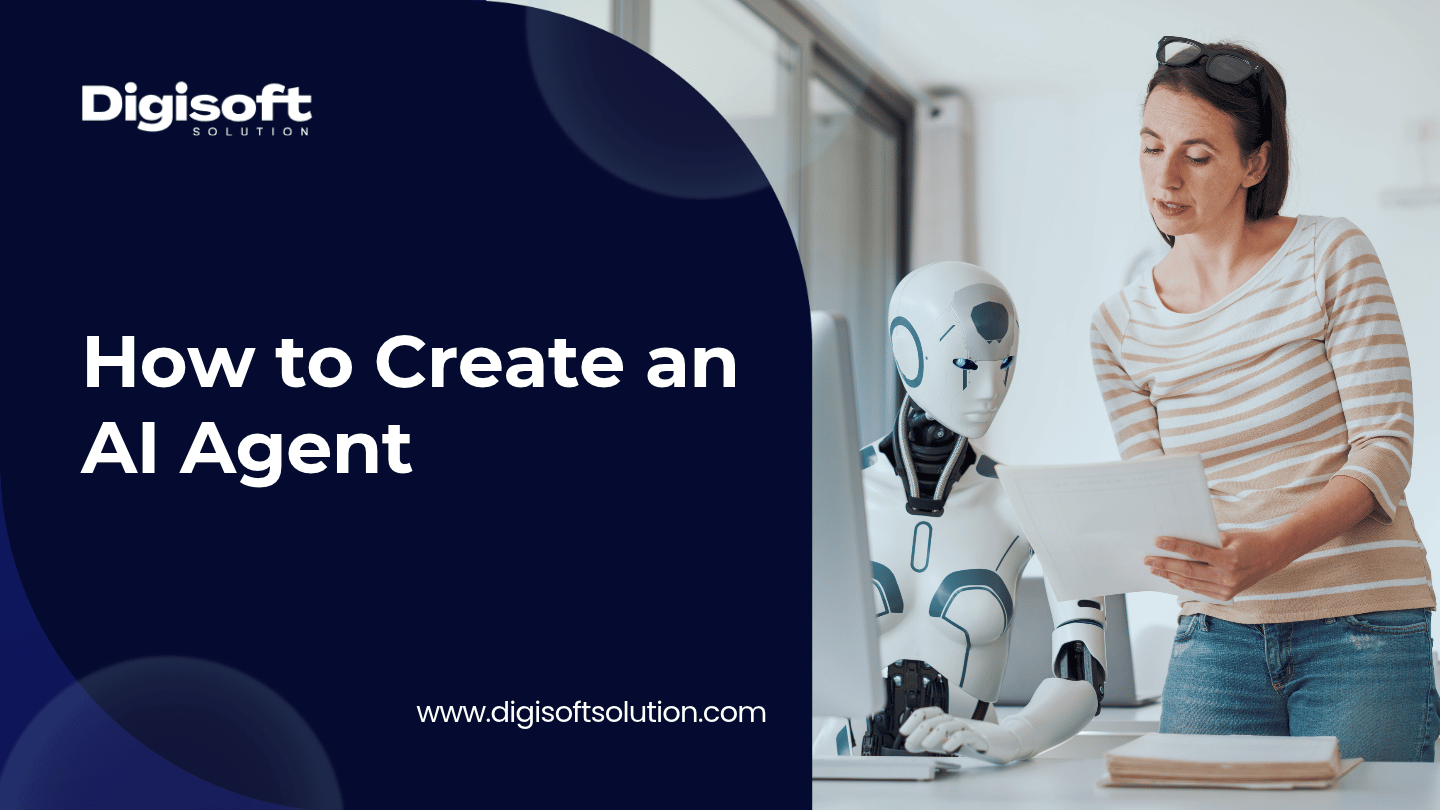
To create an AI agent, pick one narrow job, choose a language model, give it a small set of tools (APIs, databases, search), connect your own knowledge with retrieval, wrap it in a loop with limits and guardrails, test it against real examples, then deploy it with monitoring. A simple version can run in a few days. A production version that touches customer data usually takes 2 to 6 months.
Key Takeaways
- An AI agent is software that uses a language model to decide what to do next, calls tools to act, and keeps going until the task is done or it hands off to a person.
- Most agents fail because of scope, data and testing problems, not because of the model. Gartner predicted in June 2025 that over 40% of agentic AI projects will be canceled by the end of 2027, citing cost, unclear value and weak risk controls.
- Token costs for an agent are far higher than for a chatbot because every task makes several model calls. In our worked example below, one agent task uses about 26 times the tokens of a simple chat reply.
- Published build prices for AI agents run from about $5,000 to over $500,000. We checked those ranges against engineering hours, and most of the middle of the range holds up, but the low end and the very high end both need questions asked.
- Start with one workflow, ship it behind human review, measure it, then widen the scope.
What Is an AI Agent?
An AI agent is a software system that takes a goal, decides on the steps needed, uses tools to carry those steps out, checks the results, and repeats until the goal is met. The language model is the reasoning part. Tools, memory and rules around it are what make it an agent instead of a chat window.
A useful test: can it do something in the real world without you writing out every step? If the answer is yes (it looks up an order, updates a CRM record, books a slot, files a ticket), it is acting like an agent. If it only produces text for you to copy and paste, its a chatbot or an assistant.
AI Agent vs Chatbot vs Workflow Automation vs Copilot
These four get mixed up constantly, and it matters because the price and the risk change a lot between them.
|
Type |
What it does |
Decides its own next step? |
Takes actions in other systems? |
Typical risk level |
|
Rule-based chatbot |
Matches questions to scripted answers |
No |
Rarely |
Low |
|
Workflow automation |
Runs a fixed sequence of steps when triggered |
No |
Yes |
Low to medium |
|
AI copilot |
Helps a person draft, summarize and search, while the person stays in control |
Partly |
Usually no |
Low to medium |
|
AI agent |
Plans, uses tools, checks results, repeats |
Yes |
Yes |
Medium to high |
Gartner has also warned about agent washing, which is when vendors relabel chatbots, RPA and assistants as agentic AI. When you read a product page, look for real tool use and real decision making, not just the word agent.
If you want a deeper look at the first row, our guide on AI chatbot development for customer support and engagement covers where a chatbot is the better and cheaper choice. For the automation side, see types of IT automation and our RPA development service guide.
Types of AI Agents You Will Actually Build
Textbooks list five or six agent types. In practice, businesses build these:
- Task agents: one job, a few tools, for example "check order status and draft a reply"
- RAG agents: answer questions from your own documents with sources
- Workflow agents: move work across CRM, ERP, ticketing and email
- Voice agents: handle phone calls, scheduling and support. Our AI voice agent development page explains this one
- Multi-agent systems: several specialist agents coordinated by a manager agent
- Copilots: agents that suggest, and a human approves
How an AI Agent Works: The Core Loop and Its Parts
Almost every agent, whatever the framework, runs the same loop:
- Receive a goal or an event
- Reason about what to do next
- Call a tool (search, database query, API call)
- Read the result
- Decide: finished, need another step, or need a human
- Return the answer or the completed action
This is often called the ReAct pattern, short for reason and act. It is the dominant beginner architecture because it is easy to understand and easy to debug.
The Seven Building Blocks
1. The Model
The language model does the reasoning and decides which tool to call. Bigger models plan better but cost more and run slower.
2. Instructions
The system prompt that defines the role, the rules, what the agent may and may not do, and when to escalate.
3. Tools
Functions the agent can call. Search, SQL, a CRM API, a calendar, a payment lookup. Tools are where most of the value, and most of the risk, lives.
4. Knowledge
Your documents, policies and data, usually reached through retrieval-augmented generation (RAG), so answers come from your sources rather than the model's general memory.
5. Memory
Short-term memory is the current conversation and task state. Long-term memory is saved facts and preferences across sessions. Be careful with what you store, since memory can hold personal data.
6. Orchestration
The code that runs the loop, sets step limits, handles retries, and passes work between agents in multi-agent setups.
7. Guardrails and Observability
Permissions, validation, approval steps, logging and tracing. If you cant see what the agent did, you cant fix it.
A note on complexity
Every block you add is something else to test and maintain. The most reliable agents we see are boring: one model, four or five tools, a clear scope.
Rule of thumb
If a fixed workflow can do the job, use a workflow. Use an agent only when the next step genuinely depends on what the previous step returned.
Choose Your Path Before You Write Any Code
There are four realistic ways to create an AI agent. Picking the wrong one is the most common early mistake, so decide this first.
|
Path |
Best for |
Skills needed |
Typical time to first working version |
Main limit |
|
No-code or low-code platform (for example n8n, Make, Zapier) |
Prototypes, internal automations, simple agents over popular SaaS tools |
Light technical |
Days to a few weeks |
Hits a ceiling on custom logic, strict compliance and deep integrations |
|
Code with an agent framework (LangGraph, CrewAI, provider SDKs) |
Custom agents where you control the logic |
Python or TypeScript developers |
Weeks |
You own testing, hosting and maintenance |
|
Managed cloud agent services from the big cloud vendors |
Teams already deep in one cloud |
Cloud engineers |
Weeks |
Lock-in and less flexibility on model choice |
|
Hire a development partner |
Regulated data, many integrations, no in-house AI team |
Mostly business-side input |
2 to 6 months for production |
Needs a partner you trust and a clear scope |
Our guide to building an AI app and AI software development guide go further on the wider product questions.
How to Create an AI Agent: 9 Steps
Step 1: Define One Job and How You Will Measure It
Vague goals are what produce looping, hallucinating agents. Write the job down like a job description for a new hire. A good first agent has one outcome, a short list of allowed actions and a clear point where it hands off to a person.
Use a spec like this before you open any tool:
Agent name: Order status and returns agent
Goal: Answer "where is my order" and start return requests
Inputs: customer email or order number, chat message
Allowed actions: look up order, read return policy, create return request (needs approval above $200)
Not allowed: refunds, address changes, anything about payment details
Escalate to human when: customer is angry, order is older than 90 days, tool fails twice
Success metrics: task completion rate, correct answers on test set, escalation rate, cost per task, time to resolve
Pick two or three numbers you can actually measure. "Resolve 60% of order-status chats without a human, with under 2% wrong answers" is a target. "Improve customer experience" is not.
Not sure which workflow to start with? Pick the one that is repetitive, high volume, has clear rules, and where a mistake is cheap to catch. Our guide to AI in customer service shows where teams usually start.
Step 2: Choose Your Build Path
Use the path table above. If your agent only needs to connect popular SaaS tools and the data is not sensitive, a low-code tool can get you a working prototype in days. If you need custom logic, private data, strict audit trails or many integrations, plan for code.
A good habit: prototype in the fastest tool, then rebuild the proven version properly. Prompts, tool definitions and test cases carry over between frameworks, so the prototype is never wasted.
Step 3: Select the Model
Model choice affects quality, speed, cost and where your data goes. Compare on these points:
- Reasoning and tool-use quality on your tasks (not on public benchmarks alone)
- Context window size
- Latency, since an agent makes several calls per task
- Price per million input and output tokens
- Data handling, region and compliance options
- Whether you need an open-weight model you can host yourself
The leading hosted model families in 2026 come from OpenAI, Anthropic and Google, and open-weight options include Llama, Mistral, DeepSeek and Qwen. Do not pick on brand. Run the same 30 to 50 real tasks through two or three candidates and compare results and cost per completed task.
Use more than one model
Most production agents route work. A small, cheap model handles classification, extraction and simple lookups. A stronger model handles planning and hard reasoning. This is the single biggest lever on running cost, and we show the numbers in the cost section below.
Step 4: Select the Framework or Orchestration Layer
You do not need a framework to build an agent. The loop in the example below is under 20 lines. But frameworks save time on state, retries, tracing and multi-agent handoffs. Here is how the main options compare.
|
Framework |
Best for |
Languages |
Good to know |
|
LangGraph |
Stateful, long-running workflows with checkpoints and human approval steps |
Python, JavaScript |
Steeper learning curve, strong for production control |
|
CrewAI |
Role-based multi-agent teams (researcher, writer, reviewer) |
Python |
Fast to prototype, easy mental model |
|
OpenAI Agents SDK |
Lightweight agents and handoffs, built-in tracing |
Python, TypeScript |
Works best with OpenAI models but supports other endpoints |
|
Claude Agent SDK |
Tool-rich agents with file and shell access, built on the same harness as Claude Code |
Python, TypeScript |
Tied to Anthropic models |
|
Google ADK |
Multi-language teams, Google Cloud deployment, agent-to-agent communication |
Python, TypeScript, Java, Go |
Optimized for Gemini but model-agnostic |
|
Microsoft Agent Framework |
.NET and Azure teams, enterprise orchestration |
.NET, Python |
Merges the earlier AutoGen and Semantic Kernel projects |
|
LlamaIndex |
RAG-first agents over your documents |
Python, TypeScript |
Strong retrieval tooling |
Framework choice matters less than people think. Your prompts, tools and evaluation set are portable, so switching later is annoying but not a disaster. If your team already works in .NET, our ASP.NET Core and .NET development team and the article on AI in .NET development are a natural fit with Microsoft's framework.
Step 5: Write the Instructions and Connect Tools
Write instructions like a policy, not a pep talk
Good system prompts are specific. They state the role, the steps to follow, the tone, what the agent must never do, how to format outputs, and exactly when to stop and escalate. Keep examples in the prompt short and real.
Design tools carefully
Tools are plain functions with a name, a description, and typed inputs. The agent reads the description to decide when to use it, so write descriptions the way you would explain the function to a junior colleague.
Good tool design rules:
- Keep each tool narrow. "get_order_status" beats "manage_orders"
- Separate read tools from write tools
- Validate every input on your side, never trust the model's arguments blindly
- Give each tool the least permission it needs
- Return short, clean results, not 40 KB of raw JSON
- Make write actions safe to retry, so a repeated call does not duplicate an order
Connect with APIs, function calling and MCP
Function calling is the basic way a model asks your code to run a tool. The Model Context Protocol (MCP) is an open standard that lets agents discover and connect to external tools and data sources without a custom integration for every tool. For agents that need to talk to other agents across frameworks, the Agent2Agent (A2A) protocol covers that job. If your agent has to reach CRM, ERP or helpdesk systems, solid APIs come first. See our API development and API integration services, and the enterprise application integration guide for the wider picture.
Step 6: Add Knowledge and Memory
Knowledge with RAG
If the agent must answer from your documents, use retrieval-augmented generation. The usual pipeline is: clean and split documents into chunks, create embeddings, store them in a vector database, retrieve the best chunks for each question, and give them to the model with an instruction to answer only from the sources and cite them.
What decides quality here is retrieval, not the model:
- Chunk by meaning (sections, headings), not just by character count
- Use hybrid search (keyword plus semantic) and reranking
- Store metadata such as document date and access level
- Respect permissions, so the agent never retrieves a document the user cannot see
- Re-index when documents change, or answers go stale
Vector storage options include pgvector on PostgreSQL, Pinecone, Weaviate, Qdrant, Milvus and Chroma. If you already run PostgreSQL, pgvector is often the simplest start.
Memory
Keep short-term memory (the current task state) small and clean. Add long-term memory only when you have a clear reason, such as remembering a customer's preferred language. Decide what is never stored, set retention limits, and let users see and delete what is saved.
Our healthcare AI work, such as the Medizen AI healthcare platform, shows why: retrieval over patient history only helps when it is accurate, permissioned and validated by a clinician.
Step 7: Build the Loop, Then Add Guardrails
Here is a simplified agent loop in Python-style pseudocode. It is framework-agnostic and meant to show the idea, not to be pasted into production.
python
def run_agent(task, max_steps=8):
    messages = [SYSTEM_PROMPT, task]
    for step in range(max_steps):
        reply = llm.chat(messages, tools=TOOLS)

        if reply.tool_calls:
            for call in reply.tool_calls:
                check_permission(call)            # least privilege
                args = validate_args(call)        # never trust raw model output
                if needs_approval(call):          # human in the loop
                    result = wait_for_human(call)
                else:
                    result = execute_tool(call.name, args)
                log_event(step, call, result)     # audit trail
                messages.append(tool_result(call, result))
        else:
            return reply.text                     # finished

    return escalate_to_human(task)                # step limit hit
Notice the three things that make it safe: a hard step limit, validation before every tool call, and an approval gate for risky actions.
Guardrails you should have before launch
- Step, time and spend limits per task, so one bad loop cannot burn your budget
- Role-based access control on every tool
- Human approval for payments, deletions, legal commitments, medical or financial decisions
- PII detection and redaction before data goes to the model or the logs
- Output validation (schema checks, policy checks, blocked topics)
- Prompt injection defenses: treat anything the agent reads from the web, email or documents as untrusted data, never as instructions
- Full audit logs of every model call and tool call
Prompt injection deserves special attention. If your agent reads emails or web pages, a hidden instruction inside that content can try to hijack it. The safest design keeps untrusted content separate from instructions, limits what tools the agent can reach while reading it, and requires approval for any action that moves data out.
Quick launch checklist
Scope written down. Tools least-privilege. Approval gates on high-impact actions. Logs on. Step limit set. Test set passing. Rollback plan ready.
Step 8: Test and Evaluate Before Users See It
Agent testing is different from normal software testing because outputs vary from run to run. You need an evaluation set, not a few manual chats.
Build it like this:
- Collect 50 to 200 real tasks, including messy ones, from past tickets, emails or chats
- Write the expected outcome for each (correct answer, correct tool, correct escalation)
- Add edge cases: missing data, angry users, conflicting documents, tool failures, attempted prompt injection
- Run the set every time you change the prompt, the model or a tool
- Track task success rate, wrong-answer rate, tool-call accuracy, escalation rate, latency and cost per task
A model can grade answers for you, but spot-check its grading with humans, because automated judges have their own blind spots. Tracing tools such as LangSmith, Langfuse and Arize help you see each step the agent took, which makes debugging much faster.
Testing is also where a quality team earns its fee. See our software testing services, our AI software testing and security testing pages, and our QA checklist before every launch.
Step 9: Deploy, Monitor and Improve
Roll out in stages:
- Shadow mode: the agent drafts, a human acts, you compare
- Assisted mode: the agent acts on low-risk cases, a human reviews a sample
- Autonomous on defined cases: with alerts and a quick off-switch
After launch, check these everyday for the first month and weekly after that:
- Task success and escalation rates
- Cost per task and total token spend
- Latency
- Tool errors
- User feedback and thumbs-down reasons
- Drift, for example documents changing or a provider releasing a new model version
Pin model versions where you can, and re-run your evaluation set before moving to a new one. Providers release and retire models on their own schedule, and a change that looks small can shift behavior. Hosting also needs planning: our cloud application development team builds the infrastructure under agents, and the cloud app development guide explains the basics.
How Much Does It Cost to Create an AI Agent in 2026?
Quick answer: a simple agent on a low-code tool can run for under $100 a month in platform fees plus model usage. A custom production agent is commonly quoted between $15,000 and $150,000, and enterprise multi-agent systems run from about $150,000 to $400,000 or more. On top of the build, expect model usage, hosting, monitoring and maintenance every month.
That is a very wide range, and published guides disagree with each other. We read through a long list of 2026 agency cost guides, then checked the numbers against current rate cards and against engineering hours. Here is what held up and what did not.
Cost of the No-Code and Low-Code Path
These prices come from each vendor's published plans, checked in autumn 2026. Model usage is billed separately by your model provider.
|
Option |
What you pay |
What you get |
Watch out for |
|
n8n Community Edition, self-hosted |
Software is free. A small server can cost roughly $4 to $5 a month |
Unlimited executions |
You handle updates, backups and security |
|
n8n Cloud Starter |
20 euros a month billed annually (24 euros billed monthly) |
2,500 executions a month |
Workflows pause at the limit |
|
n8n Cloud Pro |
50 euros a month billed annually (60 euros billed monthly) |
10,000 executions a month |
The next tier up is a big jump |
|
n8n Business (self-hosted license) |
667 euros a month billed annually (800 euros monthly) |
40,000 executions, SSO |
Overkill for most small teams |
|
Zapier Starter |
From $19.99 a month |
750 tasks a month |
Every step counts as a task, so a 10-step agent uses 10 tasks per run |
The billing model matters more than the sticker price. n8n counts one execution per workflow run, however many steps it has. Zapier counts every step. For an agent that makes many calls per run, that difference can change your monthly bill by a large factor.
What Agencies Quote for Custom Builds, and Whether It Is Fair
This is the part most guides skip. Instead of just repeating ranges, we sanity-checked each tier against the hours of work it needs.
How we checked: we estimated engineering hours for each tier, then multiplied by published 2026 hourly rate ranges. For India-based teams we used $25 to $60 an hour, and for US-based teams $120 to $250 an hour. Published rate guides disagree a lot (India shows anywhere from about $12 to $80 an hour depending on the source, US and Canada from about $100 to $250), so treat this as a sanity check and not as a quote.
|
Tier |
What it usually means |
Range seen in published 2026 guides |
Hours we would expect |
Cost at India-based rates |
Cost at US-based rates |
Our read |
|
1. Simple agent |
One task, few tools, often low-code |
$5,000 to $10,000 (some guides go to $35,000) |
60 to 120 |
$1,500 to $7,200 |
$7,200 to $30,000 |
Fair at $5,000 to $10,000. A $35,000 quote for a simple FAQ-style agent is high unless it includes real integrations |
|
2. Focused LLM or RAG agent |
2 to 3 integrations, one workflow, basic UI |
$15,000 to $60,000 |
400 to 800 |
$10,000 to $48,000 |
$48,000 to $200,000 |
Fair for an offshore or blended team. At US rates a $20,000 quote means the scope is thinner than it sounds |
|
3. Production workflow agent |
5 or more integrations, evaluations, guardrails, approval flows |
$40,000 to $150,000 |
1,000 to 2,000 |
$25,000 to $120,000 |
$120,000 to $500,000 |
Reasonable. This is where most real business value sits |
|
4. Enterprise multi-agent |
Compliance, observability, many systems, high volume |
$150,000 to $400,000 or more (a few guides say over $500,000) |
3,000 to 6,000 |
$75,000 to $360,000 |
$360,000 to $1.5 million |
Realistic for offshore or blended teams. US-only teams will land above the published ranges |
What this tells us:
- The middle of the market is priced sensibly. Tiers 2 and 3 line up with the hours, as long as the team is offshore or blended.
- Low quotes are not automatically bad, but they usually mean thin scope. If a $20,000 quote comes from a US agency, ask what was left out: testing, security review, integrations or monitoring.
- The very top of the range is justified only when you have regulated data, many systems and strict audit needs. For most companies, a $300,000 plan for a first agent is a sign the scope is too big.
- You will also see claims that vendor quotes run three to five times what a build really costs. That comparison sets weekend DIY projects against enterprise rollouts, so it is not like for like. We would not use it to judge a quote.
- One more point. Hours are not the whole story. Cheap hours with weak engineering lead to expensive rework, so judge a partner on their delivered systems, not just the rate.
Want a number for your own scope instead of a range? Our software development cost calculator gives a quick estimate, and our earlier piece on AI agent costs across no-code, semi-custom and full-custom builds goes deeper on each path. For general app budgeting see how much it costs to develop an app.
Running Costs: What the Model Actually Charges
Language models bill per million tokens, with input and output priced separately. A token is roughly three quarters of a word. Prices dropped sharply in 2026 and they are still shifting, so check the provider page before you budget.
|
Model |
Input per 1M tokens |
Output per 1M tokens |
Notes |
|
Claude Haiku 5.5 |
$0.10 |
$0.50 |
For prompts up to 100,000 tokens. Above that, $0.50 and $2.50 |
|
GPT-6 Luna |
$0.10 |
$0.50 |
Short-context rate. Higher above 272,000 input tokens |
|
Claude Sonnet 5.5 |
$2.00 |
$10.00 |
1M token context at the standard rate. Batch processing halves it |
|
GPT-6 Sol |
$2.00 |
$10.00 |
Short-context rate. $4 and $15 above 272,000 input tokens |
|
Claude Opus 5.5 |
$4.00 |
$20.00 |
Anthropic's Opus tier, for hard reasoning |
|
GPT-6 Astra |
$10.00 |
$50.00 |
OpenAI's flagship tier |
Google Gemini and open-weight models such as Llama and Mistral have their own rate cards, so compare those as well. Primary sources: the Anthropic pricing documentation, OpenAI's API pricing page, and each provider's launch announcements.
Two things stand out when you look at history. OpenAI cut GPT-6 Sol and Luna by 50% or more versus the matching GPT-5.6 models in September 2026, and Anthropic's Opus tier has fallen from $15 and $75 (Opus 4.1) to $4 and $20 (Opus 5.5). Do not lock a three-year budget at todays token prices. They are more likely to fall than rise, but model changes can still move your bill.
Worked Example: Why Agents Cost More Than Chatbots
Here is a simple model you can adapt. Assume one agent task makes 8 model calls. Each call sends about 6,000 input tokens (system prompt, tool definitions, retrieved documents and conversation history all add up fast) and returns about 500 output tokens. That is 48,000 input tokens and 4,000 output tokens, or 52,000 tokens per task. A simple chat reply of about 2,000 tokens is 26 times smaller.
|
Model tier |
Cost per agent task |
10,000 tasks a month |
50,000 tasks a month |
|
Haiku 5.5 or GPT-6 Luna |
$0.0068 |
$68 |
$340 |
|
Sonnet 5.5 or GPT-6 Sol |
$0.136 |
$1,360 |
$6,800 |
|
Opus 5.5 |
$0.272 |
$2,720 |
$13,600 |
These are our own calculations from the rate cards above and they ignore caching and batch discounts, which lower the bill further. Your real token counts will differ, so measure them during testing.
Now the routing effect. If 80% of calls can go to a small model and 20% need a stronger one, the Sonnet-tier cost per task falls from $0.136 to about $0.033, which is roughly 76% lower, or about $326 for 10,000 tasks. That only holds if quality stays acceptable on your evaluation set, which is why routing and testing go together.
Hidden Costs Teams Forget
- Data preparation: cleaning, tagging and structuring documents so retrieval works
- Evaluation and QA: building the test set, and re-running it on every change
- Security review and compliance work, especially for health, finance and legal data
- Monitoring and tracing tools
- Human review time in the first few months
- Integration upkeep when a connected API changes
- Model migrations when a provider retires or replaces a version
- Vector database and hosting
- Change management and staff training
A common rule of thumb in published guides is that yearly maintenance and operations run about 15 to 30% of the build cost. That is a fair starting point. Our view is to budget toward the higher end in the first year, because that is when prompts, tools and documents change the most.
A Simple First-Year Budget Formula
First-year cost = build cost + (monthly run cost x 12) + a maintenance reserve.
Illustration only: a Tier 2 agent built for $30,000, running at $1,500 a month, with a 20% maintenance reserve ($6,000), comes to $30,000 + $18,000 + $6,000 = $54,000 in year one. Your numbers will differ, but the shape of the calculation does not.
How to Judge Any AI Agent Quote
Ask for these before you sign:
- The estimated hours, by role and by phase
- What is in scope and, more important, what is not
- The assumed model, token volume and monthly usage cost
- The evaluation plan and who owns the test set
- Security, privacy and compliance work included
- Who owns the code, prompts and data
- The maintenance and support terms
Green flags: a paid discovery phase, a narrow first release, a plan for human approval, clear metrics. Red flags: a fixed price for a complex agent with no discovery, no mention of testing, promises of full autonomy on day one, or a price that cannot be explained in hours.
Build, Buy or Partner: Which Is Right for You?
- Build it yourself if you have developers, the data is not highly sensitive, and you want to learn. Start on a low-code tool or a single framework.
- Buy a ready-made product if your need is common (customer support, meeting notes, coding help) and a vendor already covers it well.
- Partner with a development team if you have private or regulated data, many integrations, tight timelines or no in-house AI engineers. A good partner also helps you avoid overbuilding. Our guides on choosing a software development company and finding a reliable offshore development partner can help you compare options.
10 Common Mistakes When Creating AI Agents
- Starting with a multi-agent system. Begin with one agent. Add more only when one clearly cannot cope.
- Giving the agent too many tools. Accuracy drops as the list grows. A list of tools are only useful if each one is clearly described and needed.
- Skipping evaluations. Without a test set you are guessing.
- Letting it write to production systems on day one. Start read-only, then add approved write actions.
- Ignoring retrieval quality. Bad chunking and stale documents cause most wrong answers.
- Forgetting step and spend limits. One loop bug can burn a month of budget overnight.
- Treating untrusted content as instructions. This is how prompt injection happens.
- Not tracking cost per task. Token costs creep up when prompts and context grow.
- Building before cleaning the data. Messy sources produce messy answers.
- Launching without a human fallback. Start small, most teams do the opposite and regret it.
AI Agent Use Cases and Examples by Industry
- Customer support: look up orders, answer from policies, start returns, hand off hard cases. See AI in customer service.
- Healthcare: clinical note drafting, patient history retrieval, scheduling and claims support, always with clinician validation. See agentic automation and RPA in healthcare.
- Banking and finance: document review, compliance checks, anomaly flags. See AI in banking and finance.
- Real estate: lead qualification, property search and document handling. See AI in real estate applications.
- Government and smart cities: data analysis, evaluation and reporting.
- Software teams: code review, test generation and documentation. See the best AI coding tools.
- Business operations: reporting, data entry and cross-system workflows. See AI in business.
Questions People Ask About Creating an AI Agent
These are the questions people type into search and AI assistants most often around this topic. Each answer is short on purpose.
How do I create an AI agent for free?
Use a free tier or open-source tools. n8n Community Edition is free to self-host and you pay only for a small server, and most model providers offer limited free usage for testing. Free is good for learning and proofs of concept. A production agent handling real customer volume will need paid model usage and proper hosting.
How do I create an AI agent without coding?
Use a no-code or low-code builder such as n8n, Make or Zapier. Define the goal, connect a model, connect your apps, and test with real examples. You can build useful internal agents this way. Custom logic, private data and strict compliance usually push you toward code.
How do I create an AI agent with Python?
Install a model provider's SDK or a framework such as LangGraph or CrewAI, define your tools as Python functions, write the system prompt, and run the loop with a step limit. Add logging from the start. The pseudocode in Step 7 shows the structure.
How do I create an AI agent that uses my own data?
Use retrieval-augmented generation. Split your documents into chunks, create embeddings, store them in a vector database, and retrieve the best chunks for each question. Tell the agent to answer only from retrieved sources and to say when it does not know. Respect user permissions when retrieving.
How do I create an AI agent for customer service?
Start with the top five questions that make up most of your ticket volume. Connect read-only tools for order or account lookup, add your help center as a knowledge source, set clear escalation rules, and run it in shadow mode before it replies to customers.
How do I create a voice AI agent?
Add speech-to-text and text-to-speech around the same agent logic, and design for low latency, interruptions and phone-call edge cases. Our AI voice agent development page covers what is involved.
How do I create a multi-agent system?
First build one reliable agent. Then split the work only if you can name clear roles, for example a planner, a researcher and a reviewer, and test the handoffs. Multi-agent setups add cost, delay and debugging effort, so use them only when one agent really cannot cope.
What is the best framework for beginners?
CrewAI has a gentle learning curve for role-based teams, and the OpenAI Agents SDK is lightweight for simple handoffs. For production control and long-running workflows, many teams move to LangGraph. Pick the one that fits your language and cloud, and keep your prompts and tests portable.
How long does it take to create an AI agent?
A basic single-task agent can work in a few days. A multi-tool agent with memory and testing often takes a few weeks. A production system with integrations, security review and monitoring commonly takes 2 to 6 months.
Can I make an AI agent with ChatGPT, Claude or Gemini?
Yes. Each provider offers an API with tool calling, and each has its own agent SDK or platform. The model is only one part. You still need tools, retrieval, guardrails and testing around it.
What is the difference between agentic AI and an AI agent?
An AI agent is a single system that pursues a goal with tools. Agentic AI is the broader approach of systems that plan and act with some autonomy, including one or many agents and the workflows around them.
Is it safe to give an AI agent access to company systems?
It can be, with least-privilege access, approval gates for risky actions, input validation, logging and prompt injection defenses. Start read-only and widen access only as the evaluation results justify it.
How Digisoft Solution Helps With AI Agent Development
Digisoft Solution is an IT consulting and software development company with 13+ years of experience, 800+ software solutions delivered, and 100+ engineers and AI specialists serving clients in 25+ countries. Our AI agent development services cover the full path in this guide: strategy, architecture, build, integration, testing, deployment and monitoring.
What We Build
- Custom and autonomous AI agents, including RAG-based agents, workflow agents and multi-agent systems, through our AI development services and generative AI development
- Conversational agents through AI chatbot development and phone agents through AI voice agent development
- Employee assistants through AI copilot development
- Connections to your CRM, ERP, helpdesk and databases through AI integration services
- Workflow automation through AI automation services
- Strategy and roadmaps through AI consulting services
How We Work
Our process matches the steps above: define the use case and success metrics, design the agent architecture, connect knowledge and tools, build, test with guardrails and human approval, then deploy with monitoring and keep improving. We work across GPT, Claude, Gemini and Llama models, and frameworks such as LangGraph, CrewAI, Microsoft Agent Framework and Google ADK, and we choose by fit, not brand. Security controls such as role-based access, audit logging and human approval for sensitive actions are part of the build from the start.
Proof From Real Projects
- Veridian Urban Systems: an AI-powered urban intelligence platform that delivered 60% faster workflows and reporting and 100% standardized city evaluations
- Medizen: an AI healthcare assistant that turns doctor-patient conversations into structured clinical notes, using speech recognition, RAG and clinician validation
- Enterprise PII detection and compliance platform: AI-driven detection of sensitive data across documents and systems, with continuous privacy monitoring
- PeaceMappers: an AI knowledge and intelligence platform for faster research and insight generation
You can browse more on our case studies page.
Ways to Work With Us
Choose a dedicated development team, staff augmentation, or a fixed-scope project. If you only need extra hands, you can hire AI developers to join your team.
Planning an AI agent? Book a free consultation through our contact page and we will share a development roadmap, technology recommendations, a timeline and a project estimate based on your scope.
Frequently Asked Questions About Creating an AI Agent
What is an AI agent in simple words?
An AI agent is software that uses a language model to decide what to do, uses tools such as search or business apps to do it, and keeps going until a goal is reached or a person needs to step in.
What are the steps to create an AI agent?
Define one job and success metrics, choose your build path, select a model, pick a framework, write instructions and connect tools, add knowledge and memory, add guardrails, test with an evaluation set, then deploy and monitor.
What do I need to build an AI agent?
You need a clear use case, access to a language model through an API, tools or APIs the agent can call, your data if it must answer from your content, a test set, and a place to run and monitor it.
What is the difference between an AI agent and a chatbot?
A chatbot mainly answers questions in a conversation. An AI agent can pursue a goal, call tools, take actions in other systems and handle multi-step tasks. Some chatbots include agent features, but many do not.
How much does it cost to create an AI agent?
Low-code agents can start with platform fees under $100 a month plus model usage. Custom builds are commonly quoted from about $15,000 to $150,000, and enterprise systems from about $150,000 to $400,000 or more. Running costs depend on tokens per task and volume.
How long does it take to create an AI agent?
A simple agent can take days, a multi-tool agent a few weeks, and a production system with integrations, security review and monitoring typically 2 to 6 months.
Do I need to code to create an AI agent?
Not always. No-code and low-code tools can build simple agents. For custom logic, private data, strict compliance or many integrations, you will want developers.
Which AI agent framework should I use?
It depends on your stack. LangGraph suits stateful production workflows, CrewAI suits role-based teams, provider SDKs suit teams committed to one model family, Microsoft Agent Framework suits .NET and Azure teams, and LlamaIndex suits retrieval-heavy agents.
What is RAG, and do I need it?
Retrieval-augmented generation lets an agent fetch relevant content from your documents or databases before answering. You need it when answers must come from your own, current information instead of the model's general knowledge.
How do I keep an AI agent safe?
Give each tool the least access it needs, validate inputs, require human approval for high-impact actions, redact personal data, treat external content as untrusted, set step and spend limits, and keep full audit logs. Guardrails reduce risk but do not remove it.
Can an AI agent work without human oversight?
Within narrow, well-tested limits, yes. Actions involving money, sensitive data, legal obligations or safety should keep a human in the loop. The right level of autonomy depends on risk and on how reliable the agent is in your tests.
How do I know if my AI agent is working well?
Track task success rate, wrong-answer rate, tool-call accuracy, escalation rate, latency, cost per task and user feedback, and re-run your evaluation set after every change.
Should I build an AI agent in-house or hire a company?
Build in-house if you have the engineers and the data is not sensitive. Hire a partner if you need integrations, compliance, speed or AI engineering skills you do not have. Many teams do both, with a partner building the first version and the in-house team taking it over.
Conclusion
Creating an AI agent is less about picking the cleverest model and more about good scoping, good tools, good data and good testing. Start with one job, keep a human in the loop, measure cost per task, and widen the scope only when the numbers support it. Treat quotes the same way: ask for hours, scope and assumptions, and check that the price makes sense for the work.
If you want a second pair of eyes on your use case, our team can help you size it, pick the right path and build it. Start with our AI agent development services or talk to our experts.
Digital Transform with Us
Please feel free to share your thoughts and we can discuss it over a cup of coffee.