Table of Content
- What Is AI in Customer Service?
- Benefits of AI in Customer Service
- 1. Lower cost per contact
- 2. 24/7 availability without night shifts
- 3. Faster first response
- 4. Scale without linear hiring
- 5. Better agent productivity
- 6. Consistent answers and full QA coverage
- 7. Multilingual support
- 8. Insights you did not have before
- Examples of AI in Customer Service
- Real project examples from Digisoft Solution
- Generative AI in Customer Service
- How Much Does AI Customer Service Cost? A Reality Check
- Step 1: What does a human contact actually cost?
- Step 2: What do the main AI support platforms charge?
- Step 3: Run the math on a real scenario
- Step 4: So is $0.99 per resolution actually good?
- Step 5: Cost of building your own (illustrative only)
- Build vs Buy: Which One Is Right for You?
- Digisoft Solution AI Chatbot Development
- What we build
- How we work
- Industries we support
- Future of AI in Customer Service
- 1. From answering to acting (agentic AI)
- 2. Outcome-based pricing becomes the norm
- 3. Voice gets good enough to trust
- 4. Proactive support
- 5. Multimodal support
- 6. Humans move up the value chain
- 7. Governance gets stricter
- How to Roll Out AI in Customer Service Without Hurting CSAT
- Metrics that matter
- People Also Ask
- How is AI used in customer service?
- What is the best example of AI in customer service?
- Can AI replace human customer service agents?
- What is the difference between a chatbot and an AI agent?
- How accurate is generative AI in customer service?
- Is AI customer service cheaper than human support?
- What are the disadvantages of AI in customer service?
- How long does it take to implement AI customer service?
- Frequently Asked Questions (FAQ)
- What is AI in customer service?
- What are the main benefits of AI in customer service?
- What are some examples of AI in customer service?
- What is generative AI in customer service?
- What will the future of AI in customer service look like?
- How much does AI customer service cost?
- Is Intercom Fin or Zendesk AI cheaper?
- When should I build a custom AI chatbot instead of buying one?
- How do I prevent AI chatbots from giving wrong answers?
- Is AI customer service secure?
- How do I measure the ROI of AI customer service?
- Which industries benefit most from AI customer service?
- Final Thoughts
- Related Reading from Digisoft Solution
- Sources and Notes
Digital Transform with Us
Please feel free to share your thoughts and we can discuss it over a cup of coffee.
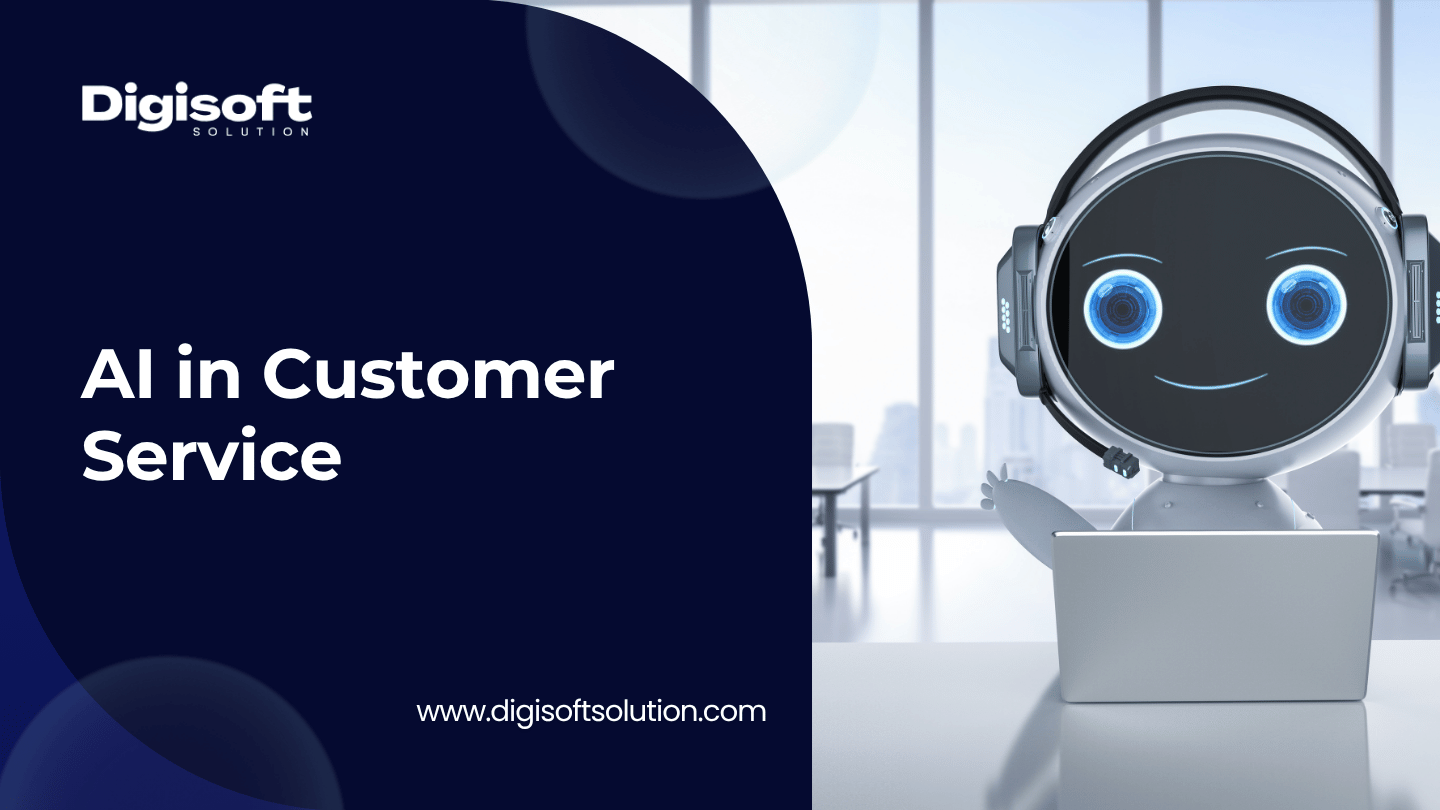
AI in customer service means using chatbots, AI agents, copilots and automation to answer questions, route tickets, assist human agents and resolve routine issues faster. Done well, it cuts the cost of a support contact from roughly $3 to $25 down to roughly $0.50 to $2, while keeping humans for the complicated and emotional cases. Done badly, it just annoys customers at a lower price.
This guide covers the benefits, real examples, generative AI, the future, and the part most articles skip: whether the pricing you see online is actually good value once you do the math.
What Is AI in Customer Service?
AI in customer service is the use of machine learning, natural language processing and large language models (LLMs) to handle or support customer conversations across chat, email, voice and messaging apps.
It usually shows up in four forms:
- Customer-facing AI agents and chatbots that answer questions and complete tasks like order tracking or refunds.
- Agent assist or copilots that suggest replies, pull knowledge base articles and summarize long threads for human agents.
- Back-office AI that tags, prioritizes and routes tickets, scores sentiment and audits conversations.
- Voice AI that answers phone calls, understands speech and either resolves the call or hands it over.
The big shift in the last two years is that most of this now runs on generative AI instead of rigid decision trees. Old bots matched keywords. Newer ones read the question, look up your actual help content, and write an answer.
Benefits of AI in Customer Service
Here are the benefits of AI in customer service that show up consistently, and the caveat that goes with each one.
1. Lower cost per contact
Industry benchmarks put a human-handled contact anywhere from about $3 to $25 depending on channel and how "fully loaded" the number is. AI-handled contacts are commonly reported at around $0.25 to $2. We break down why those ranges are so wide in the cost section below, because it matters.
2. 24/7 availability without night shifts
AI does not need a rota. Customers get an answer at 3 a.m. on a Sunday, which matters a lot for global businesses and e-commerce.
3. Faster first response
An AI agent replies in seconds. That alone moves satisfaction scores for simple questions like "where is my order" or "how do I reset my password".
4. Scale without linear hiring
Human cost scales roughly in a straight line with ticket volume. AI cost scales much more slowly. When a product launch or holiday spike hits, you do not need to recruit and train for six weeks.
5. Better agent productivity
This one gets undersold. Copilots that draft replies and summarize history reduce handle time. One vendor business-case page reports around a 31% increase in conversations handled per agent with an AI copilot, which is a vendor claim, so treat it as a ceiling and test it yourself.
6. Consistent answers and full QA coverage
Human QA usually reviews 2 to 5% of conversations. AI can score all of them for tone, policy and accuracy.
7. Multilingual support
Modern LLM-based tools cover dozens of languages out of the box. Hiring for that is slow and expensive.
8. Insights you did not have before
When every conversation is summarized and tagged, you can see which product bugs and policy confusions drive tickets. That feeds back into product and marketing.
The honest caveat
Benefits only show up if the AI actually resolves issues. A cheap contact that does not resolve the problem creates a repeat contact. Cost per contact is not the same as cost per resolution, and a lot of teams skips this step when they build a business case.
Examples of AI in Customer Service
Let's make this concrete. These are the use cases we see working in the real world.
|
Use case |
What the AI does |
Typical channel |
Best for |
|
AI support agent |
Answers questions from your help center and takes actions (refund, reschedule) |
Web chat, WhatsApp, email |
Ecommerce, SaaS |
|
Agent assist / copilot |
Suggests replies, surfaces articles, drafts follow-ups |
Inside helpdesk |
Teams with complex tickets |
|
Conversation summarization |
Turns a 40-message thread into 3 lines and next steps |
Helpdesk, CRM |
Any team with handoffs |
|
Sentiment detection |
Flags angry or at-risk customers for a human |
Chat, voice, email |
Retention-sensitive businesses |
|
Smart routing |
Sends the ticket to the right team by intent, language and priority |
Email, forms |
Larger support orgs |
|
Knowledge base generation |
Drafts help articles from resolved tickets for review |
Help center |
Fast-moving products |
|
Voice AI agents |
Answers calls, books appointments, handles status checks |
Phone |
Healthcare, logistics, hospitality |
|
Proactive outreach |
Messages customers about delays or issues before they ask |
SMS, email, app |
Retail, travel, delivery |
|
Agentic workflows |
Completes multi-step tasks across systems with approvals |
Any |
Mature teams with clean APIs |
Real project examples from Digisoft Solution
We have built several of these for clients. A few that relate directly to support and customer-facing conversations:
- McGrocer: an AI shopping assistant that recommends products, answers questions, and handles order status and delivery tracking, which took pressure off the support team during peak periods.
- Medizen: a healthcare assistant that answers patient questions, schedules appointments and sends medication reminders over text and voice.
- AddressTwo CRM: an AI assistant inside a CRM that brought customer information lookup from 2 to 3 minutes down to under 10 seconds.
You can see more on our case studies page.
Generative AI in Customer Service
Generative AI in customer service is the use of LLMs to produce new text, summaries and decisions from your own data, instead of picking from pre-written scripts.
Where generative AI changes things most
- Natural answers, not menus. Customers type the way they talk. The model understands messy phrasing, typos and multi-part questions.
- Grounded answers with RAG. Retrieval-augmented generation (RAG) fetches the right passages from your help center, policies and product docs first, then writes the answer from those. This is what stops the bot from making things up.
- Drafting and summarizing. Agents get a ready draft and a short history. They edit instead of typing from zero.
- Self-improving knowledge. Resolved tickets become candidate help articles that a human reviews.
- Tool use. The model can call your order system, CRM or billing API to actually do something, not just talk about it.
Where generative AI goes wrong
- Hallucination. If retrieval is weak, the model fills gaps with confident nonsense. Fix it with RAG, strict source rules and "I don't know, let me get a human" fallbacks.
- Policy drift. The bot promises a refund you do not offer. Fix it with guardrails and action limits.
- Data leakage. Customer PII going into prompts without controls. Fix it with redaction, access control and a clear data retention setup.
- Prompt injection. A customer (or a webpage the bot reads) tries to override instructions. Fix it with input filtering and least-privilege tool access.
If you want the deeper technical angle, see our guides on how to integrate AI into existing software and AI software development, plus our generative AI development services.
How Much Does AI Customer Service Cost? A Reality Check
This is where most articles on the topic stop being useful. They quote a vendor's price page, say "only $0.99 per resolution!" and move on. We went and checked the numbers, compared them, and thought about whether they actually hold up.
Pricing below comes from vendor pricing pages as reported in third-party comparisons published between April and July 2026. AI pricing changes often and some vendors do not publish their rates, so reverify on the vendor site before you budget.
Step 1: What does a human contact actually cost?
Sources disagree a lot here, and the spread itself is a warning sign.
|
Source type |
Human cost per interaction |
AI cost per interaction |
|
Contact center vendor benchmark |
$8.01 fully loaded |
$0.25 |
|
Chatbot vendor benchmark |
$20 to $25 per ticket |
$0.50 to $0.70 |
|
Several AI vendor blogs |
$3 to $6 |
$0.25 to $0.50 |
|
Support software vendor |
$6 to $13.50 per ticket |
$0.50 to $2.00 per resolved ticket |
|
Median across assisted channels (Gartner, via secondary source) |
$13.50 |
$1.84 for self-service |
Our read on this table
Almost every number comes from a company that sells AI. That does not make the figures false, but it means you should be careful. The human cost swings from $3 to $25 mostly because of what gets counted: salary only, or salary plus benefits, tools, training, management, QA and office space. The AI cost is often just the platform fee or compute, not the cost of the failed conversations or the engineering time to maintain it.
Do this instead
Calculate your own fully loaded cost per contact:
(agent salaries + benefits + tools + training + QA + management) / contacts handled
Use that as your baseline. If you are at $6 or $12, your savings case looks very different.
Step 2: What do the main AI support platforms charge?
|
Platform |
Pricing model |
Headline AI price |
Seat or add-on cost |
Watch out for |
|
Intercom Fin |
Per outcome plus seats |
$0.99 per outcome, 50 outcomes minimum a month |
Seats about $29 to $139 per month depending on plan and billing |
An "outcome" includes resolutions, procedure handoffs and disqualifications, so not every billed unit is a clean resolution |
|
Zendesk AI agents |
Per automated resolution plus seats |
About $1.50 committed, about $2 pay-as-you-go (reported) |
Suite plans from about $55 per agent, Copilot add-on about $50 per agent |
Rate is not shown on the pricing page, so you must get a quote |
|
Freshworks Freddy AI Agent |
Per session bundles |
$49 per 100 extra sessions, so about $0.49 per session |
Seat plans on top |
Sessions are counted even if the AI does not fully resolve |
|
Salesforce Agentforce |
Per conversation |
Reported around $2 per conversation |
Platform licences |
Pricing reported by a competitor's page, so confirm directly |
|
Third-party overlay tools |
Per ticket |
About $0.40 per ticket (one example) |
Works on top of an existing helpdesk |
Check which actions it can actually take |
One more thing worth noting. Zendesk defines a billable resolution as one the AI closes without escalating to a human, while Intercom's definition includes some completed workflows even when the chat is handed over. So $0.99 versus $1.50 is not a clean apples-to-apples comparison.
Step 3: Run the math on a real scenario
Let's say a team has 10 agents and the AI resolves 2,000 conversations a month.
|
Item |
Intercom Fin |
Zendesk (with Copilot) |
Zendesk (no Copilot) |
|
Seats |
10 x $29 = $290 |
10 x $55 = $550 |
$550 |
|
Copilot add-on |
Included in seat pricing on some plans |
10 x $50 = $500 |
None |
|
AI resolutions |
2,000 x $0.99 = $1,980 |
2,000 x $1.50 = $3,000 |
$3,000 |
|
Monthly total |
about $2,270 |
about $4,050 |
about $3,550 |
|
Same 2,000 contacts by humans at $6 |
$12,000 |
$12,000 |
$12,000 |
|
Same 2,000 contacts by humans at $13.50 |
$27,000 |
$27,000 |
$27,000 |
Seats are mostly a cost you pay anyway for your human team, so the incremental AI cost is closer to the per-resolution line.
Step 4: So is $0.99 per resolution actually good?
Yes, with conditions. Here is the technical thinking:
- Compared to humans, yes. Even at a conservative $6 per human contact, $0.99 is an 80% or so drop, if the AI really resolves the issue.
- The bill grows with success. Per-resolution pricing has no ceiling. At 10,000 resolutions a month on Fin that is about $9,900 a month, or roughly $118,800 a year. At that scale the question changes from "is AI cheaper than humans" to "is renting cheaper than owning".
- Resolution rate is the real variable. If your AI resolves 25% of volume, you are paying for a lot of conversations that still need humans. If it resolves 60%, the economics are great. Always model with your own resolution rate, not the vendor's.
- Hidden costs exist. Implementation, knowledge base cleanup, training, integrations and add-on fees show up on at least some platforms.
- Cheap per-response claims need scrutiny. Some tools advertise a couple of cents per AI response. That is a per-message price, not a per-resolution price, and one resolution can take several messages.
Verdict: $0.99 to $2 per resolution is good value for most small and mid-sized support teams, up to a few thousand resolutions a month. Past roughly 5,000 to 10,000 resolutions a month, or when you need deep system integrations, custom workflows or strict data control, owning the stack usually wins.
Step 5: Cost of building your own (illustrative only)
Here is a simple break-even example. These numbers are illustrative for explanation, not a Digisoft quote.
|
Item |
Rented per-resolution tool |
Custom-built AI agent |
|
Resolutions per month |
10,000 |
10,000 |
|
Monthly platform or run cost |
about $9,900 |
about $2,500 (model usage, hosting, monitoring, maintenance) |
|
Upfront build |
None |
$60,000 (example) |
|
Monthly saving vs rented |
None |
about $7,400 |
|
Payback period |
None |
about 8 months |
Public benchmarks for AI chatbot setup range widely, from a few thousand dollars for simple bots to far more for enterprise integrations, and the price depends on integrations, security, languages, channels and how many systems the AI must act on. For a scoped estimate, use our software development cost calculator or read our breakdown of AI agent costs.
Build vs Buy: Which One Is Right for You?
|
Situation |
Buy a platform |
Build custom |
|
Under about 3,000 AI resolutions a month |
Usually best |
Rarely worth it |
|
Standard helpdesk, standard questions |
Best |
Overkill |
|
Need to act inside ERP, CRM, billing or legacy systems |
Limited |
Best |
|
Strict compliance, data residency, PII rules |
Possible but restrictive |
Best |
|
Very high volume |
Costs climb |
Best |
|
Need to own the model choice, prompts and data |
Often locked in |
Best |
|
Need to launch in days |
Best |
Slower |
A hybrid path is common: start on a platform to prove the use case, then move the high-volume or high-risk flows to a custom agent.
Digisoft Solution AI Chatbot Development
If you have decided a custom build makes sense, here is what we do.
Digisoft Solution builds custom AI chatbots and AI agents for customer support, sales and internal teams. Our AI chatbot development services cover strategy, conversation design, model integration, testing, deployment and ongoing optimization.
What we build
- Customer support chatbots that answer common questions, resolve routine issues and hand over to humans with context.
- RAG chatbots that answer from your documents, FAQs, policies and product data.
- Agentic chatbots that complete tasks through your tools, with approval steps where needed. See our AI agent development services.
- Voice assistants for phone support and bookings through our AI voice agent development.
- Omnichannel bots across web, mobile, WhatsApp, Teams, Slack and more.
- Multilingual bots for global customer bases.
- Internal bots for HR and IT helpdesk.
How we work
- We work with leading models (OpenAI GPT, Claude, Gemini, Llama, Mistral) and pick the one that fits your accuracy, speed and budget needs rather than defaulting to one.
- We integrate with CRM, ERP, helpdesk, e-commerce and payment systems. Our AI integration services team handles the plumbing.
- We build in human agent handoff, role-based access, encryption, PII redaction and guardrails.
- We monitor and improve after launch, because a chatbot that is never tuned gets worse over time.
- Engagement models include fixed cost, time and materials, dedicated team and staff augmentation. You can also hire AI developers directly.
Industries we support
Healthcare, banking and finance, retail and e-commerce, logistics, travel and hospitality, real estate and SaaS.
Not sure where to start? Our AI consulting services team can help you pick use cases, estimate savings and plan a rollout. When you are ready, book a free consultation.
Future of AI in Customer Service
The future of AI in customer service is less about chatbots and more about AI that does things. Here is where we see it going.
1. From answering to acting (agentic AI)
Instead of "here is how to request a refund", the AI checks the order, applies the policy, issues the refund and confirms. This needs clean APIs and good guardrails. See our write-up on agentic automation.
2. Outcome-based pricing becomes the norm
Vendors are moving from per-seat to per-resolution pricing. That is good for buyers because you pay for results, but as we showed above, it also means costs rise as the AI succeeds. Expect more negotiating on volume tiers and on what counts as a "resolution".
3. Voice gets good enough to trust
Voice AI is cheaper than a live phone call by a wide margin in published benchmarks, and quality is improving fast. Phone-heavy industries like healthcare and logistics will move first.
4. Proactive support
AI will spot a delayed shipment or a failing payment and message the customer first. The best support ticket is the one nobody has to open.
5. Multimodal support
Customers will send a photo of a broken part or a screenshot of an error and get an answer. Our guide to multimodal AI applications covers the technology.
6. Humans move up the value chain
Humans will handle the hard, emotional and high-value conversations, and spend more time coaching AI and fixing knowledge gaps. Agent roles change, they do not disappear.
7. Governance gets stricter
Expect more regulation on disclosure ("you are talking to an AI"), data handling and accountability. Build audit logs and consent flows now instead of later.
How to Roll Out AI in Customer Service Without Hurting CSAT
- Pick one narrow, high-volume use case. Order status, password reset, appointment booking.
- Clean your knowledge base first. AI is only as good as the content it retrieves.
- Set a clear handoff rule. If confidence is low or sentiment is negative, route to a human, with the transcript.
- Launch to a small slice of traffic. Compare against humans on resolution, CSAT and repeat contacts.
- Measure the right metrics. See the table below.
- Review failed conversations weekly. This is where the improvement comes from.
- Expand slowly. Add intents and actions only when the previous ones are stable.
Metrics that matter
|
Metric |
Why it matters |
Rough direction |
|
AI resolution rate |
The real driver of savings |
Higher is better |
|
Containment vs true resolution |
Containment without resolution means repeat contacts |
Track both |
|
Escalation rate |
Shows where the AI is weak |
Lower, but not at the cost of quality |
|
CSAT on AI conversations |
Catches bad experiences hiding behind cost savings |
Should match human CSAT on simple issues |
|
Repeat contact rate |
Detects "fake" resolutions |
Lower is better |
|
Cost per resolved conversation |
The honest cost number |
Lower is better |
|
First response time |
Easy win |
Seconds |
|
Hallucination or policy-error rate |
Risk control |
Near zero |
People Also Ask
How is AI used in customer service?
AI is used to answer common questions through chatbots, assist agents with suggested replies and summaries, route tickets, detect sentiment, run voice assistants and generate help articles. The best setups combine AI for routine volume with humans for complex issues.
What is the best example of AI in customer service?
AI shopping and support assistants for e-commerce are a strong example: they handle product questions, order status and delivery tracking instantly. In healthcare, appointment and reminder assistants are another good one.
Can AI replace human customer service agents?
Not fully. AI handles routine, repeatable questions well, but humans are still better at empathy, exceptions and complex negotiations. Most teams end up with a hybrid model where AI deals with volume and agents deal with value.
What is the difference between a chatbot and an AI agent?
A basic chatbot answers questions. An AI agent can also take actions across your systems, like issuing a refund or rescheduling a booking, following rules and approval steps.
How accurate is generative AI in customer service?
It depends on how it is built. With RAG, strict guardrails and good source content, accuracy on routine questions can be high. Without grounding, it can hallucinate. Testing on your own data is the only reliable way to know.
Is AI customer service cheaper than human support?
Per interaction, yes, often by a wide margin. But the full picture includes setup, maintenance, failed conversations and escalations. Compare cost per resolved conversation, not cost per message.
What are the disadvantages of AI in customer service?
Hallucinations, customers who dislike talking to bots, poor handling of emotional situations, integration effort, data privacy risk and costs that rise with volume under per-resolution pricing.
How long does it take to implement AI customer service?
A simple FAQ bot on a platform can go live in days or weeks. A custom, integrated AI agent with several systems usually takes a few months, including testing and tuning.
Frequently Asked Questions (FAQ)
What is AI in customer service?
AI in customer service is the use of chatbots, AI agents, copilots and automation to handle or support customer conversations. It covers answering questions, resolving routine issues, assisting human agents, routing tickets and analyzing conversations.
What are the main benefits of AI in customer service?
The main benefits are lower cost per contact, 24/7 availability, faster first response, easier scaling, higher agent productivity, consistent answers, multilingual support and better insight from conversation data.
What are some examples of AI in customer service?
Examples include AI support agents, agent copilots, conversation summaries, sentiment detection, smart ticket routing, voice AI agents, knowledge base generation, proactive notifications and agentic workflows that complete tasks across systems.
What is generative AI in customer service?
It is the use of large language models to write answers, drafts and summaries from your own content and data. Paired with RAG, it gives natural, grounded responses instead of scripted ones.
What will the future of AI in customer service look like?
Expect more agentic AI that completes tasks, better voice agents, proactive support, multimodal input, outcome-based pricing and tighter regulation. Humans will focus on complex and high-value conversations.
How much does AI customer service cost?
Platform pricing is commonly around $0.50 to $2 per resolved conversation, plus seat fees on many tools. Human contacts are reported between roughly $3 and $25 depending on how costs are counted. Custom builds have an upfront cost but a lower per-conversation cost at high volume.
Is Intercom Fin or Zendesk AI cheaper?
On published rates, Fin is cheaper per resolution at $0.99 against roughly $1.50 to $2 reported for Zendesk. But Zendesk's rate is not published on its pricing page, and the two define a billable resolution differently, so get a quote and model your own volume.
When should I build a custom AI chatbot instead of buying one?
Build when you have high volume, need deep integrations with internal systems, have strict compliance or data control needs, or want to own the models and prompts. Buy when you are starting out, have standard needs and want to launch fast.
How do I prevent AI chatbots from giving wrong answers?
Use RAG so answers come from approved content, add guardrails and action limits, set a low-confidence fallback to a human, redact sensitive data and review failed conversations every week.
Is AI customer service secure?
It can be, if built properly. Look for encryption, role-based access, PII redaction, audit logs, prompt injection defenses and a clear data retention policy. Always check where customer data is sent and stored.
How do I measure the ROI of AI customer service?
Track AI resolution rate, cost per resolved conversation, CSAT, repeat contact rate and agent handle time, then compare the savings to total cost including setup, licences and maintenance.
Which industries benefit most from AI customer service?
E-commerce and retail, healthcare, banking and finance, logistics, travel and hospitality, SaaS and real estate see strong results because they have high volumes of repeat questions.
Final Thoughts
AI in customer service is no longer a "nice to have". The benefits are real, the examples are plentiful, and generative AI has made it far more capable than the old rule-based bots. But the numbers on vendor websites are only half the story. Check how a "resolution" is defined, model your own volume, and decide whether renting or owning makes sense at your scale.
If you want a second pair of eyes on your use case, our team can help you scope it, estimate the cost and build it. Start with our AI development services or talk to us directly.
Related Reading from Digisoft Solution
- AI Chatbot Development Services
- AI Agent Development Services
- AI Copilot Development Services
- Generative AI Development Services
- AI Integration Services
- Artificial Intelligence in Business: A Complete Guide 2026
- How to Build an AI App in 2026
- How to Build Customer Experience Management Software
- How AI Software Development Services Help Businesses Innovate
- AI in E-Commerce Website Development
- Case Studies
Sources and Notes
Pricing and benchmark figures in this article were gathered from public vendor pages and third-party comparisons (including Macha, CostBench, Featurebase, Pavior, Chatim, Fin.ai, Crisp, NiCE, Kustomer, BoldDesk, eesel and Ringly) published between March and July 2026. Many of these sources sell AI products, so treat their numbers as directional. The break-even example is illustrative and not a Digisoft quote. Reverify all pricing on the vendor's own site before purchasing.
Digital Transform with Us
Please feel free to share your thoughts and we can discuss it over a cup of coffee.