Table of Content
- What "Personalized Learning" Actually Means in an AI Context
- How AI Personalizes Learning in Schools Today
- Adaptive Learning Engines
- AI Tutoring and Chat-Based Support
- Automated Grading and Feedback
- Predictive Analytics for At-Risk Students
- Differentiated Content Generation
- The Technology Behind AI Personalization (For the Technically Curious)
- Real Examples of AI Personalization in Action
- What Does AI in Education Actually Cost? A Transparent Breakdown
- Option 1: Buying an Off-the-Shelf AI Tool
- Option 2: Building a Custom AI-Powered Learning Platform
- So Is the Cost Actually Good Value, or Not?
- Compliance and Data Privacy: The Part Schools Cannot Skip
- The Honest Limitations of AI Personalization
- How Digisoft Solution Helps Schools and EdTech Companies Build AI-Powered Learning Platforms
- FAQ's
- Is AI actually effective for personalizing learning, or is it overhyped?
- What's the difference between adaptive learning and personalized learning?
- How much does AI cost for a small school?
- Is it cheaper to build a custom AI learning platform or just buy a subscription?
- Is AI in education safe for student data?
- Do AI tutors replace teachers?
- What standards should an AI-powered LMS support?
- How does AI grading actually work, and how accurate is it really compared to human graders?
- What's the actual difference between an LMS, an LXP, and an adaptive learning platform?
- How do schools protect student data when they're using third-party AI tools?
- What does an AI tutoring pilot program even look like in its first 90 days?
- Can small schools with limited budgets realistically use AI personalization at all?
- How do teachers get trained to actually use AI dashboards, not just have access to them and ignore it?
- What happens to a student's personalized learning data when they change schools or districts?
- How is AI being used differently in higher education versus K-12?
Digital Transform with Us
Please feel free to share your thoughts and we can discuss it over a cup of coffee.
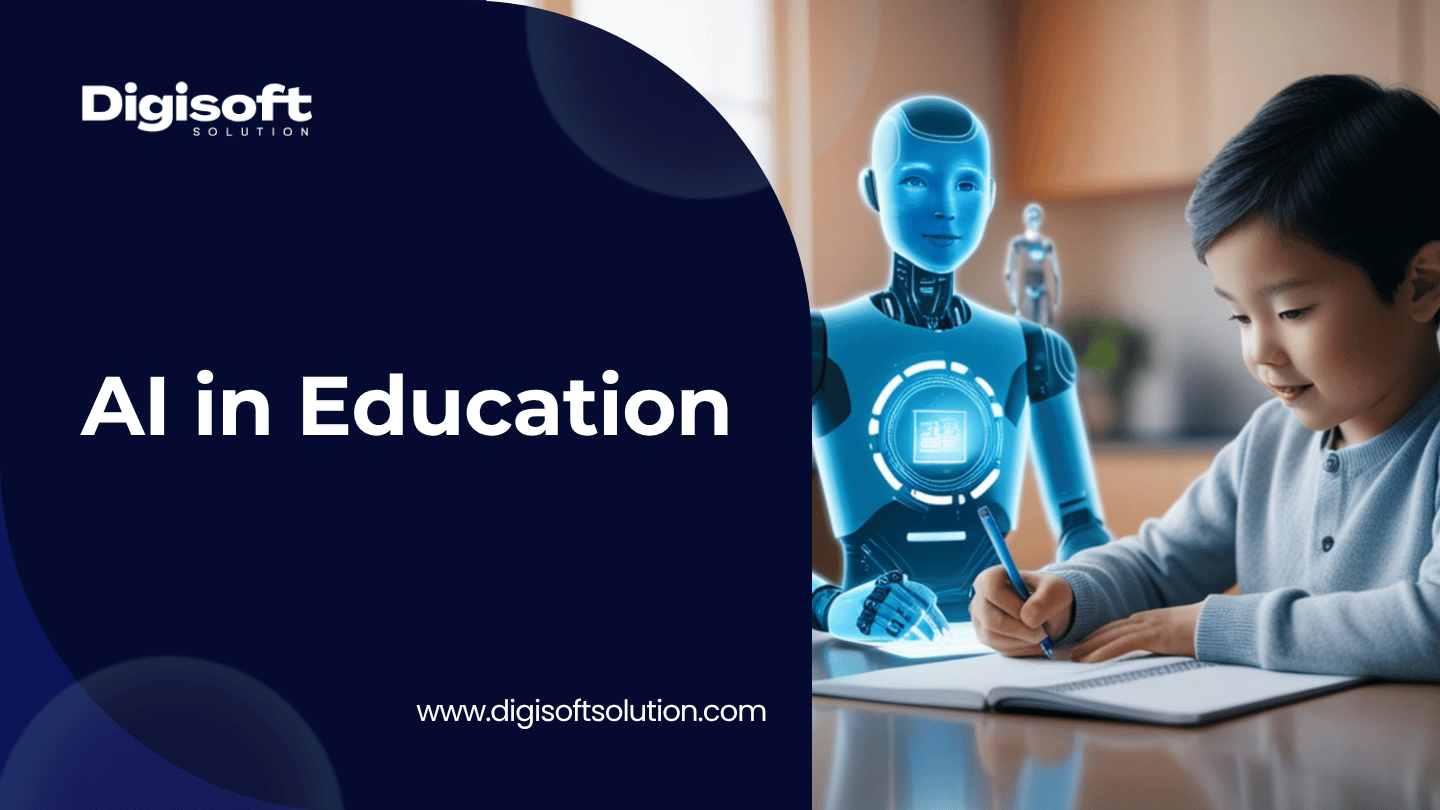
Every school district is talking about AI right now, but honestly, most of these conversation stays pretty surface level. Teachers hear "AI tutor" and picture a chatbot. Administrators hear "personalized learning" and picture a marketing slide. Not many articles actually sits down and explains what's happening under the hood, what it costs, and whether that cost is even worth it.
This one's written for school administrators, EdTech founders, and IT decision makers who wants the real, technical picture: how AI personalization actually works in a classroom, what tech is powering it, what it costs in 2026 (real numbers, not guesses), and how you decide whether building or buying makes more sense for your institution.
What "Personalized Learning" Actually Means in an AI Context
Personalized learning isn't really a new idea, teachers have been differentiating instruction for decades now, giving faster learners extra challenge problems and slower learners more scaffolding. What changed here is the scale.
A single teacher cannot track 30 students' mastery across 200 micro-skills in real time, nobody can do that manually. An AI system can. That's basically the whole value proposition in one sentence: AI doesn't replace the teacher's judgment, it just gives the teacher (and the platform itself) enough data to act on that judgment for every student, every single day, instead of once per quarter.
In practice, "AI-personalized learning" usually means one or more of these systems working together:
- Adaptive learning engines that change the sequence, difficulty, or format of content based on how a student responds
- AI tutoring assistants that answer questions, explain mistakes, and guide students using Socratic-style prompts instead of just handing out answers
- Automated grading and feedback tools that mark assignments and flag misconceptions almost instantly
- Predictive analytics that catches students at risk of falling behind before a report card even shows it
- Content generation tools that creates differentiated worksheets, reading passages, or practice sets at different reading levels
Each of these solve a different problem, and most schools don't actually need all five on day one.
How AI Personalizes Learning in Schools Today
Adaptive Learning Engines
Adaptive engines are the technical core of most personalization platforms. At the basic level, they use rule-based branching, get a question wrong twice, get an easier one next time. More advanced systems use Bayesian Knowledge Tracing (BKT), which estimates the probability a student has actually mastered a skill (not just answered one question right), or Deep Knowledge Tracing (DKT), which uses neural networks to model learning across hundreds of skills at once and predicts what a student is likely to struggle with next.
Platforms like DreamBox and Knewton Alta popularized this in math and higher-ed courseware. The output for a teacher isn't some black box, it's a dashboard: which students are stuck on fractions, which ones are ready to move ahead, and where the whole class is weak overall.
AI Tutoring and Chat-Based Support
This is probably the category most people picture when they hear "AI in education." Tools like Khan Academy's Khanmigo use large language models tuned to guide a student through a problem with questions rather than answers, and that matters a lot pedagogically. A tutor that just gives away the answer, teaches nothing really. A well-built one asks "what happens if you multiply both sides by 2?" and then waits.
The technical challenge here is less about the model itself and more about the guardrails: keeping the AI on-topic, age appropriate, and refusing to just do the homework for the kid. That's why most serious K-12 tutoring products layers content filters and interaction logging on top of the base model, and why teacher visibility into chat history is treated more like a compliance requirement than a nice-to-have feature.
Automated Grading and Feedback
Auto-grading has existed for multiple choice tests for years now. What's new is AI grading open-ended writing, short answers, even code submissions, using rubric-based scoring models. This is where the ROI case is clearest and probably the least controversial part of all this: teachers report saving 8 to 12 hours a week on grading alone, and that time goes straight back into actual teaching and one-on-one support.
Predictive Analytics for At-Risk Students
Attendance patterns, assignment completion rates, engagement data, all of it can feed a model that flags students likely to disengage or fail a course, sometimes weeks before a human teacher would even notice. This only works well when the Student Information System (SIS) and Learning Management System (LMS) are actually talking to each other, which honestly is a bigger technical lift than most schools expect going in. Usually it means building or buying integrations using standards like LTI 1.3, OneRoster, and xAPI so data flows cleanly between systems instead of sitting in five separate silos that don't sync.
Differentiated Content Generation
Generative AI can now spit out the same lesson at three different reading levels, translate it, or turn it into a quiz in seconds. Saves teacher prep time for sure, though it does need a human review step, since generated content can have factual errors in it or miss curriculum alignment if nobody checks it.
The Technology Behind AI Personalization (For the Technically Curious)
If you're evaluating vendors or planning a build yourself, it helps to actually know the architecture involved here, not just the marketing terms everyone throws around.
- Data layer: A Learning Record Store (LRS) capturing xAPI or SCORM statements ("student X attempted skill Y, result Z") is the foundation everything else sits on. Without clean event data, no adaptive algorithm is going to work properly, doesn't matter how good the model is.
- Algorithm layer: Rule-based branching for simple cases, BKT for mastery tracking, DKT or knowledge graphs for the bigger, multi-subject platforms.
- Integration layer: LTI 1.3/Advantage for embedding tools inside an LMS, OneRoster for syncing class rosters between the SIS and LMS, and SSO via SAML 2.0 or OAuth 2.0/OpenID Connect so students only have to log in once.
- Compliance layer: Role-based access control, audit logging, and encryption (AES-256 at rest, TLS 1.3 in transit) built into the design from the start, not bolted on after the fact.
This is genuinely a different discipline than building a general SaaS app, and it's exactly why generic dev teams without real EdTech experience end up underestimating the scope on these projects almost every time.
Real Examples of AI Personalization in Action
A few grounded examples worth knowing about:
- Khan Academy / Khanmigo pairs a huge free content library with an AI tutoring layer on top, and it's one of the only tools built specifically to meet US student data privacy rules like FERPA and COPPA right out of the box.
- DreamBox Learning focuses on K-12 math, continuously adjusting lesson difficulty based on how a student solves a problem, not just whether they got it right or wrong.
- Century Tech and Carnegie Learning uses similar mastery-based adaptive models for broader subject coverage in the UK and US respectively.
On the custom-build side, Digisoft Solution has actually worked on this exact category of problem before. One of our clients, Brainsy.ai, needed an AI-powered knowledge sharing and learning platform with smart content recommendations, and we built that using a recommendation engine layered on top of a microservices architecture. We also built an interactive LMS for the laundry education industry, which shows that "personalized learning" isn't just a K-12 thing, corporate and vocational training runs on basically the same underlying principles.
What Does AI in Education Actually Cost? A Transparent Breakdown
This is the part most articles skip entirely, or worse, they'll quote one random number without even saying whether it's a subscription or a full custom build. Let's be precise here, because "AI in education" can mean a $4-a-month app or a $1 million platform, and those are two completely different decisions to make.
Option 1: Buying an Off-the-Shelf AI Tool
| Tool type | Typical pricing (2026) | Best for |
|---|---|---|
| Khanmigo (district AI tutoring add-on) | $15 per student/year, teachers free | K-12 districts wanting FERPA/COPPA-ready AI tutoring fast |
| DreamBox, IXL, Newsela-style adaptive tools | $5 to $30 per student/month, or $3,000 to $50,000+/year institutional | Subject-specific adaptive practice (math, reading) |
| Carnegie Learning, Century Tech | $15 to $35 per student/year | Mastery-based adaptive learning across subjects |
| Cypher Learning (adaptive LMS) | From $249/month | Small to mid-size schools automating course recommendations |
| Free tier tools (Khan Academy core, Google Classroom AI, Khanmigo teacher access) | $0 | Budget-limited schools starting a pilot |
Option 2: Building a Custom AI-Powered Learning Platform
| Build type | Typical cost | Typical timeline |
|---|---|---|
| MVP with rule-based adaptive routing, single subject | $90,000 to $160,000 | 3 to 4 months |
| Multi-subject adaptive platform with BKT and analytics | $260,000 to $420,000 | 5 to 7 months |
| Full platform with virtual classrooms, AI-personalized paths, LMS integrations | $100,000 to $250,000 | 3 to 5 months |
| Enterprise build with DKT, knowledge graphs, deep SIS/LMS integration | $650,000 to $1,100,000 | 8 to 14 months |
| Ongoing operations (hosting, model costs, maintenance) | 10% to 25% of build cost, annually | Ongoing |
So Is the Cost Actually Good Value, or Not?
This is where it actually pays to do the math instead of just reading a number and reacting to it.
For a single school or small district (say, under 1,000 students), a subscription tool wins pretty decisively, no real debate there. Fifteen dollars a student per year for something like Khanmigo comes out to $15,000 a year for a 1,000-student district. Even the pricier adaptive tools at $30/student/month would only really makes sense for a very specific, high-need use case. Building anything custom at that scale just doesn't make financial sense, you'd be spending $90,000+ upfront for something a $15,000/year subscription already does perfectly well.
The math flips though for larger districts, multi-campus institutions, or EdTech companies building a product to actually sell. At 20,000+ students, a per-seat SaaS tool at $15 to $30/student/year runs you $300,000 to $600,000 a year, every single year, and you still don't own the underlying data model or the algorithm. A custom platform in the $260,000 to $420,000 range pays for itself against that subscription cost inside 12 to 18 months, and after that you own the IP, control your own roadmap, and aren't exposed to some vendor changing their pricing overnight or sunsetting a feature you depend on (which, worth mentioning, is a real risk right now given how fast these AI tutoring products keep getting redesigned and repriced mid-year).
So the honest answer here is: subscription pricing is genuinely good value at small scale, and it gets genuinely expensive fast at large scale. The break-even point in most of our own project estimates lands somewhere between 5,000 and 15,000 active users, depends a lot on which features you actually need though. If you're not sure which side of that line your school or company falls on, that conversation, not some generic quote off a website, is where an actual technical consultation earns its time.
Compliance and Data Privacy: The Part Schools Cannot Skip
Any AI tool touching student data has to account for:
- FERPA (US): student records can only be disclosed for legitimate educational purposes, and parents keep access and amendment rights over that data
- COPPA (US, under-13 learners): as of the 2026 update, AI features specifically (tutors, writing assistants, adaptive engines) needs separate parental consent, on top of the standard account consent
- GDPR / UK GDPR and GDPR-K equivalents (EU/UK, under-16 learners): explicit parental consent plus a right to an explanation of automated decisions
- WCAG 2.2 Level AA: accessibility isn't optional for publicly funded institutions in most regions, it's a requirement
Before you sign with any vendor, ask for their Data Processing Agreement and confirm exactly where student data gets stored and how long it's retained. This one step alone avoids most of the compliance headaches schools end up dealing with later.
The Honest Limitations of AI Personalization
No article on this topic is really complete without saying where it falls short, because it does fall short, in a few places.
- AI tutors are strong at procedural subjects like math and a lot weaker at open-ended reasoning, essay feedback, or subjects that need real human judgment
- Over-reliance risks students leaning on AI to just produce the answer instead of doing the actual thinking, especially with generative writing tools
- Adaptive algorithms trained on limited or biased data can misjudge students from underrepresented groups or non-standard learning paths, this happens more than vendors like to admit
- None of this replaces a teacher's relationship with a student, the data is only useful if a teacher (or the system) actually acts on it
The platforms getting the best outcomes treat AI as an instrument the teacher uses, not some autopilot running the classroom on its own.
How Digisoft Solution Helps Schools and EdTech Companies Build AI-Powered Learning Platforms
Digisoft Solution's been building software for 13+ years now, and education is one of the industries we work in directly, it's not some side project for us. Our education software development services covers the full stack this article's been talking about:
- LMS development with SCORM/xAPI, LTI 1.3, and Learning Record Store integration for real adaptive tracking (we go deeper into this in our LMS development services guide)
- Student Information System (SIS) development with FERPA-compliant access control and audit logging built in
- AI-driven personalization engines, including recommendation systems and adaptive assessment, built on the same principles we cover in our AI software development guide and our breakdown of AI agent types
- EdTech platform integrations connecting LMS, SIS, HR systems, and third-party tools using OneRoster, QTI, and SSO standards
- Security and compliance built into the architecture itself, covering FERPA, COPPA, GDPR, WCAG 2.2, and SOC 2, not tacked on as an afterthought once something breaks
We've already done this work in practice, from an AI-powered knowledge platform for Brainsy.ai to a unified LMS and SIS platform for a multi-campus higher education institution, both covered on our education software development page, plus an interactive eLearning platform for vocational training. We also offer flexible engagement models too, fixed price, dedicated team, or staff augmentation, so a school or EdTech startup can hire dedicated education software developers at whatever scale actually fits their budget and timeline.
If you're trying to figure out whether your institution should buy or build, talk to our team for a free technical roadmap and an honest cost estimate. We'll tell you straight up if a subscription tool already solves your problem before we ever pitch you on a custom build.
FAQ's
Is AI actually effective for personalizing learning, or is it overhyped?
It genuinely works well for procedural, skill-based subjects like math and language mechanics, where mastery can be measured pretty objectively. It's less proven for subjects that need deep human judgment, like literary analysis or creative writing. Honest answer is AI personalization works best as a support tool for teachers, not a replacement for them.
What's the difference between adaptive learning and personalized learning?
Adaptive learning is algorithm-driven, the system picks the next lesson based on real-time performance data. Personalized learning is broader and includes learner choice, teacher-directed differentiation, and student-controlled pacing too. The strongest platforms combines both, an adaptive default path with room for a student or teacher to steer it themselves.
How much does AI cost for a small school?
For a school under 1,000 students, expect somewhere around $5,000 to $30,000 a year using off-the-shelf AI tools like Khanmigo add-ons or DreamBox-style platforms, priced per student. A few strong tools, including Khan Academy's core platform, are actually free too.
Is it cheaper to build a custom AI learning platform or just buy a subscription?
Below roughly 5,000 to 15,000 active users, subscriptions is almost always cheaper. Above that range, custom development often pays for itself within 12 to 18 months and gets rid of ongoing per-seat licensing costs entirely.
Is AI in education safe for student data?
It can be, as long as the vendor is FERPA and COPPA compliant (US) or GDPR compliant (EU/UK), uses role-based access control, and gives you a signed Data Processing Agreement. Always verify this yourself before deployment rather than just assuming it by default.
Do AI tutors replace teachers?
No, not really. Every credible AI tutoring platform on the market right now, including Khanmigo, is explicitly designed to support teachers, not replace them. Teacher visibility into student-AI interactions is treated as a core feature, not some optional add-on you have to pay extra for.
What standards should an AI-powered LMS support?
Look for SCORM 1.2/2004 or xAPI for content tracking, LTI 1.3/Advantage for tool interoperability, OneRoster for roster syncing, and SSO via SAML 2.0 or OAuth 2.0/OpenID Connect. These standards are basically what lets AI personalization tools actually talk to your existing LMS and SIS without breaking everything.
How does AI grading actually work, and how accurate is it really compared to human graders?
Most AI grading tools work off a rubric you (or the platform) define first, then the model scores a response against each criterion, so it's not just "does this feel like an A." For structured stuff like math problems, short answers, or code, accuracy is genuinely high, often 90%+ agreement with human graders, because there's a clear right answer to check against. For open-ended writing, it gets murkier. AI can catch grammar, structure, and whether key points were addressed, but nuance, voice, and creative risk-taking are still things a human notices better. Most schools that use it well treat AI grading as a first pass, not the final word, a teacher still spot-checks a sample before grades go out.
What's the actual difference between an LMS, an LXP, and an adaptive learning platform?
An LMS (Learning Management System) is the structured, assign-and-track world, courses, assignments, grades, deadlines. Think Canvas or Moodle. An LXP (Learning Experience Platform) flips that around, it's built for discovery, so learners browse content based on interests and recommendations, more like a Netflix-style feed than a syllabus. An adaptive learning platform isn't really a separate category on its own, it's more of a feature layer that can sit inside either one, it's the engine that actually adjusts difficulty or sequencing based on performance. So you could have an LMS with adaptive math modules, or an LXP with adaptive content recommendations. A lot of 2026 platforms are honestly blending all three into one product, which is why the terms get confusing.
How do schools protect student data when they're using third-party AI tools?
The real protection isn't a single tool, it's a checklist. First, get the vendor's Data Processing Agreement before signing anything, and actually read where data is stored and how long it's kept. Second, confirm FERPA and COPPA compliance in writing, not just a badge on their website. Third, use role-based access control internally so not every staff member can see raw student data. Fourth, check if the AI vendor trains its models on student inputs, some do by default unless you opt out, and that's a real privacy risk most schools miss. And honestly, a lot of districts skip step one entirely and just trust the sales pitch, which is exactly how data ends up somewhere it shouldn't.
What does an AI tutoring pilot program even look like in its first 90 days?
Weeks 1 to 2 are usually setup, rostering, SSO, teacher accounts, and picking a narrow scope (like one grade level or one subject) instead of rolling it out school-wide immediately. Weeks 3 to 6 is where teachers actually start using it in class, and this is where adoption either sticks or dies, so training and a point-person who answers questions fast really matters here. Weeks 7 to 10 you start pulling usage data, who's actually using it, is it improving quiz scores or just being ignored. Last few weeks is the decision point, expand it, adjust it, or cut it. Most pilots fail not because the AI tool is bad, but because nobody set a clear success metric at the start, so nobody can actually say if it worked.
Can small schools with limited budgets realistically use AI personalization at all?
Yeah, honestly this one's more accessible than people think. Khan Academy's core platform is free, Google Classroom has AI features built in at no extra cost, and even Khanmigo's teacher access is free in most countries. A small school can run a real AI-supported classroom for close to $0 to start, and only pay once they want deeper features like district-level reporting or advanced tutoring add-ons, which run around $15 a student a year. The bigger limiting factor for small schools usually isn't budget, it's staff time to actually set things up and train teachers properly.
How do teachers get trained to actually use AI dashboards, not just have access to them and ignore it?
This is honestly where most rollouts quietly fail. Just giving a teacher a login and a 20-minute webinar doesn't cut it, dashboards need to become part of an actual weekly habit, like checking it every Monday before planning the week's lessons. The schools that do this well usually pick one "AI champion" teacher per department who gets deeper training first, then that person coaches the rest informally, works a lot better than a top-down mandate. Pairing the dashboard with something concrete also helps, like "use this to pick your small-group reteach list," instead of just "log in and look around." Vague training leads to a tool nobody opens after week two.
What happens to a student's personalized learning data when they change schools or districts?
This is genuinely one of the messier parts of EdTech right now, honestly. In most cases, that learning data doesn't automatically follow the student, it stays with whatever platform or district licensed the tool, and the new school starts from zero unless there's a formal data-sharing agreement in place. Some standards, like OneRoster, are meant to help with this by making student and course data portable between systems, but adoption is inconsistent, plenty of vendors still lock data into their own format. FERPA does give parents the right to request and transfer certain academic records, but AI-generated mastery data (like "this student is 73% proficient in fractions") often isn't classified the same way as a transcript, so it can just get left behind.
How is AI being used differently in higher education versus K-12?
K-12 leans heavily toward guardrails and guided tutoring, Socratic-style AI that won't just hand over answers, plus strict COPPA/FERPA compliance since a lot of users are minors. Higher ed trusts students with more autonomy, think AI research assistants, adaptive courseware for large lecture classes, and writing feedback tools, since college students are legally adults and the content is more open-ended anyway. Higher ed also uses AI more for institutional stuff K-12 doesn't touch as much, enrollment prediction, retention risk modeling, even admissions support. The compliance frameworks differ too, K-12 is FERPA plus COPPA, higher ed is mostly just FERPA, which gives universities a bit more room to experiment with less parental-consent friction.
Digital Transform with Us
Please feel free to share your thoughts and we can discuss it over a cup of coffee.